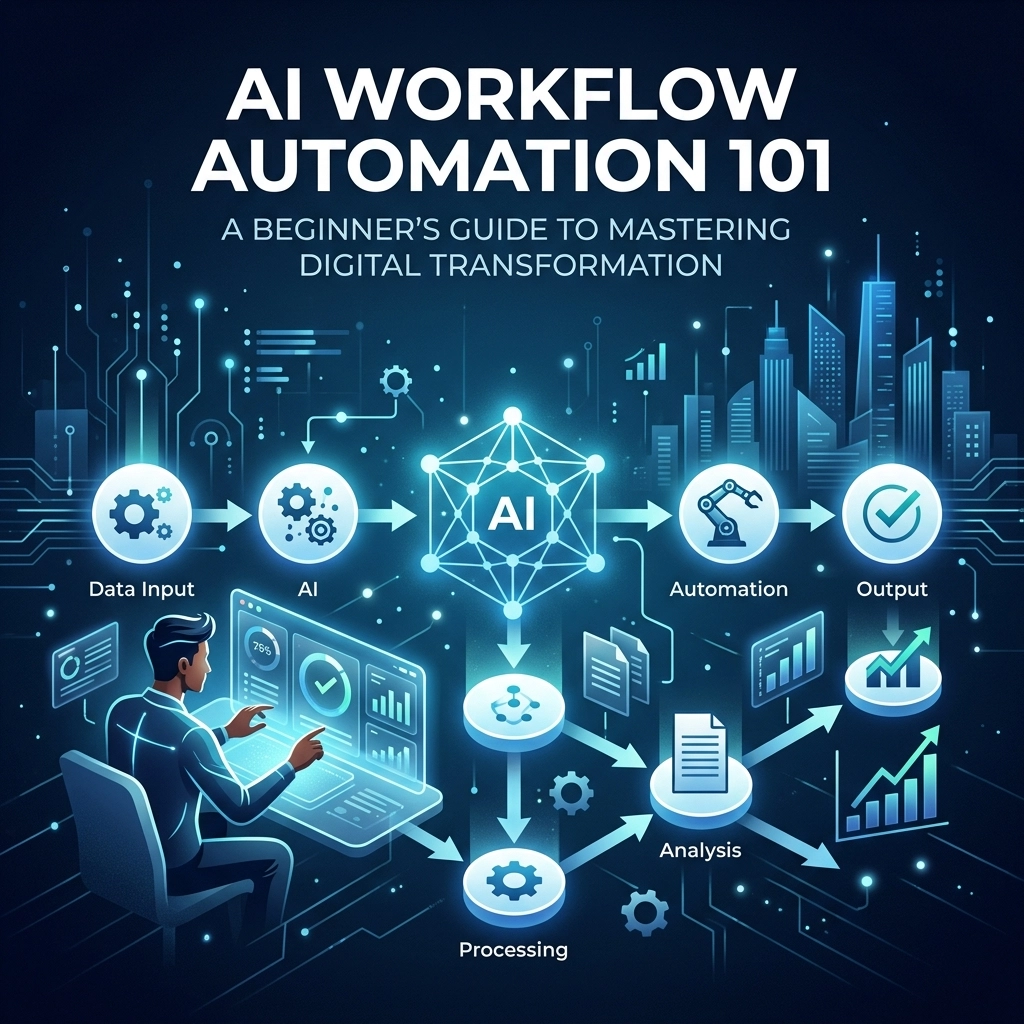
Digital transformation is no longer a buzzword reserved for Silicon Valley giants or multi-national conglomerates. In 2026, it is the baseline for survival. However, many executives still view "automation" as a complex, unreachable technical hurdle. The truth is far more empowering: AI workflow automation is simply about building a more intelligent operating model for your business.
At Pure Technology Consulting, we believe that the most successful transformations don't start with the most expensive tools; they start with a strategic shift in how you view your daily operations. This guide is designed to demystify the core components of AI automation and provide a roadmap for leaders looking to transition from manual "grunt work" to high-level strategic oversight.
What is AI Workflow Automation?
At its simplest, workflow automation is the process of using technology to perform repetitive tasks without human intervention. When we add Artificial Intelligence (AI) to the mix, the automation moves from being "rule-based" to "decision-based."
Traditional automation follows a strict if-this-then-that logic. If a client fills out a form, then send an email. AI workflow automation adds an intelligence layer: If a client fills out a form, have the AI analyze the sentiment and urgency of their message, categorize it based on your service offerings, and then route it to the specific specialist best equipped to handle it: while simultaneously drafting a personalized response based on previous interactions.
This shift allows your team to stop being data entry clerks and start being decision-makers.

The Building Blocks: How AI Workflows Function
To master digital transformation, you must understand the architecture of an automated system. Think of these as the "Lego bricks" of your business operations:
- The Trigger: Every automation needs a starting point. This could be an incoming email, a new entry in a database, a specific time of day, or a signal from a GPS logger in a field service app.
- The Filter: Not every trigger requires action. Filters ensure the automation only proceeds if certain conditions are met (e.g., "only continue if the lead’s budget is over $10,000").
- The Intelligence Layer (AI Model): This is where the magic happens. The AI analyzes the data from the trigger. It might summarize a long document, extract key dates from a contract, or perform a sentiment analysis on a customer review.
- Logic and Routing: Based on the AI’s analysis, where does the information go? This ensures that the right data reaches the right person or system at the right time.
- The Action: This is the final output. It could be generating a report, updating a record in your CRM, or triggering a telephony integration for a follow-up call.
- Integration: The "glue" that connects your disparate software systems: accounting, legal, project management, and communication: into a single, cohesive engine.
Identifying Your First Win: Where to Start
The biggest mistake leaders make is trying to automate everything at once. This leads to complexity collapse. Instead, identify your high-volume, low-complexity tasks.
Look for processes that are:
- Repetitive: Tasks done daily or weekly.
- Prone to Human Error: Data entry, file transfers, or manual scheduling.
- Time-Sensitive: Tasks where a delay in response equals a lost opportunity.
For example, in the legal and accounting sectors, document ingestion and categorization are often massive bottlenecks. Automating the intake process doesn't just save time; it ensures that no high-priority client is ever left waiting in an unread inbox.
Case Study: Demonstrating Capability through FTP Inform
At Pure Technology Consulting, we often build proprietary tools to solve specific industry pain points, demonstrating our ability to engineer custom, scalable solutions. A prime example is FTP Inform.
Many of our high-ticket clients in fintech and legal services deal with massive volumes of data moving via legacy systems like FTP (File Transfer Protocol). Manually monitoring these servers for new files is a waste of human capital. We developed FTP Inform as a proof-of-concept for automated notification and data ingestion.
By integrating FTP Inform into a broader AI workflow, a business can automatically:
- Detect when a new file is uploaded by a partner.
- Trigger an AI to scan the file for specific data points.
- Log those points directly into a custom web app or database.
- Notify the relevant department head via Slack or email.
This is the difference between "managing files" and "orchestrating data." While FTP Inform serves as a standalone utility, its true value lies in how it acts as a component of a bespoke, enterprise-level automation strategy.

Custom Web Apps: The Future of Your Operating Model
While off-the-shelf SaaS products are a great starting point, they often become a "straitjacket" for growing businesses. You end up changing your workflows to fit the software's limitations.
Visionary digital transformation involves building custom web applications that fit your business like a glove. Whether it's a healthcare matching engine like EHRIO Pro or a field-service accountability tool, bespoke software allows you to own your data and your processes entirely.
When we consult with clients on $10k+ custom builds, our focus is on operational leverage. We aren't just writing code; we are building an asset that increases the value of every hour your employees work.
Overcoming the "Fear of the Machine"
A common hurdle in AI workflow automation is the fear that technology will replace human talent. In our experience, the opposite is true. By automating the "robotic" parts of a job, you empower your staff to do the "human" parts: creative problem solving, relationship building, and strategic planning.
In the legal field, for instance, AI doesn't replace the lawyer; it replaces the ten hours the lawyer spent digging through discovery documents to find a single relevant clause. This allows the firm to handle a higher volume of cases with greater precision and lower overhead.
Implementing Your Strategy: A Step-By-Step Roadmap
If you are ready to begin your journey toward a fully automated enterprise, follow this consultative roadmap:
1. The Audit
Map out your current workflows. Where are the bottlenecks? Where does data get "stuck" in someone's inbox? Use your team's feedback to find the points of highest friction.
2. The Prototype
Choose one specific process: like lead intake or document categorization: and build a pilot automation. This allows you to prove the ROI without a massive initial investment.
3. The Integration
Connect your pilot automation to your existing tech stack. Ensure that data flows seamlessly between your custom tools and your standard platforms (Microsoft 365, Slack, CRMs).
4. The Scale
Once the prototype is successful, expand. This is where you move from simple automations to a comprehensive digital operating model. At this stage, seeking professional guidance ensures that your architecture is secure, compliant, and scalable.

Final Thoughts: The Visionary Path Forward
The transition to an AI-powered business isn't a single event; it's a continuous evolution. As the technology matures, the gap between the companies that embrace automation and those that resist it will become an unbridgeable chasm.
At Pure Technology Consulting, we specialize in bridging that gap. We don't just provide tools; we provide the strategic roadmap to turn your operational challenges into competitive advantages. Whether you are looking to automate a single department or rebuild your entire software infrastructure from the ground up, the goal is the same: clarity, efficiency, and growth.
Digital transformation is a journey of a thousand miles, but it begins with a single automated trigger.
Ready to see how custom automation can transform your operations?
Book a discovery call to discuss your workflow audit and explore bespoke development options.
Amin Said, Founder of Pure Technology Consulting LLC
https://puretechconsult.com
+1 (803) 921-0969
Leave a Reply