PTC AI Insights

  • Enterprise Automation Consulting: How High-Ticket Businesses Turn Manual Workflows Into AI-Powered Operating Systems

    Enterprise Automation Consulting: How High-Ticket Businesses Turn Manual Workflows Into AI-Powered Operating Systems

    By Amin Said, Founder of Pure Technology Consulting LLC

    Growth-focused businesses eventually encounter a familiar constraint: the organization is generating more demand, data, and operational complexity than its systems can manage.

    Teams add another spreadsheet, another software subscription, another manual review step, or another employee responsible for moving information from one platform to the next. Each individual workaround may appear reasonable. Collectively, they create an operating model that is expensive to maintain and difficult to scale.

    This is where enterprise automation consulting becomes strategically important.

    The goal is not simply to add artificial intelligence to an existing process. The goal is to redesign how the business operates by connecting data, workflows, people, and decision-making inside a coherent digital architecture.

    For high-ticket businesses, that transformation is often best approached through a scoped custom engagement: frequently a $10,000+ initiative focused on a defined operational bottleneck, measurable outcomes, and a roadmap for future scale.

    The business case for moving beyond disconnected tools

    Most companies do not begin with a broken technology strategy. They begin with sensible point solutions.

    A CRM manages leads. A scheduling platform manages appointments. Accounting software manages payments. Communication tools manage email and messaging. A reporting platform displays selected metrics.

    The problem emerges when the business model becomes more complex than the assumptions built into those systems.

    Manual work begins to fill the gaps:

    • Employees re-enter the same information across multiple systems.
    • Managers reconcile conflicting reports before making decisions.
    • Staff members interpret inconsistent data using tribal knowledge.
    • Exceptions are handled through email instead of governed workflows.
    • Leadership cannot easily identify where revenue, time, or compliance risk is being lost.

    This creates what many executives experience as operational drag. The business may have modern software, but it does not yet have a unified operating system.

    A strategic approach to custom web application development addresses the architecture beneath the symptoms. Instead of asking, “Which tool should we add next?” the better question is, “What system should coordinate the way our business actually works?”

    AI workflow automation must begin with process design

    AI is powerful, but it does not automatically repair a poorly designed workflow. If data is incomplete, responsibilities are unclear, and systems are disconnected, adding AI may simply accelerate inconsistency.

    Effective AI workflow automation begins with a structured understanding of the current operating model.

    A workflow audit should identify:

    1. Where information enters the business.
    2. How that information is validated and classified.
    3. Which systems need to receive it.
    4. Where decisions are made.
    5. Which steps require human judgment.
    6. How exceptions are escalated.
    7. What outcomes should be measured.

    This process mapping creates the foundation for automation that is reliable rather than decorative.

    For example, an AI agent supporting a professional services firm might review an incoming inquiry, classify the matter, identify missing information, create a record in the CRM, schedule a consultation, and notify the appropriate team member. But each action depends on a clearly defined data model, role structure, and escalation path.

    The intelligence layer is only as effective as the operating architecture beneath it.

    Enterprise workflow architecture showing data sources, integrations, orchestration, AI decisions, and human approval

    The operating system model: architecture, orchestration, and intelligence

    The most effective AI-powered business systems typically contain three connected layers.

    1. A trusted data foundation

    The system needs a reliable source of truth for customers, matters, patients, locations, transactions, employees, or other core business entities.

    This does not always mean replacing every existing platform. It may mean creating a secure orchestration layer that normalizes data across systems and ensures that each department works from consistent information.

    In a healthcare workflow, for example, that foundation may connect intake data, scheduling status, provider matching logic, and follow-up requirements. In a multi-location business, it may unify location-level activity while preserving appropriate permissions for local teams.

    2. A workflow orchestration layer

    Orchestration is the coordination mechanism between systems and teams.

    It determines what should happen when an event occurs:

    • A new lead submits an intake form.
    • A patient completes a questionnaire.
    • An account file arrives through a secure transfer.
    • Inventory falls below a defined threshold.
    • A customer leaves a review.
    • A case reaches a deadline.
    • A payment or communication event is recorded.

    Rather than requiring an employee to monitor each system, the orchestration layer routes information, triggers actions, creates tasks, and records outcomes.

    This is the central focus of business process automation consulting: designing workflows around business logic instead of forcing teams to manage disconnected software manually.

    3. An intelligence and decision layer

    Once data and workflow logic are structured, AI can add higher-value capabilities.

    AI may classify documents, summarize records, detect anomalies, recommend next actions, draft communications, identify priority cases, or support forecasting. In more advanced environments, AI agents can execute multi-step processes within defined permissions.

    The objective is not to remove human judgment from every decision. It is to reserve human attention for decisions where context, accountability, or relationship management matters most.

    What high-ticket clients should automate first

    Not every process deserves custom development. Standard tools remain appropriate for many routine functions.

    A custom automation initiative is most valuable when a workflow is:

    • Repetitive and high-volume.
    • Central to revenue or customer experience.
    • Dependent on proprietary business rules.
    • Shared across multiple departments or locations.
    • Difficult to manage because of fragmented data.
    • Sensitive to compliance, timing, or accuracy.
    • Expected to become more complex as the organization grows.

    This is especially relevant for healthcare groups, legal and accounting firms, debt agencies, e-commerce operators, professional services companies, and multi-location businesses.

    A law firm may need a secure intake and matter-routing system that reflects its practice areas and internal review stages. An accounting firm may need workflow automation across document collection, client communication, deadline management, and billing. A healthcare practice may need dynamic intake and provider matching that generic practice software cannot support.

    In each case, the opportunity is larger than task automation. The opportunity is to create a proprietary operating model that improves consistency and gives leadership better visibility.

    Proven capabilities can accelerate the transformation roadmap

    Pure Technology Consulting approaches custom engagements as a software development partner and strategic advisor. Our proprietary platforms provide proof-of-concept for the kinds of complex systems we can architect: not standalone products being promoted for purchase.

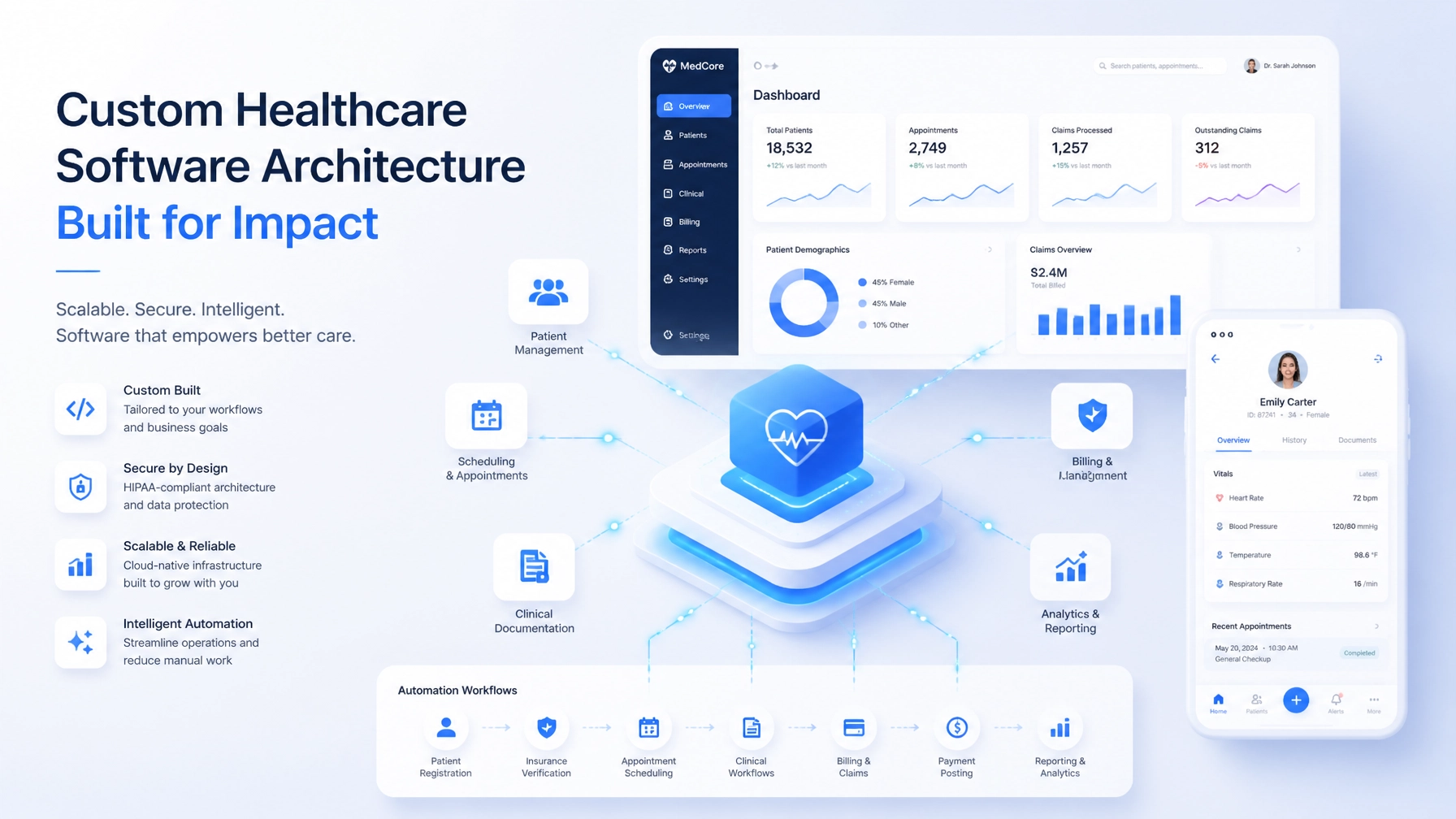
    • EHRIO Pro demonstrates our experience with healthcare workflow architecture, including matching engines, detailed 70-question intakes, and HIPAA-adjacent data flows.
    • ChainHQ demonstrates unified, location-aware architecture for multi-location operations, role-based access, centralized data, and executive reporting.
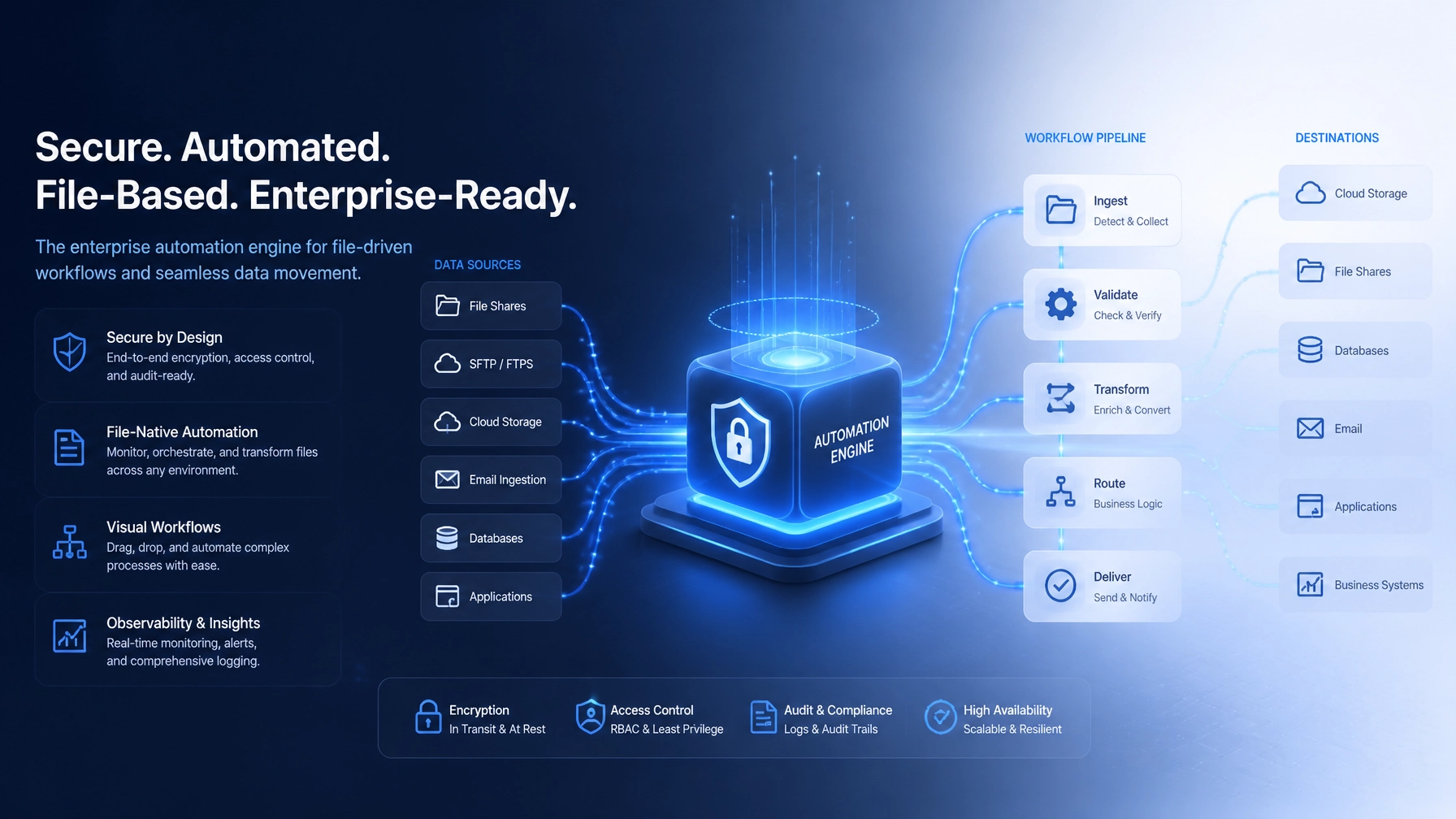
    • FTP Inform demonstrates secure file ingestion, schema validation, transformation, exception handling, and workflow orchestration for high-volume financial operations.
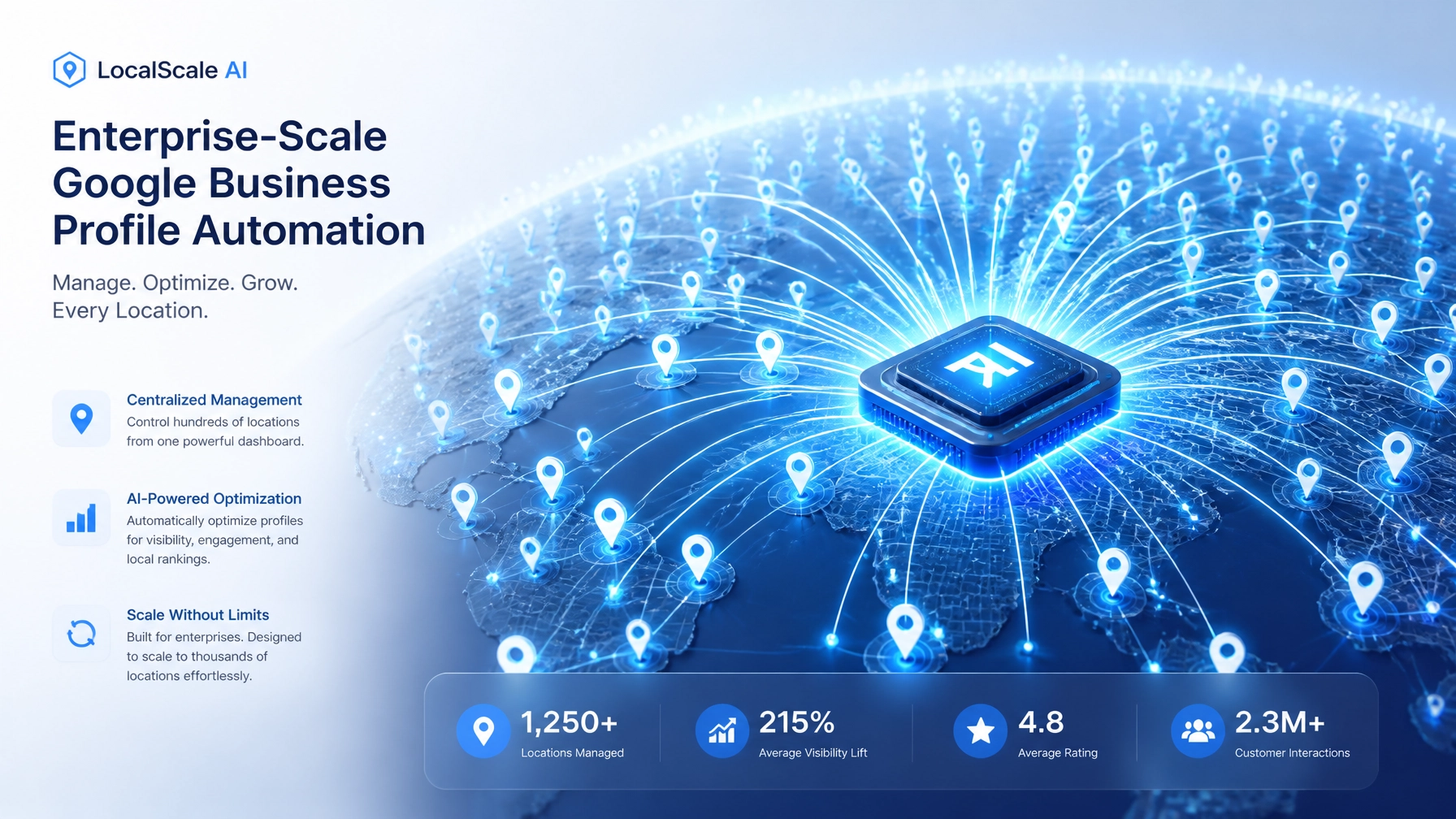
    • AI Local Boost demonstrates scalable AI content orchestration, Google Business Profile automation, review workflows, and integrations across hundreds of locations.

    These systems represent different operating environments, but they share the same engineering principles: structured data, clear business rules, secure integrations, reliable automation, and measurable visibility.

    Those capabilities can be adapted to legal, accounting, healthcare, field operations, and other high-value service environments. Clients do not have to begin from an empty technical foundation.

    AI workflow governance with secure access, audit trails, human approval, and coordinated business processes

    Governance is what makes automation enterprise-ready

    Automation creates leverage, but scale requires control.

    An AI-powered operating system should include governance from the beginning:

    • Role-based access to sensitive information.
    • Approval checkpoints for high-impact decisions.
    • Audit trails for automated actions.
    • Clear rules for escalation and exception handling.
    • Monitoring for workflow failures and data anomalies.
    • Secure integration patterns across internal and third-party systems.
    • Defined ownership for maintaining business logic.

    Human-in-the-loop design is particularly important in regulated or relationship-driven industries. AI can prepare a recommendation, summarize a record, or route work to the right specialist. A qualified professional may still need to approve the final decision.

    The right question is not whether a process is fully automated. The right question is which parts should be automated, which parts should be augmented, and where accountability must remain with a person.

    A practical roadmap for digital transformation consulting

    A successful transformation usually progresses through stages rather than attempting to automate the entire enterprise at once.

    Discover

    Audit the current workflow, technology stack, data flows, manual workarounds, and business constraints.

    Prioritize

    Select the workflow with the clearest relationship to revenue, cycle time, customer experience, labor efficiency, or risk reduction.

    Architect

    Define the data model, integration strategy, access controls, workflow states, AI responsibilities, and measurement framework.

    Build

    Develop the custom application or orchestration layer, connect the necessary systems, and introduce automation in controlled phases.

    Govern and optimize

    Monitor performance, review exceptions, train stakeholders, and evolve the system as the business changes.

    Typical deliverables may include:

    • Solution architecture and technical roadmap.
    • Custom web application or orchestration layer.
    • Secure API and third-party integrations.
    • Executive dashboards and operational reporting.
    • AI-assisted classification, routing, and decision support.
    • Automated notifications, approvals, and exception workflows.
    • Role-based permissions and audit logging.

    Executive command center dashboard representing visibility, scalability, and measurable digital transformation

    The strategic shift: from managing tools to designing leverage

    The future of enterprise automation is not defined by how many applications a company subscribes to. It is defined by how effectively the organization turns information into coordinated action.

    Businesses that continue adding disconnected tools may increase their software inventory without increasing their operational capacity. Businesses that invest in a unified architecture can create leverage across departments, locations, and customer journeys.

    That is the promise of digital transformation consulting when it is grounded in business strategy: fewer manual handoffs, clearer accountability, faster decisions, and systems designed around the way the organization creates value.

    Pure Technology Consulting is a custom software development agency for leaders who are ready to treat technology as part of their operating model: not merely as an expense line.

    If your business is constrained by manual workflows, fragmented data, or systems that no longer match your growth strategy, book a discovery call to discuss a focused workflow audit and automation roadmap.

    Contact: +1 (803) 921-0969

    Amin Said, Founder of Pure Technology Consulting LLC
    https://puretechconsult.com
  • Case Study: How FTP Inform Turned File-Based Operations Into a Scalable Automation System

    Case Study: How FTP Inform Turned File-Based Operations Into a Scalable Automation System

    Amin Said

    File-based operations rarely fail because FTP or SFTP is inherently inadequate. They fail because the surrounding workflows are fragmented, difficult to govern, and dependent on manual intervention.

    For high-volume organizations, a file may represent a debt portfolio, a customer intake, a financial report, a payment record, or a compliance document. When that file arrives late, contains inconsistent data, or disappears into an unmonitored folder, the operational impact can spread across multiple departments.

    Pure Technology Consulting built FTP Inform as a proprietary proof-of-concept to demonstrate how a custom web application can transform file-based operations into a controlled, observable, and scalable automation system. It is not presented here as a standalone product for sale. Instead, it represents the type of complex platform PTC can design and deploy for organizations with specialized workflows, high data volumes, and demanding integration requirements.

    The project reflects PTC’s broader capabilities in custom web application development, bespoke AI solutions, enterprise automation consulting, and AI-powered business systems.

    The business challenge: critical workflows hidden inside files

    The operating environment behind FTP Inform was representative of a common enterprise pattern. A high-volume organization relied on multiple systems, file exchanges, manual exports, and custom scripts to move information between internal teams and external partners.

    The process may have looked simple on the surface:

    1. A partner uploads a file.
    2. An employee checks whether it arrived.
    3. Someone opens or parses the file.
    4. Data is validated manually.
    5. Records are imported into another system.
    6. Exceptions are investigated through email and spreadsheets.
    7. Managers wait for reports to understand what happened.

    At low volume, this approach can appear manageable. As the organization grows, it creates operational drag and introduces risk.

    The core challenges included:

    • No single operational view of inbound and outbound file activity.
    • Different partners using different file structures and naming conventions.
    • Manual identification of missing, incomplete, or malformed records.
    • Scripts and scheduled jobs that were difficult to maintain.
    • Limited visibility into processing status and ownership.
    • Scattered logs that made audits and root-cause analysis harder.
    • Disconnected systems requiring repeated data entry and reconciliation.

    The requirement was not simply to monitor an FTP server. The organization needed an operating layer that could receive data securely, understand its structure, apply business rules, coordinate downstream actions, and make every outcome visible.

    The architecture: a custom ingestion and orchestration layer

    PTC approached FTP Inform as a custom automation architecture rather than a collection of isolated features.

    The system was designed around several coordinated layers:

    • Secure file ingestion.
    • File and record validation.
    • Canonical data transformation.
    • Workflow orchestration.
    • Exception handling.
    • Audit and governance.
    • Dashboards and operational reporting.
    • External system integrations.

    This architecture matters because automation is only valuable when it preserves control. A file can arrive automatically and still create problems if the data is incomplete, the destination is unavailable, or the business rules are unclear.

    The system therefore separated the movement of information from the decisions made about that information. That separation made the workflows easier to monitor, modify, and extend as operational requirements evolved.

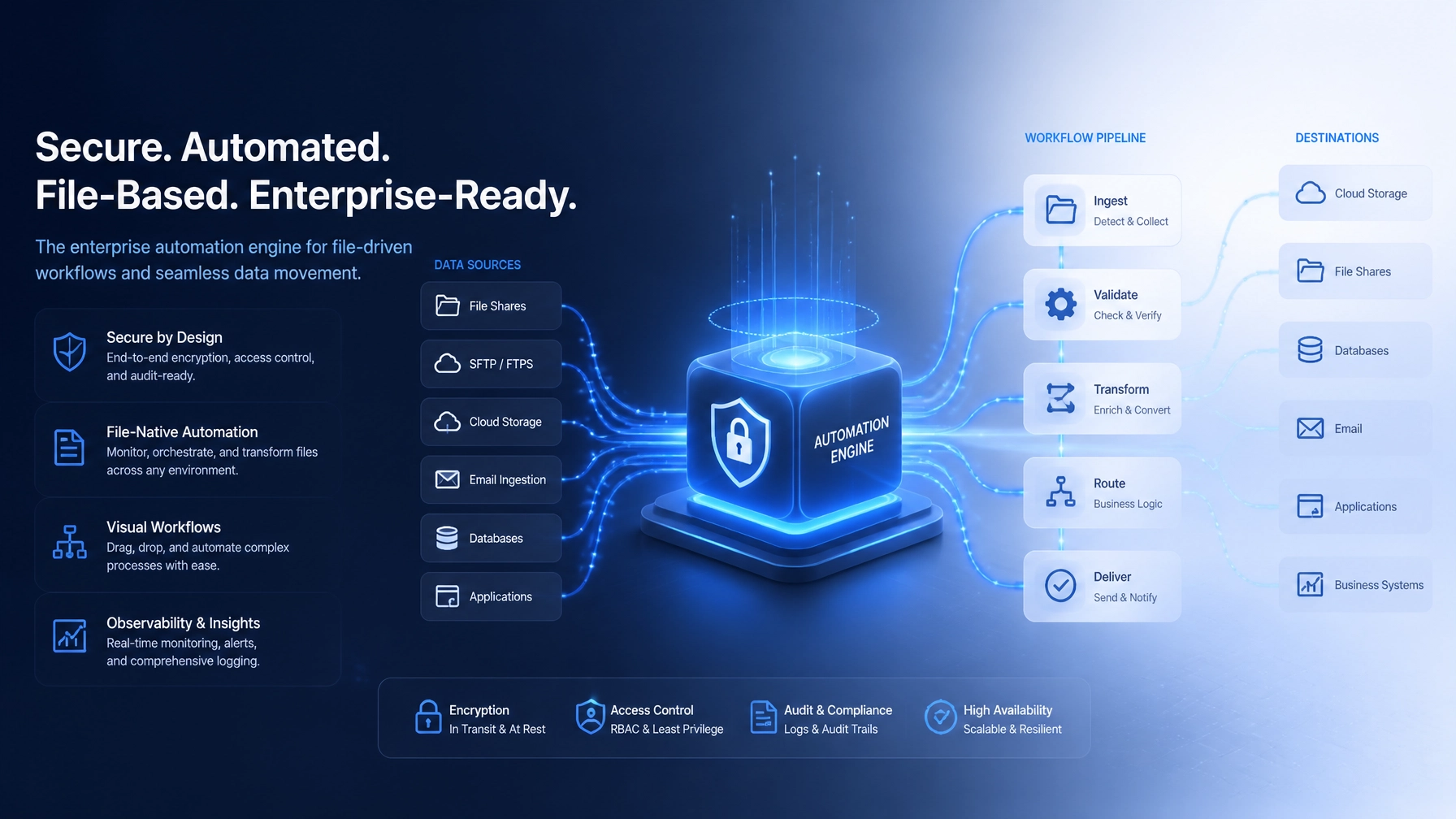
    Secure SFTP file ingestion and automated schema validation

    Secure file ingestion with controlled handoffs

    The first responsibility of FTP Inform was to establish a dependable entry point for file-based data.

    Secure FTP and SFTP endpoints could be configured according to the needs of each workflow or business relationship. Credentials, connection settings, directories, and monitoring rules were managed centrally rather than distributed across individual scripts and servers.

    When a file became available, the system could initiate processing without waiting for an employee to discover it manually. The ingestion process was designed to support:

    • Controlled access to file locations.
    • Secure credential management.
    • File-type and naming-pattern recognition.
    • Duplicate detection and processing safeguards.
    • Event or schedule-based monitoring.
    • Status tracking from arrival through completion.

    The objective was not merely speed. It was consistency. Every file should pass through the same controlled sequence, with a clear record of what the system received and what happened next.

    Validation that protects downstream operations

    In a file-based environment, bad data is often more expensive than a missing file. A missing file can trigger an alert. A malformed file may pass through several systems before the problem becomes visible.

    FTP Inform was structured to validate data before it entered downstream workflows. Validation could be applied at both the file level and the record level.

    Examples include:

    • Confirming that required columns or fields are present.
    • Checking file structure against client-specific schemas.
    • Normalizing data types and formats.
    • Identifying missing values or invalid identifiers.
    • Detecting unexpected balances, statuses, or consent fields.
    • Comparing file contents with expected business rules.
    • Producing feedback reports for rejected or incomplete records.

    Validated records could then be translated into a consistent internal data model. This canonical model reduced the need for every connected system to interpret every partner’s unique format.

    That approach is central to effective business process automation consulting. The goal is not to automate inconsistency. The goal is to create a reliable operational standard while preserving the flexibility required by different partners and departments.

    Workflow orchestration turns data into action

    File ingestion and validation create the foundation. Workflow orchestration creates business value.

    Once data was accepted and normalized, FTP Inform could route it according to defined rules. In a debt and fintech environment, those rules might include account status, aging category, balance range, jurisdiction, contact restrictions, or recovery priority.

    In another industry, the same orchestration model could route:

    • Healthcare referrals based on intake responses and provider criteria.
    • Accounting documents based on entity, period, or approval status.
    • Legal matters based on practice area, jurisdiction, and assigned team.
    • E-commerce files based on inventory thresholds, fulfillment status, or marketplace.
    • Professional-services requests based on service type, urgency, and staff capacity.

    The system’s value came from making these decisions explicit and repeatable.

    Typical workflow actions included:

    • Routing records to the correct department or queue.
    • Triggering notifications when a file or process reached a defined state.
    • Initiating API calls to connected platforms.
    • Updating internal records and dashboards.
    • Assigning work according to rules.
    • Creating follow-up tasks or review requirements.
    • Escalating items that exceeded defined time thresholds.

    Workflow automation metrics and collection intelligence dashboard

    Exception handling is where scalable automation proves itself

    A mature automation system does not assume that every file will be correct or every integration will be available. It defines what happens when reality deviates from the expected path.

    FTP Inform treated exceptions as first-class workflow states rather than silent failures.

    Invalid records could be separated into a quarantine or review queue while valid records continued through the process, depending on the business rules. Failed connections, missing files, duplicate submissions, and processing delays could be logged and routed to the appropriate owner.

    This model gives operations teams the information they need to act:

    • What failed?
    • At which stage did it fail?
    • Which records were affected?
    • Was the issue caused by the source file, a connection, or a downstream system?
    • Who owns the next action?
    • Was the issue resolved, retried, or overridden?

    This is a meaningful distinction between a script and an automation platform. A script performs a task. A governed system manages the task, its outcomes, and its exceptions.

    Auditability, dashboards, and integration governance

    Every high-volume workflow eventually becomes a management and governance problem. Leaders need to know whether work is moving, where it is delayed, and whether the organization can demonstrate what occurred.

    FTP Inform was designed to provide a centralized activity history covering file arrival, validation, processing, routing, integration events, retries, and resolution activity.

    A practical audit trail can support:

    • Operational investigations.
    • Partner communication.
    • Internal accountability.
    • Compliance reviews.
    • Service-level monitoring.
    • Historical reporting.
    • Root-cause analysis.

    Dashboards translate this activity into operational visibility. Instead of asking employees to search folders, review scripts, or reconcile spreadsheets, stakeholders can monitor workflow status through a unified interface.

    Integrations extend that visibility into the systems already used by the organization. Depending on the operating model, a custom platform may connect with telephony providers, payment systems, accounting ledgers, CRMs, data warehouses, notification services, or internal APIs.

    The integration strategy should be deliberate. Not every system needs to be replaced. The purpose of custom development is to create a reliable coordination layer around the systems that matter.

    Enterprise integration, secure data pipelines, and compliance governance

    Designing for scale without multiplying complexity

    Scalability is not only a question of processing more files. It is also the ability to add partners, workflows, rules, and users without creating a new maintenance burden each time.

    FTP Inform demonstrated several principles that support that outcome:

    • Reusable workflow templates for common file-processing patterns.
    • Configuration-driven partner and endpoint management.
    • Standardized validation and retry policies.
    • Separation between business rules and infrastructure.
    • Centralized monitoring across multiple connections.
    • Role-based access to operational information.
    • Structured data models that support future integrations.

    This creates a path from one custom workflow to a broader AI-powered business system. Once data is structured and observable, organizations can introduce additional intelligence, such as anomaly detection, prioritization recommendations, document classification, or predictive routing.

    AI should not be added as a disconnected feature. It should be applied where the underlying workflow, data ownership, and governance are already clear.

    Measuring the operational impact

    Because this project is presented as a proprietary proof-of-concept rather than a public client performance report, PTC does not assign unsupported numeric results to the implementation.

    The measurable impact of a system like FTP Inform should instead be evaluated against the organization’s baseline. Relevant measures may include:

    • Time from file arrival to validated processing.
    • Number of manual touchpoints per file or record.
    • Frequency of duplicate or rejected submissions.
    • Time required to identify and resolve exceptions.
    • Number of systems requiring manual reconciliation.
    • Time required to onboard a new partner or workflow.
    • Percentage of file activity covered by centralized audit logs.
    • Staff hours redirected from monitoring toward higher-value work.

    The important transformation is structural: file movement becomes visible, validation becomes consistent, exceptions become actionable, and workflows become easier to extend.

    What FTP Inform means for other industries

    The same proven capabilities can transfer well beyond debt and fintech operations.

    PTC has built related proof-of-work across healthcare, field operations, local SEO, and other complex environments:

    • Healthcare: Thrive and EHRIO demonstrate structured 70-question intakes, matching engines, and HIPAA-adjacent workflows.
    • Operations and field services: D2D Tracking demonstrates rep accountability and GPS logging.
    • Debt and fintech: Telephony integrations and call attribution support high-volume, compliance-sensitive operations.
    • Local SEO: AI Local Boost demonstrates Google Business Profile automation across distributed locations.

    These examples reinforce a broader point: PTC is not starting from scratch when entering legal, accounting, healthcare, debt, fintech, or professional-services environments. The domain logic changes, but the engineering capabilities remain transferable.

    Build the operating system your business actually needs

    FTP Inform illustrates how custom web application development can convert a fragile file-based process into a scalable operating model.

    For organizations managing complex data exchanges, the opportunity is larger than replacing scripts. It is the opportunity to create a governed digital foundation for automation, integration, reporting, and future AI solutions.

    If your teams are still coordinating critical workflows through folders, spreadsheets, email, and disconnected enterprise tools, visit https://puretechconsult.com to explore a more deliberate path forward.

    Book a discovery call to review your workflow architecture, identify the highest-value automation opportunities, and define a practical roadmap. You can also contact Pure Technology Consulting at +1 (803) 921-0969.

    Amin Said, Founder of Pure Technology Consulting LLC
    https://puretechconsult.com

  • Custom Web Application Development: The Strategic Advantage of Building Around Your Operating Model

    Custom Web Application Development: The Strategic Advantage of Building Around Your Operating Model

    Author: Amin Said, Founder of Pure Technology Consulting LLC

    Growth eventually exposes the limits of generic software.

    A local healthcare group adds locations and discovers that every clinic manages intake differently. A professional services firm wins more clients but relies on spreadsheets to coordinate delivery. A multi-location operator cannot produce reliable performance reports without consolidating data manually. A SaaS or white-label partner has a strong commercial idea but lacks the technical foundation to launch it.

    In each case, the problem is not a lack of software. It is a misalignment between software and the way the business operates.

    Custom web application development creates strategic leverage when technology is designed around your operating model: the connected set of workflows, decisions, roles, data, and customer experiences that determine how your organization creates value.

    The goal is not to replace every existing tool. The goal is to build the right digital backbone for the capabilities that matter most.

    Your operating model should drive the technology roadmap

    Off-the-shelf platforms are valuable when your processes are common, stable, and well served by existing functionality. Accounting, communications, project management, and basic CRM tools can often be purchased more efficiently than built.

    The challenge begins when your business depends on workflows that are specialized, cross-functional, or central to your competitive advantage.

    Generic tools typically make your team adapt to predefined fields, permissions, approval steps, reporting structures, and integration patterns. Over time, employees create workarounds:

    • Information is copied between CRM, scheduling, billing, and operational systems.
    • Teams maintain spreadsheets because dashboards do not reflect the decisions leaders need to make.
    • Staff use email and chat to manage exceptions that the primary platform cannot model.
    • Managers develop local processes that create inconsistency across locations.
    • Important customer and operational data becomes scattered across disconnected applications.

    A custom system reverses that relationship. Instead of asking the organization to conform to the software, the software reflects the organization’s most important operating principles.

    That alignment can improve adoption, reduce duplicate work, strengthen governance, and create capabilities competitors cannot purchase from the same software marketplace.

    A workflow audit evolving into a modular, scalable application architecture

    When custom software creates the greatest advantage

    Custom development is not automatically the right answer. It becomes strategically compelling when the cost of operational compromise is greater than the cost of building a fit-for-purpose system.

    Complex workflows are limiting throughput

    If a process includes multiple teams, conditional decisions, approvals, data validations, or exception paths, a generic platform may leave too much work to human coordination.

    For example, a healthcare intake workflow may require a detailed questionnaire, insurance verification, provider matching, scheduling, and follow-up. A debt agency may need to ingest files in different formats, validate records, segment accounts, and connect activity to telephony and payment systems.

    In both situations, the application is not simply storing information. It is coordinating a business process. That is where bespoke automation can produce meaningful operational leverage.

    Growth is multiplying administrative work

    Per-user SaaS pricing can be attractive early in a company’s growth. However, the economics change as headcount, locations, customers, or transaction volume increase.

    If every new branch requires another software instance, manual report consolidation, or additional administrative staff, the technology stack is scaling linearly with the business. A unified custom architecture can support new locations and users through shared data models, role-based access, and centralized governance.

    This is particularly relevant for multi-location service businesses, specialty clinics, permanent jewelry brands, and e-commerce operators managing multiple channels.

    Your customer experience is part of your differentiation

    A standard customer portal may be sufficient for a common service. It becomes restrictive when your brand depends on a distinct onboarding journey, highly tailored intake, self-service process, or complex service configuration.

    A custom application can connect the customer-facing experience to the internal workflow behind it. That creates continuity from lead capture through delivery, billing, and retention instead of treating each stage as a separate software problem.

    Your data and compliance requirements are specialized

    Organizations in healthcare, finance, legal, and accounting often need more than basic access controls. They may require detailed audit trails, structured approvals, data segregation, retention rules, or workflows that reflect regulatory obligations.

    Custom software does not remove the need for compliance expertise. It provides the flexibility to embed governance into the application architecture instead of relying entirely on manual oversight.

    How to evaluate the economics of a custom build

    The right comparison is rarely “subscription price versus development price.” Executives should evaluate total cost of ownership and the value of improved execution over a defined period.

    A practical business case should include:

    • Current software subscriptions, add-on fees, and integration costs.
    • Labor spent on duplicate entry, reconciliation, reporting, and exception handling.
    • Revenue delayed or lost because of missed handoffs, slow follow-up, or poor visibility.
    • The cost of errors, rework, compliance exposure, and inconsistent customer experiences.
    • Expected growth in users, locations, transactions, or business units.
    • Ongoing costs for hosting, support, security, and product evolution.

    A custom build generally requires a larger upfront investment. Premium engagements may begin at $10,000 or more depending on scope, integrations, security requirements, and the level of architecture required. The investment should be tied to a clearly defined business capability: not an unlimited list of requested features.

    For example, assume an organization spends $4,000 per month across overlapping tools and dedicates 80 staff hours monthly to manual reconciliation and data entry. If a custom system reduces tool duplication and materially decreases that manual workload, the organization can compare those savings and capacity gains against the build and maintenance costs.

    The calculation should also consider strategic value. A system that enables a new service line, supports a white-label revenue model, or makes a multi-location expansion possible may justify investment even when direct labor savings are only part of the return.

    The important discipline is to document assumptions. Avoid promising a return based on generic industry statistics. Establish a baseline, define the measurement window, and agree on which operational metrics will indicate success.

    Start with a workflow audit, not a feature list

    The strongest custom software projects begin with an operating-model conversation rather than a request for screens and buttons.

    A workflow audit should examine:

    1. The current state: How work enters the organization, moves between teams, and reaches completion.
    2. The decision points: Where staff apply judgment, approvals are required, or rules determine the next action.
    3. The data flows: Which systems create, update, or consume each important record.
    4. The friction points: Where information is re-entered, delayed, lost, or reconciled manually.
    5. The growth constraints: Which processes will become more expensive or less reliable as volume increases.
    6. The governance requirements: Who should access, approve, edit, export, or audit each category of data.

    The output should be a prioritized capability map. It might identify a unified intake engine, a location-aware data model, an automated file ingestion pipeline, a reporting layer, or an AI-assisted review process as the first phase.

    This approach prevents a common failure pattern: building a polished application that automates low-value tasks while leaving the core bottleneck untouched.

    Move from audited workflow to scalable architecture

    Once the priority capability is defined, the architecture should reflect both present requirements and the organization’s likely direction.

    A scalable roadmap typically includes:

    • A clear domain model: The core entities, relationships, statuses, and business rules that define the operation.
    • Integration boundaries: Secure APIs, event flows, and data pipelines that connect existing systems without creating fragile dependencies.
    • Role-based access: Interfaces and permissions tailored to executives, managers, operators, clients, and partners.
    • Modular application design: Components that can evolve without forcing a full rebuild.
    • Observability and governance: Audit logs, error handling, monitoring, and reporting that make the system trustworthy.
    • An iterative delivery plan: A first release focused on the highest-value workflow, followed by measured expansion.

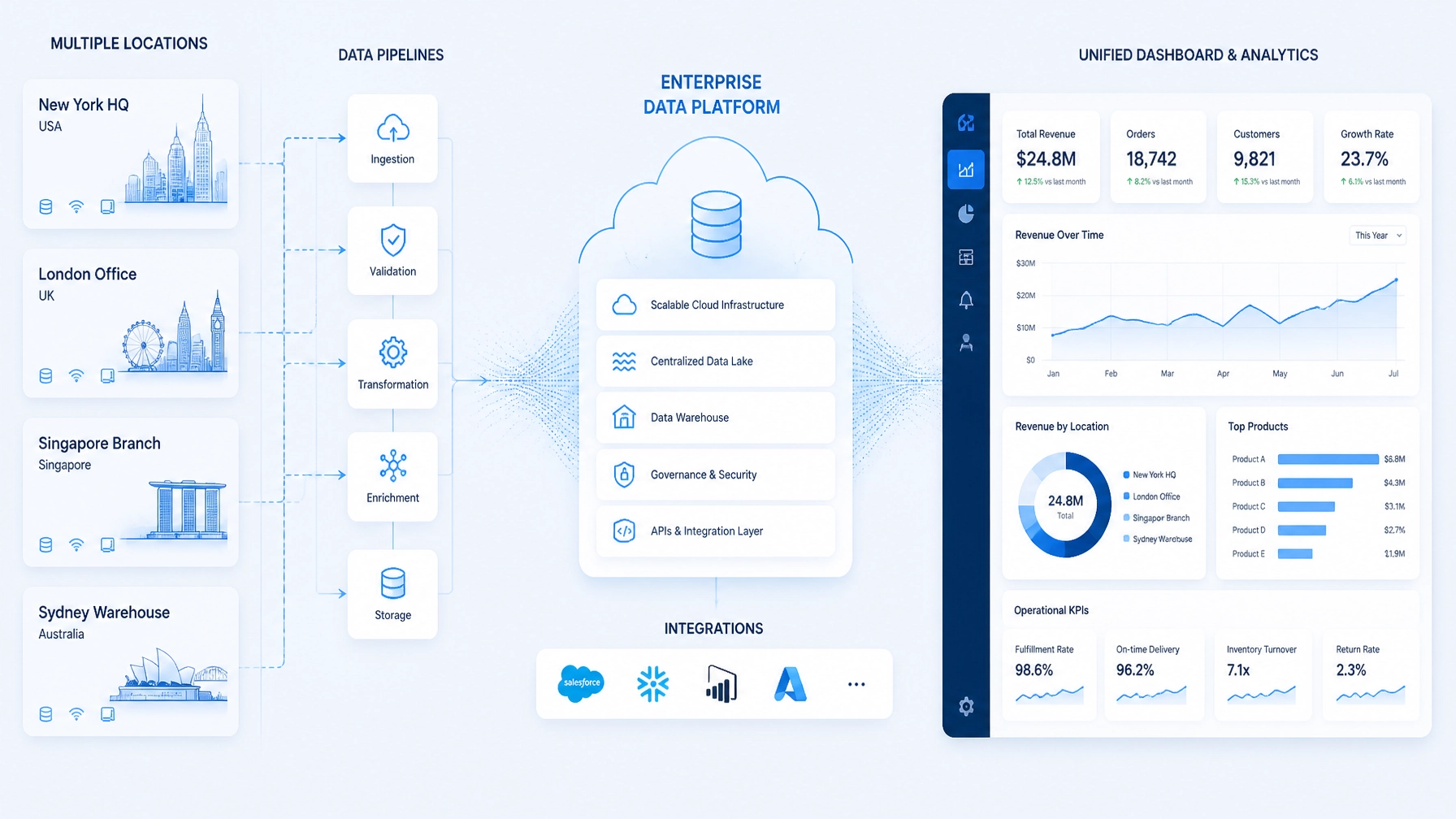
    A unified digital backbone connecting locations, teams, and business systems

    Proven capabilities applied to new operating models

    Pure Technology Consulting brings experience from several demanding environments into custom engagements. Our proprietary platforms are proof-of-concept examples of the engineering capabilities we apply to client-specific systems: not standalone products being promoted in place of bespoke strategy.

    • EHRIO Pro demonstrates healthcare workflow architecture through matching engines, detailed 70-question intakes, secure synchronization, and HIPAA-adjacent operational workflows.
    • ChainHQ demonstrates unified, location-aware architecture for multi-location operations, including centralized data, scoped permissions, inventory visibility, and cross-location reporting.
    • AI Local Boost demonstrates AI-powered business systems that coordinate Google Business Profile activity, review workflows, and multi-location visibility at scale.
    • FTP Inform demonstrates file-based automation for high-volume financial operations, including secure ingestion, schema validation, data transformation, workflow orchestration, and auditability.

    These proof-of-work pillars also include field-operations systems for GPS logging and representative accountability, as well as telephony integrations for debt agencies that connect calls to attribution and compliance records.

    That foundation is relevant beyond the industries where each system originated. PTC brings proven capabilities into legal and accounting environments, allowing those organizations to build on established patterns instead of starting from scratch.

    A custom software investment creating compounding operational leverage

    The strategic question is not “build or buy”

    The more useful question is: Which capabilities should be purchased, and which should become proprietary infrastructure?

    Buy standardized tools where they provide reliable value with limited customization. Build where the workflow is central to growth, difficult to standardize, costly to coordinate, or capable of differentiating your customer experience.

    That decision requires more than a software demo. It requires workflow analysis, economic modeling, architecture planning, and a realistic delivery roadmap.

    Pure Technology Consulting partners with growth-focused local businesses, healthcare organizations, professional services firms, multi-location operators, and SaaS or white-label partners to design those systems. Our work combines custom software development agency expertise with enterprise automation consulting and digital transformation consulting.

    If your current technology stack is creating operational drag, a workflow audit can clarify whether the next step is configuration, integration, or a custom web application. Contact Pure Technology Consulting at +1 (803) 921-0969 or book a discovery call. You can also learn more about our approach at https://puretechconsult.com.

    Amin Said, Founder of Pure Technology Consulting LLC
    https://puretechconsult.com

  • Digital Transformation That Scales: Why High-Ticket Enterprises Are Moving Beyond Off-the-Shelf Software

    Digital Transformation That Scales: Why High-Ticket Enterprises Are Moving Beyond Off-the-Shelf Software

    For many enterprises, the central technology question is no longer whether to adopt cloud software, automation, or artificial intelligence. The more important question is whether the technology stack can keep pace with the way the business actually operates.

    Off-the-shelf software remains useful for standardized functions. But high-growth organizations often discover that their most valuable workflows are not standardized. Their advantage may depend on a specialized intake process, a complex customer journey, a multi-location operating model, proprietary reporting logic, or a tightly governed approval system.

    When those workflows are forced into generic software, the organization usually pays for the gap through manual work, duplicate data entry, disconnected systems, and slow decision-making.

    That is why more high-ticket enterprises are treating custom software development and intelligent automation as strategic infrastructure. The goal is not to replace every existing tool. It is to build the orchestration layer that connects technology to the organization’s unique operating model.

    Digital transformation is becoming an operating model, not an application upgrade

    Traditional software implementation often starts with a product:

    1. Select a platform.
    2. Configure available features.
    3. Train employees.
    4. Adapt business processes around the software.

    This approach can work when the process is simple and repeatable. It becomes less effective when the process itself is a source of differentiation.

    A scalable transformation starts from the opposite direction. Leadership first identifies the outcomes the business needs to improve, then maps the workflows, data, people, decisions, and systems required to produce those outcomes.

    This is consistent with the Rewired framework for digital and AI transformation, which emphasizes strategy, talent, operating model, technology, data, and adoption as connected components of transformation.

    For executives, this shift has practical implications:

    • The technology roadmap must reflect the business roadmap.
    • Automation should be designed around end-to-end journeys rather than isolated tasks.
    • Data architecture must support reliable reporting and intelligent decision-making.
    • AI must operate within clear governance, permissions, and escalation paths.
    • Custom applications should be treated as evolving business capabilities, not one-time projects.

    This is the foundation of effective digital transformation consulting: aligning technology decisions with measurable operating and commercial priorities.

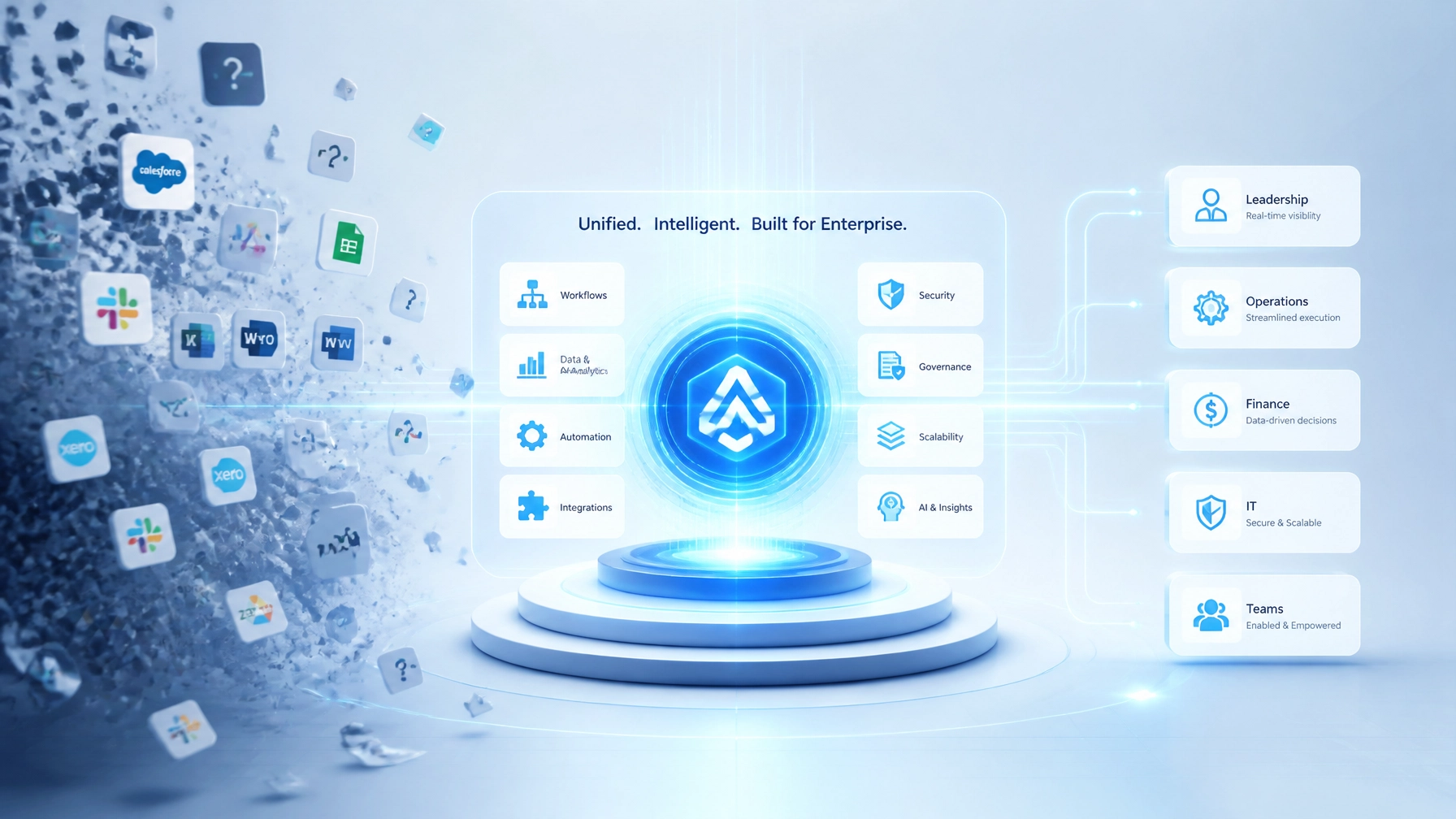
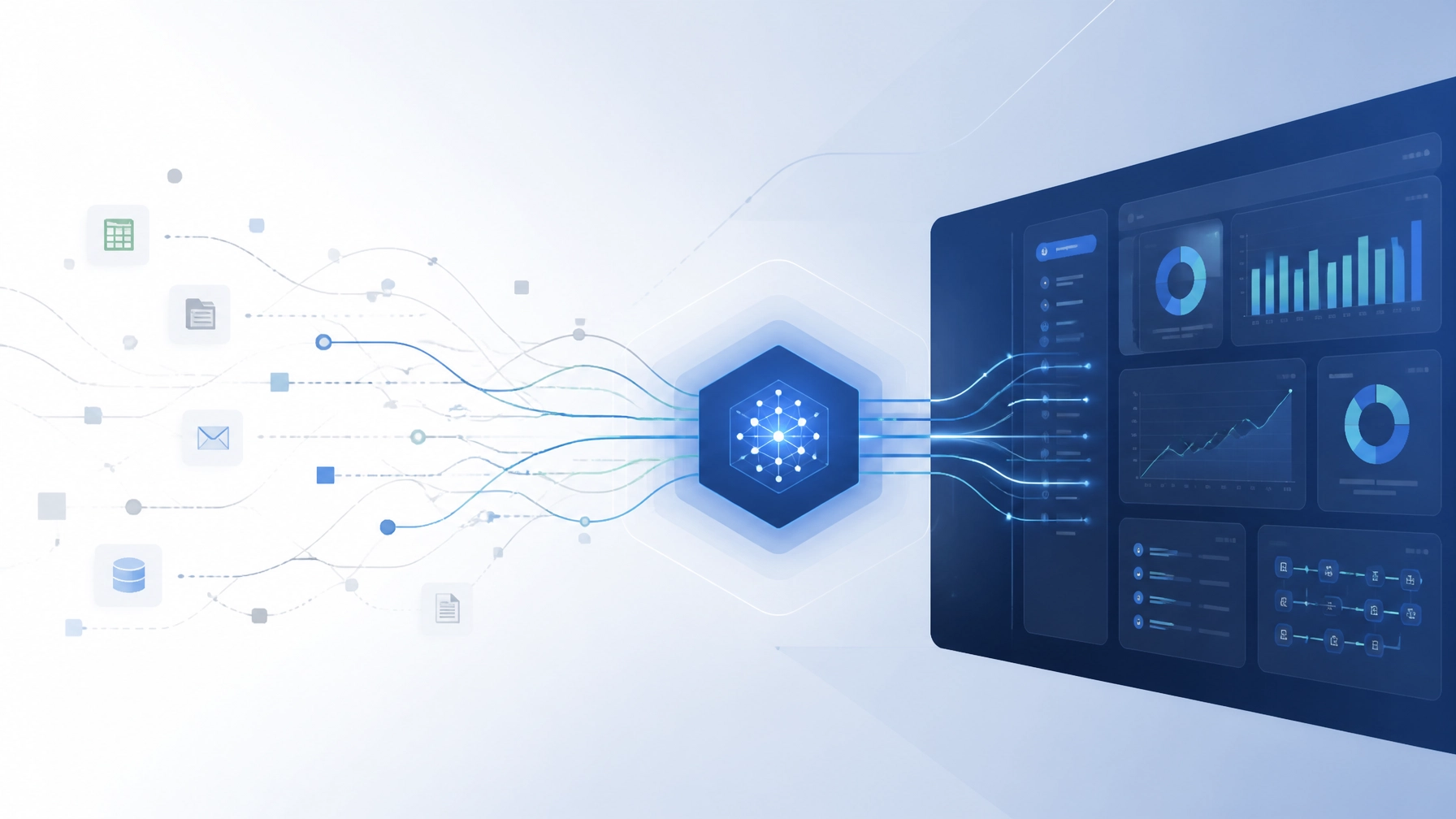
    Illustration of fragmented software systems becoming a unified enterprise architecture

    Why generic software reaches a strategic ceiling

    The problem with off-the-shelf software is not that it is inherently poor. It is that it is designed for a broad market, while enterprise value is often created through specificity.

    A generic platform may provide a CRM, scheduling system, accounting module, or analytics dashboard. However, it may not understand the precise sequence of decisions that makes a particular business profitable.

    Common warning signs include:

    • Employees copying information from one system into another.
    • Managers maintaining spreadsheets to compensate for reporting gaps.
    • Teams using email or chat to route work that should be tracked in a system.
    • Different locations following inconsistent processes.
    • Leaders waiting days for consolidated operational data.
    • AI tools producing recommendations without access to the right business context.
    • Critical exceptions being managed through tribal knowledge.

    At first, these workarounds appear manageable. Over time, they become part of the operating cost of the business. The organization may add more software to solve each individual gap, but every new tool introduces additional integration, governance, and training requirements.

    The result is a fragmented technology estate that is expensive to maintain but difficult to change.

    This is where a custom software development agency can create strategic value. The objective is not to rebuild tools that already work. It is to design the connective tissue around them: the data model, workflow engine, permissions, business rules, integrations, and executive visibility that generic platforms cannot fully provide.

    Custom development creates ownership of the critical workflow layer

    A custom web application does not need to replace the entire technology stack. In many cases, the most effective architecture combines established commercial platforms with a bespoke core.

    The commercial systems continue to perform well-defined functions. A custom orchestration layer manages the interactions between them.

    That layer may include:

    • A unified data model across departments, locations, or entities.
    • API integrations with CRM, EHR, accounting, payment, scheduling, or telephony systems.
    • Role-based dashboards for executives, managers, and operators.
    • Automated routing and assignment logic.
    • Exception handling and approval workflows.
    • Audit trails and operational reporting.
    • AI-assisted classification, summarization, recommendations, or decision support.
    • Administrative controls for changing rules without rebuilding the application.

    This model gives leaders the flexibility of SaaS where it makes sense while preserving control over the workflows that differentiate the business.

    For a high-ticket organization, this distinction matters. A custom engagement costing $10,000 or more should not be evaluated only as a software expense. It should be evaluated against the cost of operational drag, missed revenue, limited visibility, compliance risk, and the inability to scale a successful process.

    Enterprise automation should orchestrate work from intake to outcome

    Many automation initiatives begin with a narrow task: send an email, move a record, generate a report, or trigger a notification.

    Those tasks can be useful, but they rarely transform the business by themselves. The greater opportunity is to connect the complete workflow.

    Effective enterprise automation consulting examines the journey from beginning to end:

    1. How does a request, lead, file, or transaction enter the organization?
    2. How is the information validated?
    3. Which rules determine the next action?
    4. What should be automated, and where is human judgment required?
    5. How are exceptions escalated?
    6. Which systems must be updated?
    7. How does leadership measure performance and risk?

    This approach is central to business process automation consulting. It treats automation as an operating model discipline rather than a collection of disconnected scripts.

    Pure Technology Consulting’s proprietary platforms provide proof-of-concept evidence of this approach. AI Local Boost demonstrates how complex, multi-location digital activity can be orchestrated across hundreds of profiles. ChainHQ demonstrates location-aware data modeling and centralized visibility for distributed operations. EHRIO Pro demonstrates dynamic intake, matching engines, and HIPAA-adjacent workflow considerations. FTP Inform demonstrates secure file ingestion, validation, transformation, and downstream orchestration for high-volume financial operations.

    These systems are not presented here as packaged products to purchase. They demonstrate PTC’s ability to design scalable, complex systems around demanding operational environments.

    AI-first enterprise workflow showing human oversight, governance, secure data, and orchestration

    AI becomes valuable when it is embedded in the workflow

    AI has received significant executive attention, but standalone AI tools do not automatically create business value. The value emerges when AI is connected to trusted data, defined business rules, and a workflow with a measurable outcome.

    That is the role of ai workflow automation.

    A practical AI-enabled workflow might:

    • Classify inbound requests and route them to the correct team.
    • Extract structured information from documents or forms.
    • Identify missing information before a record moves downstream.
    • Recommend the next action based on historical and real-time context.
    • Draft communications for human review.
    • Detect anomalies or compliance exceptions.
    • Summarize activity for managers and executives.
    • Trigger follow-up actions across connected systems.

    The right design depends on the risk of the decision. A low-risk content workflow may support greater automation. A healthcare, financial, legal, or accounting workflow may require approval gates, audit records, explainable recommendations, and strict access controls.

    That is why organizations seeking ai consulting services should evaluate more than a model’s capabilities. They should ask how the AI will interact with business data, who can approve its actions, how errors will be identified, and how performance will be monitored over time.

    The NIST AI Risk Management Framework provides a useful foundation for thinking about trustworthy AI through activities such as mapping, measuring, managing, and governing risk.

    A scalable roadmap begins with the highest-value workflow

    Custom development does not mean building everything at once. The strongest transformation programs usually begin with a focused business domain where the opportunity is meaningful and measurable.

    An executive roadmap can follow four stages:

    1. Diagnose the operating friction

    Map the workflows that affect revenue, service delivery, compliance, customer experience, or management visibility. Identify where information is re-entered, delayed, or lost.

    2. Prioritize the economic opportunity

    Estimate the impact of reducing cycle time, manual effort, errors, missed follow-up, or reporting delays. Select a workflow where the result can be measured within a defined period.

    3. Design the system around the future state

    Define the data model, user roles, integrations, automation rules, AI opportunities, security requirements, and reporting layer before selecting implementation tactics.

    4. Build for expansion

    The first release should solve a focused problem while creating reusable architecture. Multi-tenant design, modular services, API readiness, observability, and permission structures make it possible to extend the platform as the business evolves.

    Strategic digital transformation roadmap ascending through data, integrations, custom applications, and AI automation

    The strategic question is what your business should own

    The future of enterprise technology is not necessarily a choice between buying software and building software. It is a question of which capabilities should remain interchangeable and which capabilities should become proprietary.

    Organizations should generally buy standardized capabilities when they do not create meaningful differentiation. They should consider custom development when the workflow is central to growth, service quality, operating efficiency, data ownership, or competitive advantage.

    The most effective technology strategy may combine:

    • Commercial systems for common business functions.
    • Custom applications for specialized workflows.
    • APIs for reliable system integration.
    • AI for decision support and intelligent routing.
    • Governance embedded directly into the architecture.
    • Continuous product management after launch.

    This is the direction of digital transformation that scales: technology becomes a flexible operating system for the business rather than a collection of applications the business must work around.

    For executives evaluating a complex workflow, multi-location operation, new SaaS capability, or AI initiative, the next step is not to purchase another tool. It is to understand the operating model clearly enough to determine what should be configured, what should be integrated, and what should be built.

    Pure Technology Consulting helps growth-focused organizations develop that roadmap and translate it into production-ready custom web applications, automation systems, and AI-enabled workflows. Visit https://puretechconsult.com or book a discovery call to discuss a workflow audit and potential technology scope.

    Amin Said, Founder of Pure Technology Consulting LLC
    https://puretechconsult.com
    Phone: +1 (803) 921-0969

  • Case Study: How We Engineered AI Local Boost to Automate Local SEO at Scale

    Case Study: How We Engineered AI Local Boost to Automate Local SEO at Scale

    For a multi-location service business, every Google Business Profile is a revenue asset. It influences how customers discover a location, evaluate its reputation, request directions, make a call, or schedule an appointment.

    The challenge is operational consistency. Managing one profile manually may be practical. Managing dozens, hundreds, or more requires a different operating model.

    At Pure Technology Consulting, we engineered AI Local Boost as a proof-of-concept for what is possible when local SEO is treated as a custom software and automation problem: not simply a marketing task.

    The platform demonstrates our capabilities in custom web application development, bespoke AI solutions, and enterprise automation consulting. It combines data aggregation, AI-generated content, workflow orchestration, multi-location controls, reporting, and white-label infrastructure into one scalable system.

    The result is an AI-powered business system designed to maintain local visibility with less manual effort and greater operational control.

    The business challenge: local SEO does not scale linearly

    Multi-location brands often manage local SEO through a collection of spreadsheets, reminders, agency portals, and disconnected directory tools.

    That model creates several problems:

    • Location data becomes inconsistent across Google and other directories.
    • Review responses are delayed or handled unevenly.
    • Google Business Profile posts are published inconsistently.
    • Local teams lack visibility into which locations need attention.
    • Marketing teams spend time repeating administrative work instead of improving strategy.
    • Agencies and channel partners struggle to deliver consistent execution across client accounts.

    The problem becomes more significant as a business grows. Adding locations adds profiles, reviews, content calendars, approvals, data changes, and reporting requirements.

    A platform built for one location cannot simply be duplicated hundreds of times. The underlying architecture must account for tenancy, permissions, data isolation, rate limits, error handling, audit trails, and different business rules for every location.

    That required the approach of a custom software development agency: understand the operating model first, then build the technology around it.

    Minimalistic digital illustration of an AI content engine coordinating local SEO activity across multiple business locations

    Product vision: a local SEO operating system

    We designed AI Local Boost to function as a centralized local visibility engine.

    The objective was not to promise automatic rankings. Search performance depends on market competition, business relevance, customer behavior, profile quality, and many other factors. The objective was to automate the repeatable work that supports a stronger local presence while giving operators appropriate oversight.

    The platform was designed to coordinate four major workflows:

    1. Audit and data accuracy
    2. AI-assisted content and engagement
    3. Review and reputation management
    4. Performance monitoring and reporting

    This architecture allows a team to establish a repeatable local SEO playbook and apply it across locations without treating every profile as a separate manual project.

    Engineering the data foundation

    Effective automation begins with trustworthy data.

    AI Local Boost was designed around a location-level data model that can collect and organize information about each business entity, including:

    • Business name, address, phone number, and hours
    • Service categories and descriptions
    • Service areas and local attributes
    • Website content and brand messaging
    • Reviews and customer sentiment
    • Existing posts, images, and videos
    • Directory and citation status
    • Performance trends across locations

    This creates a structured profile graph for each location. Instead of asking an operator to search through multiple systems, the platform can identify missing information, inconsistencies, and opportunities from a central dashboard.

    The data layer also provides the context required for AI-generated content. A post for a physical therapy clinic should not sound like a post for a permanent jewelry brand. A multi-location counseling center may require a more careful and regulated brand voice than a general home services company.

    By connecting business context with location data, the system can produce content that is more relevant, differentiated, and aligned with the client’s operating standards.

    Building the AI content and workflow orchestration layer

    The intelligence layer combines large language models with rules, templates, business logic, and approval controls.

    That distinction is important. An AI model can generate text, but enterprise automation requires more than text generation. It requires predictable behavior.

    AI Local Boost was engineered to support workflows such as:

    • Drafting Google Business Profile posts based on services, location, and seasonality
    • Creating responses to customer reviews based on sentiment and context
    • Identifying reviews that require human escalation
    • Recommending profile improvements
    • Selecting or organizing relevant media
    • Maintaining a repeatable publishing cadence
    • Triggering actions based on events from connected systems

    The system can use brand voice instructions, location-specific details, and content history to reduce repetition. It can also apply different operating rules based on the risk of an action.

    For example, adding a routine post may be eligible for automated publishing. Changing a primary category, business name, or core address should receive a higher level of review.

    This combination of AI and governance is central to responsible ai workflow automation. The goal is not to remove people from important decisions. It is to remove unnecessary repetition while preserving control over high-impact changes.

    Automating the review lifecycle

    Reviews influence trust, conversion, and the amount of attention required from local teams.

    At scale, the challenge is not simply responding to reviews. It is managing the entire lifecycle:

    • Detecting new reviews
    • Classifying sentiment
    • Prioritizing urgent or negative feedback
    • Drafting context-aware responses
    • Routing exceptions to the appropriate team
    • Recording approval and publishing history
    • Connecting completed transactions to review-request workflows

    AI Local Boost was designed around a suggest-and-approve model. The system can analyze a review and generate a response in the brand’s approved voice. Teams can then approve responses individually, approve batches, or define rules for lower-risk scenarios.

    This creates a practical balance between efficiency and reputation governance.

    The same architecture can support integrations with CRMs, scheduling systems, point-of-sale platforms, and intake workflows. When a customer completes a defined event, the system can trigger a follow-up request without requiring staff to remember another administrative task.

    Professional multi-location business dashboard displaying automated workflows, performance indicators, and local SEO activity

    Scaling the system across hundreds of locations

    AI Local Boost was built with multi-location operation as a core requirement rather than a later enhancement.

    The platform’s architecture supports:

    • Separate business and location entities
    • Shared templates with local customization
    • Role-based access and approval permissions
    • Centralized and location-level dashboards
    • Automated task scheduling
    • Event-driven workflows
    • Error logging and retry logic
    • Change history and rollback capability
    • Partner and white-label configurations

    This matters for both enterprise operators and agencies. A franchise group may need corporate governance with local flexibility. A marketing partner may need to manage multiple client accounts under its own branding. A service business may want regional managers to approve content while maintaining central standards.

    White-labeling therefore involves more than changing a logo. It requires tenant-aware infrastructure, flexible permissions, branded reporting, account isolation, and a configuration model that can support different commercial relationships.

    These are the same considerations we address in broader business automation consulting engagements: how should the system operate, who should control it, what data should move between systems, and how can the organization measure performance?

    Reporting that connects activity to business value

    Automation is only valuable when leadership can see what it is accomplishing.

    AI Local Boost was designed to organize reporting around operational and marketing indicators such as:

    • Profile completeness and data accuracy
    • Review volume, sentiment, and response time
    • Publishing cadence by location
    • Directory consistency and correction status
    • Local visibility trends
    • Calls, direction requests, and website actions
    • Location-level exceptions requiring attention

    This reporting model helps teams move beyond activity metrics. A business does not automate local SEO to publish more posts for their own sake. It automates the process to improve consistency, reduce labor dependency, strengthen customer trust, and create more opportunities for qualified local demand.

    The return on investment can be evaluated through several measurable categories:

    • Staff hours reclaimed from repetitive profile management
    • Faster response times for customer reviews
    • Lower error rates across location data
    • Reduced agency or administrative overhead
    • Improved visibility into underperforming locations
    • Increased capacity to support additional locations without proportional headcount growth

    The most important benefit is often operational leverage. When a central team can manage a larger footprint without duplicating manual work, growth becomes easier to support.

    Abstract blue data visualization representing connected locations, automated workflows, and scalable business intelligence

    AI Local Boost as proof of broader engineering capability

    AI Local Boost is one example of how Pure Technology Consulting builds complex systems around real business workflows.

    The same engineering principles appear across our other proof-of-work pillars:

    • Healthcare: EHRIO includes matching engines, intelligent scheduling concepts, and detailed 70-question intake workflows for HIPAA-adjacent operational environments.
    • Field operations: Door-to-door tracking systems use GPS logging and representative accountability to improve visibility across distributed teams.
    • Fintech and debt management: Telephony integrations support call attribution, workflow tracking, and operational reporting for high-volume agencies.
    • Multi-location operations: ChainHQ demonstrates how centralized architecture can reduce data silos across inventory, events, and sales activity.

    This experience is especially relevant for professional services firms, including legal and accounting organizations. These businesses often need secure intake, document routing, client communication, approvals, and reporting: but may not have the resources or technical team to build those systems internally.

    PTC brings proven capabilities into those environments. Clients do not have to begin with a blank page.

    When a custom build is the right strategy

    Off-the-shelf software is useful when a business can adapt its workflow to the product. Custom development becomes more compelling when the workflow itself is a competitive advantage.

    A bespoke system may be appropriate when you need to:

    • Coordinate data across multiple existing platforms
    • Support unique approval and compliance requirements
    • Manage complex location or account relationships
    • Create a branded partner or white-label experience
    • Connect marketing activity to operational events
    • Build reporting around your own performance model
    • Scale without increasing manual administration at the same rate

    The right question is not whether custom software costs more than a subscription. The better question is whether the operating leverage, control, and strategic differentiation justify a purpose-built system.

    That is the lens we bring to digital transformation consulting, ai consulting services, and business process automation consulting engagements.

    Build the system your growth requires

    AI Local Boost began as an internal proof-of-concept. It became a demonstration of how an AI-powered platform can coordinate complex, repetitive, multi-location workflows with structure and governance.

    For high-growth service businesses, enterprise teams, and white-label partners, the opportunity extends beyond local SEO. The same architecture can support custom CRMs, intake systems, scheduling platforms, operational dashboards, customer engagement engines, and proprietary SaaS products.

    If manual processes, disconnected tools, or fragmented data are limiting your next stage of growth, book a discovery call with Pure Technology Consulting. We can help map the workflow, identify the highest-value automation opportunities, and define a practical roadmap for a custom build.

    +1 (803) 921-0969

    Amin Said, Founder of Pure Technology Consulting LLC
    https://puretechconsult.com

  • Case Study: How a Custom-Scaled Intake Engine Replaced Hours of Manual Work With One Seamless System

    Case Study: How a Custom-Scaled Intake Engine Replaced Hours of Manual Work With One Seamless System

    For a growing healthcare practice, intake is rarely just a form.

    It is a chain of decisions involving patient history, insurance, provider availability, location, appointment type, consent, scheduling, and clinical handoff. When each part of that process lives in a different system, staff members become the integration layer. They move information between tabs, verify details manually, follow up on incomplete submissions, and attempt to keep every department aligned.

    Pure Technology Consulting built EHRIO Pro as a proof-of-concept for a different operating model: one coordinated intake engine capable of collecting structured information, applying matching logic, routing exceptions, and preparing validated data for downstream workflows.

    The result is not simply a better form. It is a scalable custom system designed to replace hours of repetitive administrative work with one governed workflow.

    The operational challenge: intake had become a manual coordination job

    The practice environment EHRIO Pro was designed to address included the familiar combination of separate tools:

    • A CRM for inquiries, referrals, and prospective patients
    • An EHR for clinical records and documentation
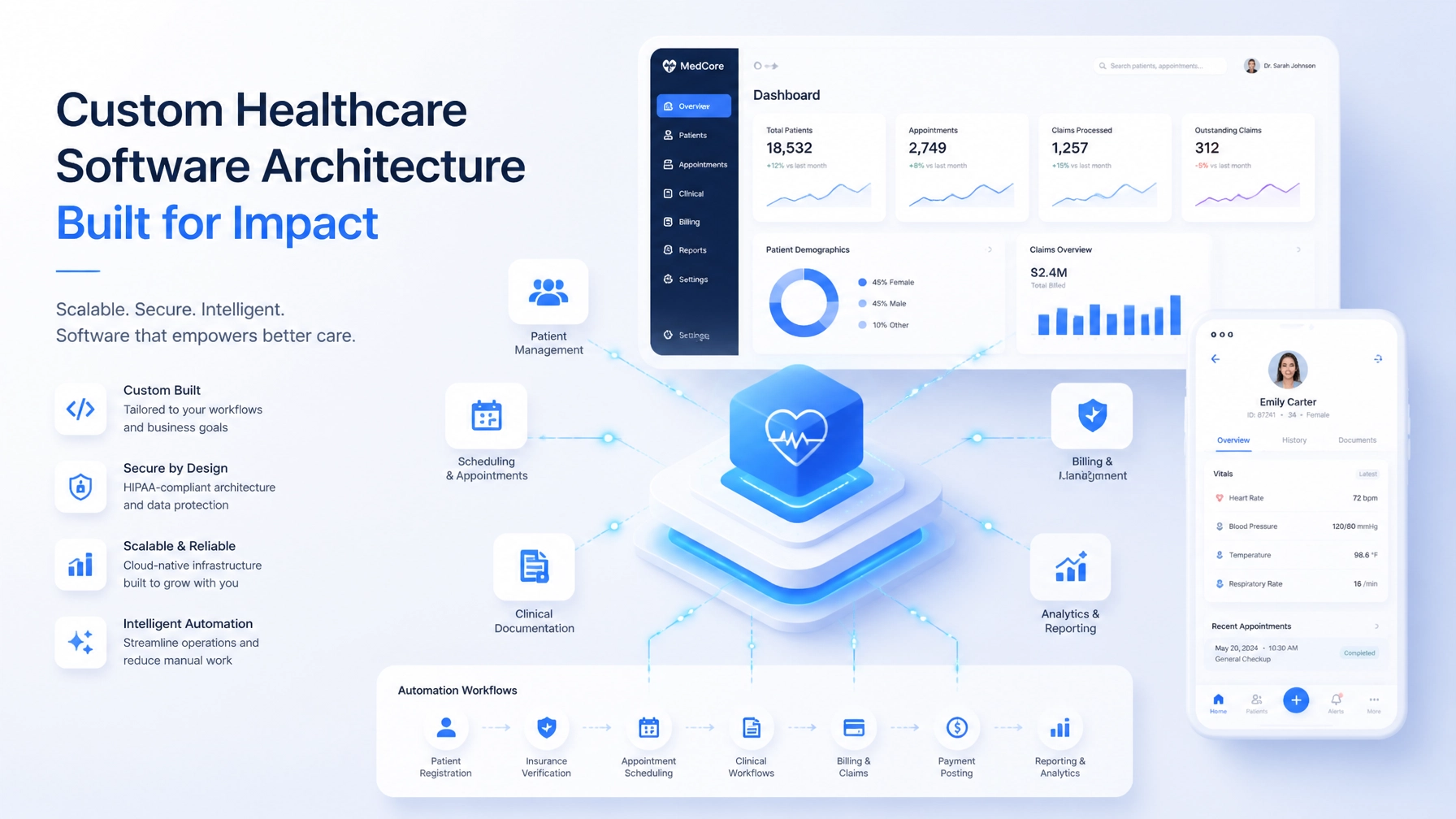
    • A scheduling platform for appointments and provider availability
    • Email, phone, and document workflows for follow-up

    Each tool served a purpose. The difficulty was the handoff between them.

    A new patient could enter the process through a website inquiry, referral, phone call, or uploaded document. From there, staff might need to:

    1. Enter the patient’s information into a CRM.
    2. Request demographic, insurance, and clinical details.
    3. Review a lengthy intake form.
    4. Determine which provider or location was appropriate.
    5. Confirm availability and appointment type.
    6. Check for missing information or authorization issues.
    7. Re-enter relevant data into the EHR.
    8. Send reminders and monitor pre-visit completion.

    This work is repetitive, but it is not trivial. A missed field can delay scheduling. An incorrect provider match can create unnecessary rescheduling. A missing consent or insurance detail can create additional administrative work before the first visit.

    The practice did not need more isolated software. It needed an orchestration layer that could connect the patient journey from first inquiry through scheduled appointment.

    The design objective: automate decisions without removing accountability

    The goal of a custom intake engine should not be to automate every decision without oversight. In healthcare, the stronger model is selective automation.

    Routine, rules-based work can move automatically. Exceptions can be routed to the appropriate staff member. Sensitive or ambiguous cases can remain visible for human review.

    That principle shaped the architecture behind EHRIO Pro.

    The system was designed to distinguish between:

    • Information that can be validated automatically
    • Decisions that can be supported by matching rules
    • Conditions that require staff confirmation
    • Events that should trigger a notification or follow-up task
    • Data that needs to be synchronized with another system

    This created a workflow that was faster without becoming opaque. Staff could see what had been completed, what remained unresolved, and why a particular patient or appointment path had been recommended.

    A dynamic intake engine built around approximately 70 questions

    The core of the system is a structured intake journey capable of supporting approximately 70 questions.

    A static form presents every patient with the same sequence. A custom intake engine can respond to the information already provided.

    For example, a patient reporting a specific condition may be presented with additional questions about symptom duration, prior treatment, medications, or relevant history. A patient with a simpler request may move through a shorter path. The system can also alter the workflow based on location, appointment type, referral source, insurance status, or practice-defined criteria.

    The intake architecture can capture:

    • Demographics and contact details
    • Insurance and coverage information
    • Medical history, medications, and allergies
    • Symptoms and reason for seeking care
    • Referral information and uploaded documents
    • Provider and location preferences
    • Consent and communication preferences
    • Appointment requirements and scheduling constraints

    The important distinction is that responses are captured as structured data rather than being trapped in an email, PDF, or unsearchable note.

    Structured information can be used by the matching engine, work queues, reporting dashboards, and EHR preparation workflows. It becomes part of an operating system for the practice rather than another document for staff to process manually.

    Healthcare workflow automation engine connecting intake forms, scheduling, communications, and EHR integrations

    The matching engine: finding the right operational path

    A generic scheduling platform often begins with one question: “Who is available?”

    A custom matching engine begins with a better question: “Who is the right fit for this patient and this appointment?”

    EHRIO Pro demonstrates how matching logic can evaluate several variables before recommending a routing path. Depending on the practice’s operating model, those variables may include:

    • Clinical needs and specialty requirements
    • Provider qualifications and service capabilities
    • Accepted insurance plans
    • Patient location preferences
    • In-person or telehealth requirements
    • Provider availability and new-patient capacity
    • Appointment type and expected duration
    • Practice-defined escalation conditions

    The system can apply configurable rules or scoring logic to identify appropriate providers, locations, or appointment categories. High-confidence matches can proceed through the workflow, while incomplete or ambiguous cases can be sent to a staff review queue.

    This changes the role of the front desk. Instead of manually interpreting every intake submission from the beginning, staff receive a prepared workflow with relevant information, recommended next steps, and visible exceptions.

    The technology does not replace judgment. It directs judgment to the cases where it creates the most value.

    One workflow from inquiry to appointment

    A custom intake engine becomes more valuable when it manages the entire progression of a case rather than only collecting information.

    The EHRIO Pro proof-of-concept organizes the patient journey into defined workflow stages:

    1. A new inquiry or referral is received.
    2. The patient begins the digital intake.
    3. Required information is validated.
    4. Matching logic identifies provider and location options.
    5. Insurance or authorization requirements are flagged.
    6. Staff review is requested when necessary.
    7. Appointment availability is presented.
    8. Scheduling information is synchronized.
    9. Relevant intake data is prepared for the EHR.
    10. Pre-visit tasks and communications are triggered.

    Each stage creates a clearer operational state. Leadership can see where cases are progressing, where they are stalled, and which exceptions are consuming staff time.

    This is the difference between automation and a collection of integrations. Integrations move data. An operating workflow gives that data meaning, ownership, and a next action.

    Secure integration and workflow governance

    Healthcare systems require more than convenience. They require careful treatment of sensitive information, access controls, auditability, and clear responsibility.

    EHRIO Pro is best understood as a HIPAA-adjacent workflow automation architecture and proof of engineering capability. A production implementation would need to be evaluated against the client’s specific compliance program, vendor agreements, security controls, and legal obligations.

    Relevant design considerations include:

    • Role-based access to sensitive workflow data
    • Encryption in transit and at rest
    • Controlled API access and authentication
    • Audit-oriented activity logging
    • Data minimization between connected systems
    • Secure document handling
    • Defined retention and deletion policies
    • Human review and escalation paths
    • Vendor and business associate requirements

    Where supported, secure APIs and healthcare data standards can help synchronize information with existing systems. The exact approach depends on the EHR, available interfaces, data ownership, and the practice’s broader technology environment.

    Secure EHR integration dashboard showing data synchronization, API health, monitoring, and audit controls

    Measuring the impact of custom intake automation

    The value of a custom system should be measured against the organization’s actual baseline.

    For a healthcare practice, useful measures may include:

    • Time from inquiry or referral to scheduled appointment
    • Staff touches required per patient
    • Intake completion rate
    • Volume of incomplete submissions
    • Exception and escalation volume
    • Time spent on manual data entry
    • Rescheduling caused by missing or incorrect information
    • Percentage of cases routed without manual intervention
    • Staff time spent on pre-visit administration

    EHRIO Pro’s architecture is designed to make these operational measures visible. That visibility allows leadership to evaluate whether the system is reducing cycle time, improving routing consistency, and returning staff capacity to higher-value work.

    The objective is not to claim that every practice will achieve the same result. It is to create a system in which improvement can be observed, managed, and refined over time.

    Healthcare operations ROI dashboard showing location performance, appointment utilization, wait times, and workflow metrics

    Why this proof-of-concept matters beyond healthcare

    EHRIO Pro demonstrates a broader capability: designing software around the decisions and constraints that make an organization unique.

    The same engineering principles apply to other high-complexity environments:

    • Field operations: D2D Tracking demonstrates rep accountability and GPS-logged activity workflows.
    • Debt and fintech operations: Custom telephony integrations can connect calls, attribution, records, and follow-up actions.
    • Local SEO: AI Local Boost demonstrates automated Google Business Profile workflows and multi-location visibility management.
    • Professional services: Intake, qualification, document collection, and assignment logic can be combined into a governed client onboarding system.

    These proprietary platforms are not presented as substitutes for a custom engagement. They are proof-of-work examples showing how Pure Technology Consulting approaches complex software architecture.

    The question is not whether a business can purchase another application. The strategic question is whether its current operating model is being limited by software that was never designed for the way the business actually works.

    Build the operating system your growth requires

    Custom software is most valuable when it connects the parts of the business that generic tools leave fragmented.

    For healthcare organizations, that may mean combining intake, matching, scheduling, EHR coordination, communications, and reporting in one scalable workflow. For other industries, it may mean unifying CRM activity, field accountability, telephony, document processing, or operational analytics.

    Pure Technology Consulting helps growth-focused organizations define that roadmap, design the architecture, and deploy the system required to support the next stage of scale.

    To discuss a custom intake engine or workflow automation initiative, call +1 (803) 921-0969 or book a discovery consultation. You can also explore EHRIO Pro and read Beyond Off-the-Shelf: How We Built EHRIO Pro to Automate an Entire Healthcare Practice for additional context.

    Amin Said, Founder of Pure Technology Consulting LLC
    https://puretechconsult.com

  • FTP Inform Case Study: How a Custom File-Based Automation Engine Replaced Disconnected Legacy Systems for High-Volume Operations

    FTP Inform Case Study: How a Custom File-Based Automation Engine Replaced Disconnected Legacy Systems for High-Volume Operations

    Amin Said, Founder of Pure Technology Consulting LLC

    High-volume operations rarely fail because a business lacks software. They slow down when critical work is distributed across too many systems, manual handoffs, fragile scripts, and files that require constant supervision.

    That was the operating reality for a national debt collection agency that partnered with Pure Technology Consulting. Its teams relied on three separate enterprise tools, custom scripts, manual CSV exports, and spreadsheet-based reconciliation to move debt portfolio data through the organization.

    The result was more than inconvenience. File validation delays affected recovery workflows, errors were difficult to trace, and compliance evidence was scattered across disconnected applications.

    The solution was not another general-purpose platform. It was a custom file-based automation engine designed around the client’s actual operating model: FTP Inform.

    For questions about custom automation and enterprise data workflows, contact Pure Technology Consulting at +1 (803) 921-0969.

    The business challenge: high-volume files moving through disconnected systems

    The client’s operation depended on structured files arriving from external partners. These files contained debt portfolios that needed to be checked, normalized, segmented, and routed into downstream workflows.

    Before FTP Inform, that process involved several points of operational friction:

    • Debt files arrived in different formats, including CSV, fixed-width text, and Excel workbooks.
    • Teams manually checked file structures and investigated missing or invalid fields.
    • Data moved between three separate enterprise systems through scheduled jobs and custom scripts.
    • Spreadsheet reconciliation was used to identify discrepancies between systems.
    • Compliance and operational activity were recorded in different places.
    • A failed transfer or malformed file could delay work across the recovery process.

    This is a common pattern in established organizations. The individual systems may each perform a useful function, but the operating model between them becomes the real bottleneck.

    The client did not simply need file storage or a notification tool. They needed an integration layer capable of receiving data, understanding its structure, enforcing business rules, and creating a reliable record of what happened next.

    Why a custom build was the right approach

    Off-the-shelf software is often effective when an organization can adopt its standard workflows. That was not the case here.

    The agency had specialized requirements around portfolio intake, account segmentation, dunning workflows, compliance controls, and downstream integrations. Replacing one legacy tool with another would have left the same fundamental problem in place: the business would still be adapting its processes to software that was not designed for its data movement model.

    A custom system provided a different path.

    Instead of treating file ingestion as an isolated technical task, Pure Technology Consulting designed FTP Inform as a coordinated operating layer. The platform could be shaped around the client’s file formats, validation rules, routing logic, and reporting requirements.

    That approach created a foundation that could:

    1. Receive files securely.
    2. Detect and classify inbound data.
    3. Validate records against client-specific rules.
    4. Quarantine exceptions without stopping valid processing.
    5. Transform data into a canonical internal model.
    6. Route approved records to downstream workflows.
    7. Record each event for monitoring and auditability.

    Secure SFTP ingestion, transformation, schema validation, and monitoring workflow

    The FTP Inform architecture

    FTP Inform was engineered as a secure, multi-tenant file ingestion and orchestration platform. Its architecture separated the stages of processing so that each step could be monitored, tested, and improved independently.

    Secure file ingestion

    Each corporate client received an isolated ingestion endpoint. Automated listeners monitored inbound locations and initiated processing when new files arrived.

    The design supported file-driven operations while applying modern security practices. Where available, SFTP was preferred because it encrypts authentication and data in transit. The FTP Inform user guide also recommends dedicated accounts, limited permissions, connection testing, and secure credential handling.

    This distinction matters. Traditional FTP is not encrypted and should not be used for sensitive external data without appropriate compensating controls. For enterprise environments, secure transfer protocols, restricted access, and clear ownership should be part of the architecture rather than afterthoughts.

    Schema validation and transformation

    The ingestion engine inspected each file against a defined schema. It validated expected columns, data types, required fields, formatting rules, and business constraints.

    Invalid records were not silently discarded or mixed with approved data. Instead, they were routed to an exception or quarantine process. Automated feedback reports made it easier for operations teams and external partners to understand what needed correction.

    Validated records were transformed into a canonical data model. In practical terms, this meant different partner formats could be converted into a consistent internal structure before downstream processing.

    That unified model reduced the need for separate scripts and one-off mappings across every connected system.

    Rules-based workflow orchestration

    Once data was validated and normalized, FTP Inform applied business logic to determine how accounts should move through the recovery operation.

    Portfolios could be segmented according to factors such as:

    • Aging buckets, including 30-, 60-, and 90-plus-day categories.
    • Balance size.
    • Historical recovery probability.
    • Regulatory jurisdiction.
    • Account status and operational priority.

    The platform then connected those segments to downstream actions. These included dunning sequences, agent workload assignment, client reporting, telephony integrations, payment systems, and accounting ledgers.

    The important capability was not merely automation for its own sake. It was the ability to make workflow decisions consistently from structured data.

    Governance was built into the workflow

    For financial operations, a successful file transfer is not enough. Leaders also need to know what happened to the data after arrival.

    FTP Inform maintained an audit trail from the initial file drop through processing and final resolution status. That created a more complete operational record than the previous collection of disconnected logs and spreadsheets.

    The system incorporated controls such as:

    • Role-based access permissions.
    • Encryption in transit and at rest.
    • File and processing history.
    • Validation results.
    • Exception records.
    • Contact-time window rules.
    • Activity and integration logs.

    Enterprise integration architecture with secure pipelines, monitoring, lineage, and governance controls

    This model reflects a broader principle in enterprise automation: governance should be designed into the process. When validation, permissions, and audit records are embedded in the workflow, compliance becomes easier to monitor and less dependent on manual memory.

    Organizations modernizing legacy file transfers should also review current guidance on secure SFTP practices, including key-based authentication, access restrictions, and current encryption standards.

    The measurable impact

    Within 90 days of deployment across the client’s national operation, FTP Inform delivered measurable operational improvements:

    • Three enterprise tools were consolidated into one unified proprietary platform.
    • Cycle time decreased by 40%, accelerating the path from file ingestion to first-contact execution.
    • Manual data-entry errors were eliminated from the core ingestion process through automated validation and exception handling.
    • Manual intervention decreased by more than 75%, allowing staff to focus on complex negotiations and higher-value recovery activity.
    • File processing failures moved upstream, where they could be identified and addressed before affecting downstream teams.

    The value was not limited to labor savings. The organization gained a clearer operating model, stronger visibility into data movement, and a platform that could evolve with its requirements.

    Representative operations dashboard showing workflow automation, throughput, alerts, and performance metrics

    What this case study demonstrates for other enterprises

    FTP Inform is a proof of concept for a broader category of custom software: file-based automation systems that connect legacy environments to modern workflows.

    This approach can be relevant when an organization:

    • Receives recurring CSV, Excel, XML, or fixed-width files from partners.
    • Depends on manual file checks before data can be used.
    • Maintains multiple systems with overlapping or inconsistent records.
    • Needs exception handling rather than all-or-nothing imports.
    • Requires audit trails for operational or compliance review.
    • Has specialized business rules that standard SaaS products do not support.
    • Needs a controlled modernization path instead of a disruptive replacement.

    A custom build does not necessarily mean abandoning every existing system. In many cases, the better strategy is to introduce a purpose-built integration and orchestration layer that allows the business to modernize incrementally.

    The architecture can begin with file monitoring and validation, then expand into transformation, routing, reporting, API integrations, and workflow intelligence.

    When should a business consider a custom automation engine?

    The decision should begin with the operating model, not a technology trend.

    A custom solution becomes worth evaluating when the cost of manual coordination, errors, delays, and disconnected licenses exceeds the cost of designing a system around the business. That assessment should include:

    • Current labor spent checking, correcting, and reconciling files.
    • Revenue delayed by slow or failed processing.
    • Compliance exposure created by incomplete records.
    • Licensing and maintenance costs across existing tools.
    • The strategic value of owning the workflow logic and data model.
    • Future integration and reporting requirements.

    Pure Technology Consulting begins this process with a workflow audit and technical roadmap. The expected deliverables may include solution architecture, secure ingestion endpoints, validation rules, transformation pipelines, dashboards, exception queues, integrations, and governance controls.

    Build the operating layer your business actually needs

    FTP Inform demonstrates how a focused custom system can replace fragmented enterprise tooling without forcing a business into a generic operating model.

    The lesson is not that every organization needs an FTP platform. It is that high-volume operations benefit from technology designed around the movement of data, the decisions made from that data, and the controls required to trust the outcome.

    Pure Technology Consulting brings proven capabilities from healthcare intake and EHR workflows, field operations tracking, debt-agency telephony integrations, and local SEO automation into complex custom development engagements. The objective is to create systems that reduce operational drag while giving leadership a clearer, more scalable foundation for growth.

    To discuss a file-based automation project, request a workflow audit, or scope a custom integration layer, call +1 (803) 921-0969 or schedule a consultation.

    Amin Said, Founder of Pure Technology Consulting LLC
    https://puretechconsult.com

  • Custom Software Isn’t an Expense : It’s the Strategy High-Ticket Enterprises Compete On

    Custom Software Isn’t an Expense : It’s the Strategy High-Ticket Enterprises Compete On

    Amin Said, Founder of Pure Technology Consulting LLC

    For high-ticket enterprises, technology is no longer a support function operating in the background. It is part of the operating model: the structure that determines how quickly the business responds, how consistently teams execute, and how effectively leadership converts data into decisions.

    That is why custom software should not be evaluated as another IT expense.

    When a business relies on specialized workflows, complex integrations, proprietary data, or multi-location operations, custom web application development becomes a strategic investment. It gives the organization the ability to build around how it competes rather than forcing its processes into software designed for the average company.

    The question is not whether custom software costs more than a subscription on day one. The more important question is whether your current software stack is quietly limiting growth, increasing labor dependency, and weakening your competitive position.

    The real cost of software is operational friction

    Off-the-shelf SaaS is often the right choice for standardized, non-differentiating functions. Payroll, email, basic collaboration, and general accounting do not usually require proprietary infrastructure.

    The challenge begins when a business uses a growing collection of generic tools to manage a process that is unique to its operating model.

    A typical fragmented stack may include:

    • A CRM for lead and customer records
    • Separate intake and scheduling software
    • Spreadsheets for exception handling
    • Middleware for integrations
    • Manual exports for reporting
    • Additional tools to fill gaps in the original platforms

    Each individual subscription may appear reasonable. Together, they create a system that depends on manual reconciliation and institutional memory.

    Employees become the integration layer. They copy information between systems, check whether updates succeeded, resolve duplicate records, and create workarounds for processes the software cannot support. Leadership then receives reporting that is delayed, incomplete, or difficult to trust.

    The result is not simply a higher technology bill. It is slower execution, greater error exposure, weaker visibility, and a business that must add people in order to scale.

    PTC refers to this pattern as the enterprise automation paradox: adding more tools to create efficiency can ultimately make the operating environment more expensive and more difficult to manage.

    Custom software turns your operating model into an asset

    A custom application is valuable when it encodes the way your organization creates value.

    That may include a proprietary intake process, a specialized routing model, a complex approval structure, location-aware inventory logic, or a customer experience that competitors cannot easily reproduce. Instead of treating these workflows as exceptions, custom software makes them part of the system’s foundation.

    This creates several strategic advantages.

    Your workflows become more precise

    Generic platforms are designed for broad markets. They offer configuration options, but those options still exist within the boundaries of the vendor’s product model.

    A custom system begins with your actual process. The software can reflect the decisions your team makes, the data it needs, the rules that govern exceptions, and the handoffs that determine speed and quality.

    That precision reduces unnecessary steps and allows teams to work within a consistent operating framework.

    Your data becomes more useful

    Data scattered across multiple systems is difficult to govern and even harder to analyze. A custom architecture can create a shared data model that connects operational activity to business outcomes.

    Executives can see where demand originates, where work is delayed, which locations are performing, and which process changes are producing measurable improvement.

    The goal is not to collect more data. It is to create a reliable source of truth that supports better decisions.

    Your technology can evolve with your strategy

    A vendor’s roadmap is designed for its entire customer base. Your roadmap is designed around your growth priorities.

    When your platform is custom-built, new capabilities can be planned around the organization’s direction. That may mean adding locations, introducing a new service line, connecting a partner ecosystem, or automating a workflow that did not previously exist.

    This flexibility matters for enterprises competing in changing markets. Technology should support strategic movement rather than make the organization wait for a vendor to address an emerging need.

    Centralized enterprise data hub connecting multiple locations with governed, scalable infrastructure

    The build-versus-buy decision should begin with differentiation

    The right question is not, “Can we buy a tool that does something similar?”

    The better question is, “Is this capability central to how we compete?”

    Custom development is most compelling when a process:

    1. Directly influences revenue, retention, service quality, or operational capacity.
    2. Requires coordination across several departments or systems.
    3. Contains proprietary rules or data that create an advantage.
    4. Must scale across locations, teams, customers, or business units.
    5. Cannot be measured reliably with the current technology stack.

    If the process is standardized and has little strategic differentiation, buying is usually more efficient. If the process is core to the organization’s identity or growth model, ownership may create more value over time.

    This is also where total cost of ownership becomes important. A fair comparison includes more than the initial development estimate or monthly subscription. It should account for:

    • Licensing and per-user expansion
    • Integration development and maintenance
    • Manual reconciliation and administrative labor
    • Reporting delays and data-quality issues
    • Training and change management
    • Vendor limitations and future migration risk
    • Security, governance, monitoring, and support

    A custom build requires greater planning and upfront investment. For high-ticket clients, a serious engagement is often a scoped investment of $10,000 or more, depending on architecture, integrations, data complexity, and compliance requirements. The purpose of that investment is not to create a larger software bill. It is to build infrastructure that can reduce recurring friction and support higher-value growth.

    Proven architectures can transfer across industries

    Custom software does not mean starting from an empty page. Experienced engineering partners bring patterns, frameworks, and lessons from previous high-complexity environments into new engagements.

    At Pure Technology Consulting, our proprietary platforms demonstrate the range of systems we can architect and deploy.

    In healthcare, EHRIO Pro demonstrates how intelligent 70-question intakes, matching engines, scheduling logic, and secure data workflows can be coordinated around a specialized patient journey.

    In multi-location operations, ChainHQ demonstrates how a unified, location-aware architecture can replace isolated databases with centralized visibility, governed access, and scalable workflows.

    In debt and financial operations, FTP Inform demonstrates how secure file ingestion, schema validation, data transformation, and workflow orchestration can replace fragmented enterprise tooling.

    And through AI Local Boost, PTC has demonstrated how AI-driven content orchestration and Google Business Profile automation can support complex multi-location visibility programs.

    These platforms are not presented as products for every business to purchase. They are proof-of-work examples. They show how PTC approaches architecture, automation, integrations, governance, and scale when a client’s operational requirements exceed what a standard platform can provide.

    Workflow automation engine connecting intake, validation, routing, communications, and reporting

    The premium approach is strategic before it is technical

    A successful custom build does not begin with a list of screens. It begins with a business case.

    Before development starts, leadership should be able to answer:

    • Which process is creating the greatest operational drag?
    • What does that friction cost in labor, delays, errors, or missed revenue?
    • Which systems need to exchange data?
    • What decisions should become automated, assisted, or more visible?
    • Which controls are required for security, privacy, and governance?
    • How will success be measured after launch?

    This is the role of high-level automation consulting. The consultant is not simply translating a wish list into software. The consultant is helping leadership decide what should be built, what should remain standardized, and what sequence will create the greatest business leverage.

    A disciplined roadmap may include workflow discovery, technical architecture, data modeling, integration planning, interface design, automation rules, reporting, security controls, and a phased deployment plan.

    The result is a system designed to produce a measurable operating improvement: not a collection of features that looks impressive but fails to change how the business works.

    Build the infrastructure your next stage requires

    The strongest enterprises do not compete by owning the most software. They compete by operating with greater clarity, speed, and control.

    Custom software becomes strategic when it removes the constraints that generic tools impose on a differentiated business. It gives leadership a way to unify data, automate decisions, improve governance, and scale execution without adding complexity at the same rate as revenue.

    The investment is premium because the problem is important. A purpose-built platform can influence capacity, customer experience, margin, compliance, and the organization’s ability to pursue its next opportunity.

    If your current systems are forcing your team to work around the business instead of supporting it, book a discovery call with Pure Technology Consulting. We can review your workflows, integration landscape, and growth objectives to determine where custom development or automation consulting would create the strongest return.

    Contact Pure Technology Consulting

    Phone: +1 (803) 921-0969

    Amin Said, Founder of Pure Technology Consulting LLC
    https://puretechconsult.com

  • Case Study: How Custom Healthcare Automation Replaced Three Disconnected Systems for a Multi-Site Practice

    Case Study: How Custom Healthcare Automation Replaced Three Disconnected Systems for a Multi-Site Practice

    For a multi-site healthcare practice, growth can expose a costly technology problem: the practice may have an EHR for clinical records, a CRM for inquiries and referrals, and a scheduling platform for appointments, yet none of the systems share a complete view of the patient journey.

    The result is familiar. Staff re-enter information, providers receive incomplete context, scheduling decisions depend on manual review, and leadership lacks a reliable operational picture across locations.

    Pure Technology Consulting developed EHRIO Pro as a proof-of-concept for solving that problem through bespoke healthcare automation. The system demonstrates how one coordinated workflow can replace the operational role of three disconnected legacy systems:

    • A CRM used to manage inquiries, referrals, and pre-visit activity
    • An EHR used to store patient and clinical information
    • A scheduling system used to manage provider availability and appointments

    The goal was not to add another software layer. It was to create an operating model in which intake, matching, scheduling, and workflow updates move through a unified architecture designed around how the practice actually works.

    The business challenge: three systems, one fragmented patient journey

    The practice’s systems each performed a useful function. The problem was the space between them.

    A new patient might begin with a phone call, website form, referral document, or message to the front desk. Staff then had to transfer information into a CRM, request additional intake details, check provider availability, determine whether a provider was appropriate, and manually enter the final information into the EHR and scheduling system.

    That process created several forms of operational drag:

    • Repeated data entry across multiple platforms
    • Delayed scheduling while staff reviewed intake information
    • Inconsistent routing between locations and providers
    • Limited visibility into incomplete forms or stalled referrals
    • Difficulty tracking the status of each patient before the first visit
    • Increased risk that important information would be missed during handoffs

    The practice did not necessarily need three more tools. It needed a coordinated workflow that could interpret information once and use it across the organization.

    The strategic decision: build around the practice’s operating model

    The first step was not selecting a vendor or connecting APIs. It was mapping the practice’s actual operating model.

    Pure Technology Consulting evaluated how the practice handled:

    • New patient inquiries and referrals
    • Demographic and insurance collection
    • Clinical history and reason-for-visit information
    • Consent and authorization steps
    • Provider specialties and location coverage
    • Telehealth and in-person appointment rules
    • Scheduling availability and escalation paths
    • Staff review requirements
    • Pre-visit communication and follow-up

    This discovery process identified which decisions could be automated, which required human review, and which data elements needed to remain tightly controlled.

    That distinction is important in healthcare. Automation should reduce repetitive work without obscuring responsibility. EHRIO Pro was therefore designed with configurable rules, review states, and audit-oriented workflow visibility rather than treating every decision as an unattended automation.

    A 70-question intake workflow that adapts to the patient

    The intake workflow was one of the system’s central capabilities.

    Instead of presenting every patient with a static, lengthy form, EHRIO Pro uses a structured intake journey built around approximately 70 questions. The workflow can branch based on the patient’s answers, visit type, symptoms, history, location, and other practice-defined criteria.

    The intake architecture can support information such as:

    • Patient demographics and contact details
    • Insurance and coverage information
    • Medical history, medications, allergies, and prior procedures
    • Current symptoms and reason for seeking care
    • Preferences related to location, provider, or visit type
    • Consent, communication preferences, and required acknowledgments
    • Referral details and supporting documents

    Conditional logic helps avoid asking irrelevant questions while still capturing a complete record when the patient’s situation requires additional context. A patient with a straightforward appointment may move through a shorter path. A patient with a more complex history may be routed through additional questions before scheduling is offered.

    The system also normalizes responses into structured data. That means the information is not trapped in a PDF or an email inbox. It can be used by the matching engine, operational dashboards, staff work queues, and downstream EHR workflows.

    Healthcare workflow automation engine connecting intake forms, scheduling, communications, and EHR integrations

    A provider-patient matching engine built around real constraints

    A major limitation of generic scheduling tools is that they often treat availability as the primary decision. In practice, the earliest open appointment is not always the right appointment.

    EHRIO Pro demonstrates a provider-patient matching engine that considers multiple variables before recommending a routing path. Depending on the practice’s requirements, those variables may include:

    • Clinical needs and specialty requirements
    • Provider qualifications and service capabilities
    • Accepted insurance plans
    • Patient location preferences
    • In-person or telehealth requirements
    • Provider availability
    • New-patient capacity
    • Appointment type and expected duration
    • Practice-defined escalation or review conditions

    The matching engine can apply configurable rules and scoring logic to identify the best operational fit. It can also separate high-confidence matches from cases that require staff review.

    This creates a more deliberate scheduling process. Instead of asking staff to interpret the entire intake manually, the system presents a recommended path with the relevant reasoning and exceptions visible. Staff remain involved where judgment is necessary, while routine routing becomes faster and more consistent.

    Replacing the CRM-to-EHR handoff

    The system’s value is not limited to the patient-facing intake form. The larger opportunity is the elimination of the manual handoff between front-office workflows and clinical systems.

    In the proof-of-concept architecture, an intake record can progress through defined stages:

    1. New inquiry or referral received
    2. Patient begins the intake workflow
    3. Required information is validated
    4. Matching logic identifies provider and location options
    5. Insurance or authorization requirements are flagged
    6. Staff review is requested when rules require it
    7. Appointment availability is presented
    8. Scheduling information is synchronized
    9. Relevant intake data is prepared for the EHR
    10. Pre-visit tasks and communications are triggered

    This approach replaces the CRM’s isolated pipeline with a workflow state that connects directly to operational activity. It also reduces the need for staff to copy information from one system into another.

    Where an existing EHR remains the system of record for clinical documentation, the custom application can operate as an orchestration layer. It coordinates intake and pre-visit workflows while respecting the practice’s existing clinical and administrative systems.

    Integration designed for security and accountability

    Healthcare automation requires more than functional integration. Patient information must be handled according to the practice’s compliance obligations, internal policies, vendor agreements, and technical controls.

    For that reason, EHRIO Pro is framed as a HIPAA-adjacent workflow automation architecture, not as a substitute for a complete compliance program. The final deployment environment would need to be evaluated against the practice’s specific legal, administrative, and technical requirements.

    Relevant design considerations include:

    • Role-based access to sensitive workflow data
    • Encryption in transit and at rest
    • Controlled API access and authentication
    • Audit-oriented activity logging
    • Data minimization between systems
    • Defined retention and deletion policies
    • Secure handling of uploaded documents
    • Clear human review and escalation paths
    • Vendor and business associate requirements

    The technical implementation may use secure APIs and healthcare data standards where supported by the practice’s EHR and connected systems. The exact integration strategy depends on the existing environment, available interfaces, data ownership, and operational constraints.

    Secure EHR integration dashboard showing data synchronization, API health, monitoring, and audit controls

    The operational impact of replacing disconnected workflows

    The business outcome is a more coherent patient onboarding process across locations.

    By bringing intake, matching, and scheduling into one coordinated workflow, the practice can work toward:

    • Less manual data entry for front-desk teams
    • Faster movement from inquiry to scheduled appointment
    • More consistent provider and location routing
    • Earlier visibility into missing information
    • Fewer avoidable handoff errors
    • Better coordination between administrative and clinical teams
    • More useful reporting across locations and workflow stages

    These outcomes should be measured against the practice’s baseline rather than assumed. A practical measurement plan could include time from referral to scheduling, intake completion rates, manual touches per patient, exception volume, rescheduling activity, and staff time spent on pre-visit administration.

    Healthcare operations ROI dashboard showing location performance, appointment utilization, wait times, and workflow metrics

    What this proof-of-concept demonstrates

    EHRIO Pro is not presented as a standalone product for practices to purchase. It is proof of work demonstrating Pure Technology Consulting’s ability to design and build complex healthcare workflows around a client’s operating model.

    The same engineering principles can be applied to a custom engagement involving:

    • Multi-location intake architecture
    • Conditional 70-question forms
    • Provider-patient matching engines
    • CRM and EHR workflow orchestration
    • Scheduling and availability logic
    • Secure document and consent handling
    • Staff dashboards and exception queues
    • Audit-oriented automation controls
    • Operational reporting and performance visibility

    This healthcare capability is part of a broader body of work that includes Thrive and EHRIO matching engines, detailed intake workflows, field-operations accountability systems, debt-agency telephony integrations, and local SEO automation through AI Local Boost.

    For a growing practice, the right question is not simply whether another SaaS subscription can be added. The more strategic question is whether the current technology stack supports the patient journey, staff responsibilities, compliance requirements, and growth plan.

    When three systems perform separate functions but create one fragmented operation, bespoke development may provide a more durable path forward.

    Plan the next version of your healthcare operating model

    Pure Technology Consulting works with healthcare organizations that need more than disconnected integrations. We help leadership teams define the workflow, data model, automation rules, and technology roadmap required to support scalable operations.

    To discuss a custom healthcare automation initiative, call +1 (803) 921-0969 or book a discovery consultation. No obligation is required to begin the conversation.

    For additional context, read Beyond Off-the-Shelf: How We Built EHRIO Pro to Automate an Entire Healthcare Practice.

    Amin Said, Founder of Pure Technology Consulting LLC
    https://puretechconsult.com

  • Enterprise Automation Consulting: What a Custom Build Actually Delivers for High-Ticket Clients

    Enterprise Automation Consulting: What a Custom Build Actually Delivers for High-Ticket Clients

    Amin Said, Founder of Pure Technology Consulting LLC

    For high-ticket clients, enterprise automation consulting should deliver more than another dashboard, integration, or collection of software subscriptions.

    It should create a durable operating advantage.

    A well-designed custom build connects fragmented systems, reflects the way the business actually operates, strengthens governance, and gives leadership better control over growth. The objective is not to automate for its own sake. It is to remove operational friction from the workflows that influence revenue, compliance, customer experience, and scalability.

    At Pure Technology Consulting, we bring proven capabilities from healthcare, multi-location operations, debt management, field services, and local SEO automation into complex custom engagements. Our proprietary platforms: including ChainHQ, EHRIO Pro, FTP Inform, and AI Local Boost: serve as proof of work: each demonstrates how bespoke architecture can solve operational problems that generic SaaS cannot fully address.

    What a custom enterprise build is designed to deliver

    A custom automation engagement begins with the operating model, not a software catalog.

    Instead of asking a business to adapt its process to the limitations of an off-the-shelf application, the consulting and engineering team maps the current workflow, identifies decision points, reviews system dependencies, and defines a target-state architecture.

    The result typically includes:

    • A purpose-built web application or workflow platform
    • Integration with CRM, ERP, EHR, accounting, telephony, payment, or marketing systems
    • Role-based access controls and approval paths
    • Automated data validation and exception handling
    • Centralized reporting and operational dashboards
    • Documented processes, governance rules, and support procedures
    • An architecture that can expand with new locations, teams, products, or business units

    The value is not limited to the initial software release. The client receives a technology foundation that can evolve as the organization changes.

    Case study: ChainHQ turns multi-location complexity into one operating system

    Multi-location businesses often reach a point where each branch has its own tools, spreadsheets, customer records, and informal workarounds. Leadership then spends valuable time consolidating reports instead of managing performance.

    ChainHQ was designed around this problem. Rather than treating every storefront or branch as an isolated instance, the platform uses a unified, location-aware architecture.

    The system centralizes core data while associating transactions with the appropriate organization and location identifiers. This gives headquarters a complete view of performance while allowing local managers to access only the data and workflows relevant to their branch.

    The architecture also supports:

    • Hierarchical inventory management across warehouses, regional hubs, and storefronts
    • Automated transfer and replenishment workflows
    • Granular role-based access control
    • Cross-location customer profiles
    • Consolidated financial and operational reporting

    This is what custom development delivers when the challenge is structural rather than cosmetic. The client does not simply receive a prettier interface. They receive a shared operating model that preserves local flexibility while establishing enterprise-wide visibility.

    Case study: EHRIO Pro connects intake, matching, and practice operations

    Healthcare practices frequently use several systems to manage scheduling, intake, patient records, billing, and follow-up. Each system may perform its individual function well, but the gaps between them create administrative drag.

    EHRIO Pro demonstrates how a custom build can address those gaps through workflow design and integration.

    The platform was engineered around complex healthcare practice requirements, including a dynamic 70-question intake process, eligibility checks, provider matching, and secure data synchronization. Instead of relying on staff to copy information from one portal to another, the system uses completion triggers and structured data flows to keep operational status current.

    The matching engine can evaluate factors such as:

    • Patient responses and care requirements
    • Provider specialization
    • Geographic location
    • Insurance panel acceptance
    • Scheduling availability
    • Authorization considerations

    For practices with specialized patient journeys, this level of orchestration is difficult to achieve with a generic form builder or scheduling tool. The custom platform becomes an intelligent coordination layer that supports the front desk, clinicians, billing teams, and leadership.

    The broader lesson applies beyond healthcare: when the workflow includes branching logic, sensitive information, multiple stakeholders, and operational consequences, custom software can provide the control and precision that disconnected tools lack.

    Custom healthcare workflow automation and secure data synchronization

    Case study: FTP Inform replaces fragmented enterprise tooling

    A national debt collection agency approached Pure Technology Consulting with three separate enterprise tools, fragile scripts, manual CSV exports, and spreadsheet-based reconciliation.

    The problem was not simply that the software was old. The underlying workflow was fragmented. File intake, validation, account routing, reporting, and compliance tracking operated across different systems.

    FTP Inform was built as a unified file-based automation engine for secure ingestion, validation, transformation, and downstream orchestration.

    The platform included:

    • Secure SFTP ingestion endpoints
    • Client-specific schema validation
    • Data normalization and transformation
    • Exception quarantine for invalid records
    • Automated portfolio segmentation
    • Telephony and payment gateway integrations
    • Immutable event and compliance logging
    • Role-based access and encrypted data handling

    According to the case study, the system consolidated three enterprise tools, reduced cycle time by 40%, and reduced manual intervention by more than 75%. These outcomes came from redesigning the entire data flow rather than automating one isolated task.

    For high-ticket clients, this distinction matters. A workflow automation project should not merely accelerate a broken process. It should establish a more reliable operating model.

    Secure file ingestion, workflow orchestration, and enterprise compliance dashboard

    Case study: AI Local Boost proves that automation must scale with volume

    Automation becomes more valuable: and more technically demanding: as volume increases.

    AI Local Boost was developed to demonstrate how a custom AI orchestration layer could manage Google Business Profile activity across more than 500 locations. The challenge involved generating and distributing localized content, managing review workflows, coordinating media, and connecting marketing activity with external systems.

    The AI Local Boost case study shows the importance of combining automation with governance.

    The platform was designed to support:

    • Location-specific content generation
    • Review sentiment analysis and response drafting
    • Suggest-and-approve workflows
    • Automated review request triggers
    • Multi-platform content distribution
    • Integrations with thousands of external tools

    The key capability is not simply artificial intelligence. It is the orchestration layer around the AI: rules, approvals, integrations, user roles, and exception handling. Enterprise automation becomes dependable when intelligent systems operate within a defined governance framework.

    AI-powered multi-location marketing and business performance dashboard

    What high-ticket clients should expect from the consulting process

    A premium custom development engagement should include strategic advisory before engineering begins.

    At a minimum, the process should clarify:

    1. Which workflow should be automated first?

    The best starting point is usually a high-volume process with measurable operational drag. Examples include intake, reconciliation, scheduling, account routing, reporting, or customer follow-up.

    2. Which systems must remain in place?

    Custom software does not always mean replacing every existing tool. In many cases, the right architecture acts as an orchestration layer that connects the systems already central to the business.

    3. What governance controls are required?

    Sensitive data, regulated workflows, and multi-user systems require defined permissions, approval paths, audit logs, retention rules, and exception management.

    4. How will value be measured?

    The roadmap should establish practical metrics, such as:

    • Cycle time from intake to completion
    • Manual touches per transaction
    • Error and rework rates
    • Time spent consolidating reports
    • Throughput per employee or location
    • Revenue delayed by process gaps
    • Adoption across teams and business units

    These measures create a business case for the investment and provide a framework for continuous improvement.

    Where custom development creates the strongest advantage

    Custom development is most valuable when a company has one or more of the following characteristics:

    • Its workflows are a meaningful part of its competitive advantage
    • It operates across multiple locations or business units
    • Its data is distributed across disconnected systems
    • Its processes include complex rules or exceptions
    • Its team relies heavily on spreadsheets and manual handoffs
    • Its industry requires stronger auditability or access control
    • Its growth plans exceed the capabilities of current SaaS tools

    A custom build is not automatically the right choice for every business. If a process is standardized and adequately supported by an existing platform, buying may be more efficient. The strategic question is whether the software constraint is becoming more expensive than the investment required to remove it.

    Build a technology roadmap around the business

    Enterprise automation consulting should leave leadership with more than working software. It should provide a clearer view of how the organization can operate at the next stage of growth.

    Pure Technology Consulting brings proven capabilities into custom engagements for healthcare practices, professional services firms, legal and accounting organizations, debt agencies, e-commerce brands, and multi-location operators. Clients do not have to start from a blank page. They can build on architectures and lessons developed through complex systems such as ChainHQ, EHRIO Pro, FTP Inform, and AI Local Boost.

    If manual workflows, disconnected systems, or rigid SaaS tools are limiting your growth, book a discovery consultation or contact Pure Technology Consulting at +1 (803) 921-0969. We can review your operating model, identify the highest-value automation opportunities, and outline a practical roadmap for a custom solution.

    Amin Said, Founder of Pure Technology Consulting LLC
    https://puretechconsult.com