Author: admin

  • Case Study: FTP Inform, Building a Governed, Auditable Data Exchange Layer for a Multi-Office Professional Services Firm

    Case Study: FTP Inform, Building a Governed, Auditable Data Exchange Layer for a Multi-Office Professional Services Firm

    Amin Said, Founder of Pure Technology Consulting LLC
    https://puretechconsult.com

    For multi-office law firms, accounting practices, and other professional services organizations, file exchange is rarely just a file exchange.

    A client document may need to move from an external partner to a specific office, engagement, or matter. An incoming spreadsheet may require validation before it enters an internal workflow. A missing file may delay reporting, billing, compliance work, or client delivery. When those events are managed through inboxes, shared folders, disconnected FTP servers, and manual follow-up, the firm’s staff becomes the integration layer.

    Pure Technology Consulting built FTP Inform as a proof-of-work system for addressing that operational gap. Its foundation is automated FTP monitoring, file detection, notifications, user isolation, connection tracking, and activity history. More broadly, the build demonstrates how PTC approaches a governed, auditable data exchange layer for complex organizations.

    The goal is not to present FTP Inform as a standalone product for legal or accounting firms to purchase. It is evidence of PTC’s ability to design and build scalable custom systems that connect external data sources, internal teams, and downstream workflows through a controlled operating model.

    The business problem: data movement without operational control

    Professional services firms often work across multiple offices, practice groups, client environments, and external partners. Each group may have legitimate reasons to exchange files through different channels.

    The challenge emerges when the organization cannot answer basic operational questions consistently:

    • Which file was received, and from whom?
    • Which client, matter, or engagement does it belong to?
    • Was it complete and valid?
    • Who was notified?
    • Was it downloaded, reviewed, or routed?
    • What happened when delivery failed?
    • Can the firm prove the history of the transaction later?

    A file can arrive successfully while the surrounding workflow still fails. It may sit unnoticed on a server, reach the wrong team, lack required metadata, or remain disconnected from the system responsible for processing it.

    For partners and operations leaders, this creates more than administrative inconvenience. It introduces cycle-time delays, duplicated work, unclear ownership, reporting gaps, and avoidable risk around sensitive information.

    The strategic opportunity is to treat file exchange as an operating capability rather than a background technical task.

    FTP Inform as a governed exchange foundation

    The original FTP Inform build focuses on automated monitoring across FTP connections. It can monitor configured servers and directories, detect new CSV, XLS, and XLSX files, and trigger email notifications with attachments when new files arrive. It also includes connection status monitoring, activity logs, file detection history, secure authentication, and isolated user configurations.

    Those capabilities address a familiar operational problem: staff should not need to repeatedly check servers to determine whether an expected file has arrived.

    For a larger professional services environment, the same foundation can become part of a broader data exchange architecture with additional governance layers, including:

    • File and metadata validation before downstream processing
    • Client, matter, engagement, office, or service-line association
    • Role-based access and approval rules
    • Exception queues for incomplete or invalid submissions
    • Delivery and processing status tracking
    • Notification routing based on business ownership
    • Searchable audit history and transaction identifiers
    • Integration with document management, CRM, practice management, or accounting systems

    This is the distinction between file monitoring and a governed exchange layer. Monitoring answers whether something arrived. Governance determines whether it can be trusted, who may act on it, what should happen next, and how the organization can demonstrate the complete history.

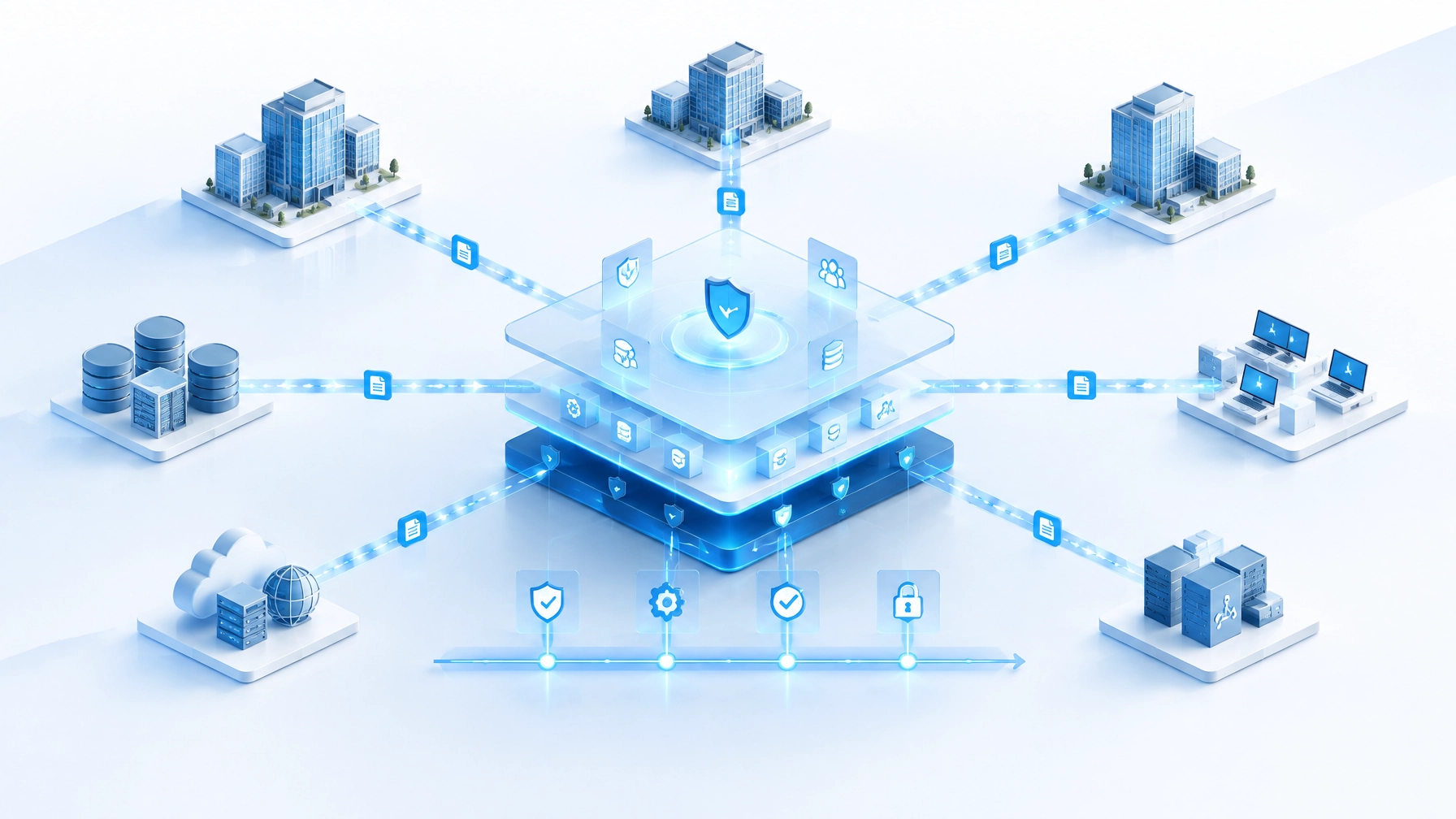
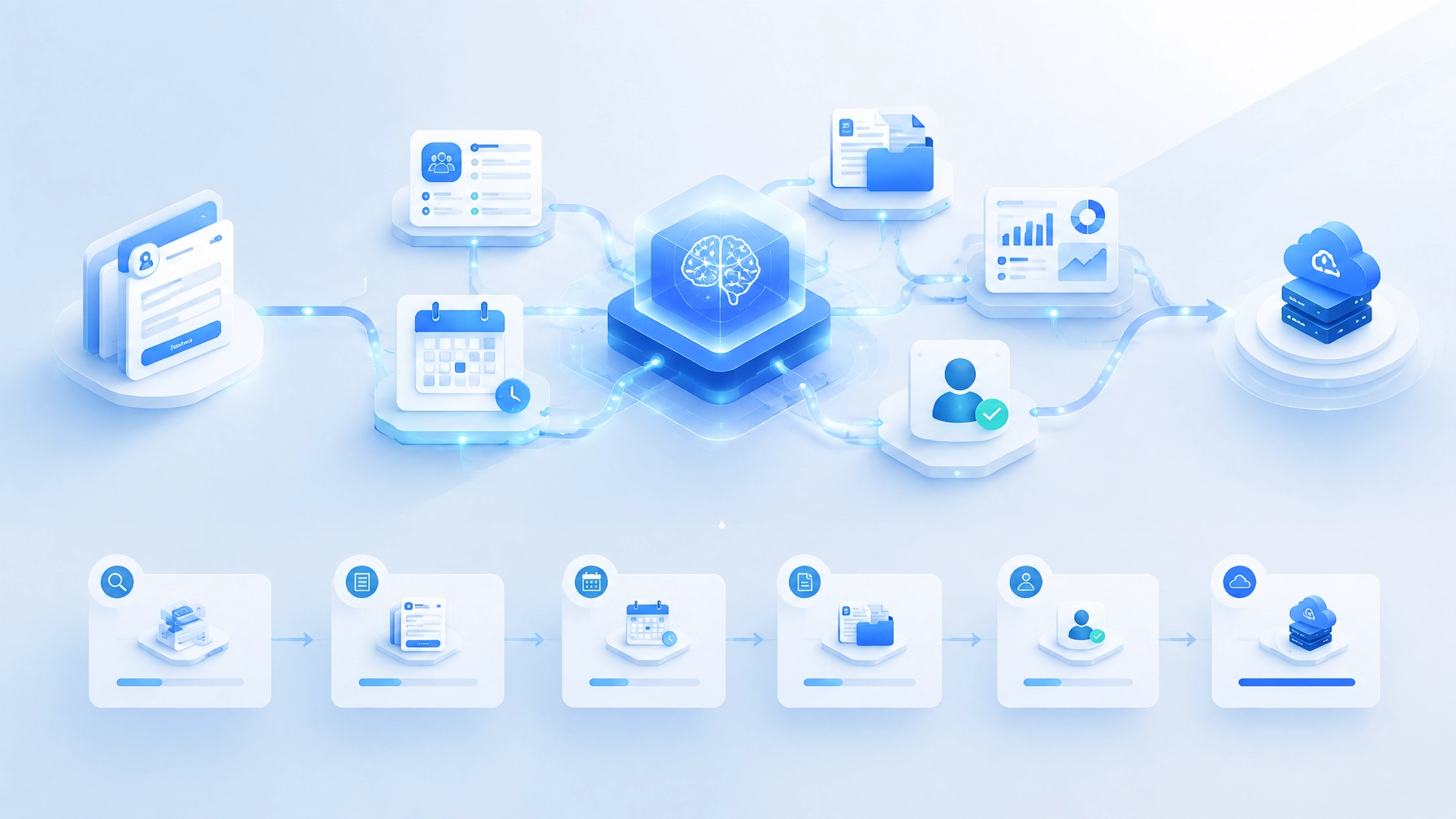
    Abstract enterprise architecture showing secure files passing through validation gates, approved routes, and exception-handling branches

    Validation and exception handling should be designed into the workflow

    A mature exchange layer does not assume that every incoming file is ready for use.

    A client or partner may submit a file with the wrong format, an inconsistent naming convention, missing supporting documents, or an outdated reporting period. If the system simply forwards the file, downstream staff must discover and resolve the problem manually.

    A governed design creates explicit states for each transaction:

    1. Received: The system detects and records the incoming file.
    2. Validated: File type, naming convention, required metadata, and basic completeness rules are checked.
    3. Accepted or quarantined: Approved files proceed; exceptions are isolated from normal processing.
    4. Routed: The file is assigned to the appropriate office, team, client, matter, or engagement.
    5. Processed: A downstream user or system confirms the next action.
    6. Closed: The transaction records its final outcome and supporting events.

    This state-based model gives operations leaders a clearer view of what is moving, what is blocked, and where human judgment is required.

    For example, an accounting firm may require a trial balance file, supporting schedules, and a period identifier before routing a package to an engagement team. A legal practice may need to associate a document set with a matter and jurisdiction before granting access to a specific group. In both cases, the system can distinguish a routine transaction from an exception that requires review.

    Automation does not remove professional oversight. It makes the boundaries of that oversight more visible.

    Permissioning across offices, teams, and external partners

    Multi-office firms need more than a shared folder with broad access.

    A governed exchange layer should reflect the firm’s operating structure. A user in one office may need access to certain client files but not to another office’s matters. An external partner may be permitted to submit documents but not browse internal directories. A manager may approve exceptions without having unrestricted access to every file.

    The architecture should therefore support:

    • Role-based permissions
    • Office, department, and practice-group boundaries
    • Client, matter, or engagement-level access
    • Separate internal and external user experiences
    • Time-limited or workflow-based access where appropriate
    • Administrative visibility without unnecessary document exposure

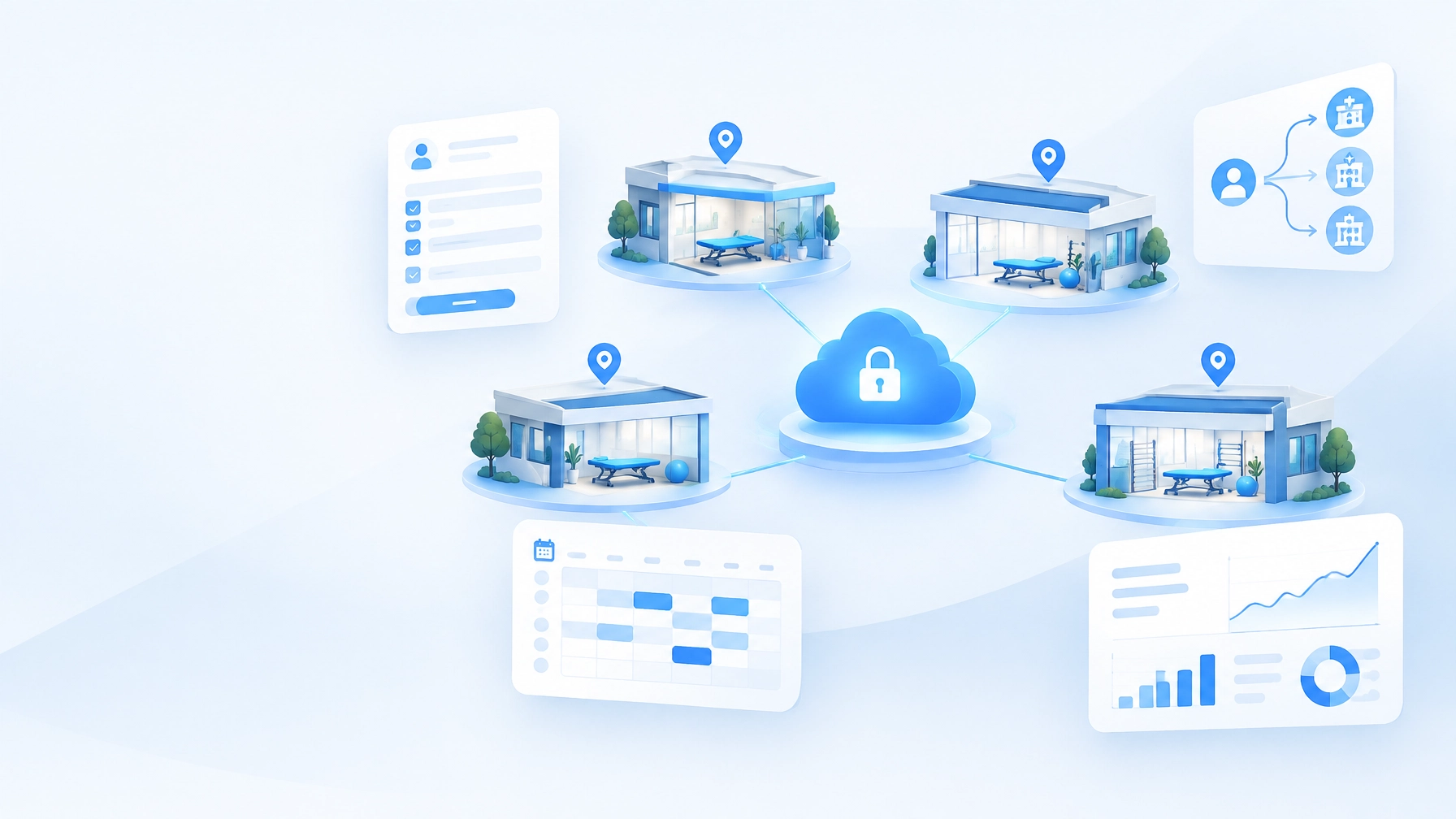
    Abstract illustration of role-based access, multiple office hubs, and secure external partner connections in a professional services data exchange system

    The exact controls depend on the firm’s systems, contractual obligations, information classification, and security program. A production implementation would require a detailed assessment of identity management, encryption, retention, vendor responsibilities, and applicable professional or regulatory requirements.

    The important design principle is that permissions should be part of the workflow architecture, not an afterthought added around it.

    Auditability creates operational confidence

    An audit trail should explain what happened, not merely confirm that a system was active.

    For every exchange, a professional services firm may need to record:

    • Source system or external party
    • Receiving server, directory, or endpoint
    • File name, type, size, and timestamp
    • Associated client, matter, or engagement
    • Validation results
    • Permission or policy decision
    • Notification events
    • User actions and downloads
    • Processing status
    • Exceptions, retries, and final resolution

    This information creates a chain of custody for the workflow. It can help an operations team investigate a delay, help a manager confirm that a submission was reviewed, and help technology leaders identify recurring failure patterns.

    A useful audit trail should also be searchable and understandable to non-technical stakeholders. Partners should not need to inspect raw server logs to determine why a client deliverable was delayed.

    Abstract architectural illustration of a queryable audit trail with connected event nodes, timestamps, and a central observability layer

    Auditability also supports continuous improvement. If a particular partner repeatedly submits incomplete files, the firm can address the process. If one office experiences more exceptions than another, leadership can investigate training, systems, or workload conditions. If a workflow change increases processing time, the organization has evidence for evaluating the effect.

    Bringing proven automation capability into legal and accounting

    FTP Inform is one example of PTC’s broader approach to custom software and automation consulting.

    The company’s related proof-of-work builds demonstrate experience across different operating environments:

    • EHRIO Pro demonstrates adaptive intake, matching logic, role-based review, and audit-oriented workflows in healthcare.
    • ChainHQ demonstrates multi-location operational coordination, centralized visibility, and distributed workflow management.
    • AI Local Boost demonstrates multi-entity governance, permissions, approvals, scheduled activity, and change history for local SEO automation.

    These systems are not being presented as products for a law or accounting firm to purchase. They show that PTC has already worked through the architectural challenges that appear repeatedly in professional services: complex data models, multiple stakeholders, exception handling, integrations, permissions, and management visibility.

    The application changes by industry. The engineering discipline remains consistent.

    A practical engagement model for a professional services firm

    A custom exchange layer should begin with the firm’s current operating model, not a predetermined technology stack.

    A focused discovery engagement may examine:

    • Current FTP, SFTP, portal, email, and API-based exchange points
    • File types and recurring transaction categories
    • Client, matter, and engagement identifiers
    • Validation and approval requirements
    • Current exception-handling practices
    • Access boundaries across offices and teams
    • Retention and audit expectations
    • Systems that need to receive or send structured data
    • Operational measures such as cycle time, manual touches, and unresolved exceptions

    The resulting roadmap may recommend an integration layer, a custom web application, workflow automation, improved monitoring, or a staged combination of these capabilities.

    For high-complexity engagements involving multiple integrations, governed access, dashboards, and bespoke workflow design, investment is typically evaluated as a premium custom build, often beginning in the $10,000+ range. The appropriate scope depends on the firm’s systems, number of workflows, security requirements, and rollout strategy. A discovery process makes those assumptions visible before implementation begins.

    Build a more accountable flow of information

    Professional services firms do not need automation for its own sake. They need a clearer relationship between information, responsibility, and action.

    FTP Inform demonstrates how a focused technical capability can become the foundation for a broader governed exchange model: one that detects incoming data, validates its readiness, routes it according to business rules, handles exceptions deliberately, and preserves an auditable record.

    If your firm is evaluating secure file exchange, client document workflows, multi-office coordination, or integration architecture, book a discovery call or request a workflow audit. Pure Technology Consulting can help map the current process, identify control gaps, and define a practical roadmap for a bespoke system.

    You can also review PTC’s custom web development services, explore FTP Inform, or learn more about bringing proven automation into legal and accounting firms.

    Contact

    +1 (803) 921-0969
    https://puretechconsult.com

    Amin Said, Founder of Pure Technology Consulting LLC
    https://puretechconsult.com

  • AI Workflow Automation: How to Decide What to Automate First in a High-Ticket Service Business

    AI Workflow Automation: How to Decide What to Automate First in a High-Ticket Service Business

    Amin Said, Founder of Pure Technology Consulting LLC

    AI workflow automation can improve speed, consistency, and operating leverage. But the first automation initiative is rarely the one with the most visible technology or the largest number of AI features.

    The strategic question is simpler:

    Which workflow creates the greatest business value while remaining controlled, measurable, and technically ready?

    For a high-ticket service business, the wrong starting point can create expensive complexity. Automating an unclear process may only make poor decisions happen faster. Automating a high-risk workflow before governance is in place can damage client trust. And automating a low-value administrative task may produce activity without meaningful operational impact.

    A better approach is to sequence automation deliberately.

    Start with the business constraint, not the AI tool

    Before evaluating platforms, identify where growth is being constrained.

    Common examples include:

    • Valuable leads waiting too long for qualification or follow-up
    • Intake information being copied between forms, CRMs, and industry systems
    • Staff manually assigning cases, appointments, or field work
    • Client onboarding depending on email reminders and spreadsheets
    • Leadership relying on delayed or incomplete reporting
    • Revenue leakage caused by missed tasks, incomplete records, or poor attribution
    • High-value employees spending time on coordination instead of judgment

    The workflow with the most manual effort is not always the best first candidate. A process may be repetitive but strategically unimportant. Another may run only a few times each month but directly influence a significant contract, referral, renewal, or client outcome.

    That is why an automation roadmap should begin with workflow visibility. Document the trigger, inputs, systems, handoffs, decisions, exceptions, approvals, and final output before deciding what to build.

    A practical scoring framework for AI workflow automation

    A useful prioritization method combines business value, feasibility, and risk. Score each candidate workflow from 1 to 5, using the following criteria.

    Dimension What to evaluate Higher score means
    Volume How often the workflow runs The process occurs frequently enough to create recurring leverage
    Exception rate How often cases depart from the standard path There is meaningful manual effort in interpreting or routing exceptions
    Revenue proximity How closely the workflow affects sales, delivery, retention, or expansion The workflow sits near a revenue or client “moment of truth”
    Business impact Potential effect on cycle time, capacity, error reduction, or client experience Improvement would materially affect operations
    Data readiness Quality, accessibility, and structure of the required information Reliable data already exists across usable systems
    Process clarity Whether the current workflow and decision rules are understood The process can be mapped without relying on undocumented tribal knowledge
    Integration readiness Availability of APIs, exports, webhooks, or stable system access The required systems can communicate reliably
    Risk Financial, compliance, client-trust, or reputational impact if automation fails The workflow has lower consequences or strong approval controls

    A simple prioritization formula is:

    Priority score = Value × Feasibility × Risk modifier

    You can calculate value using:

    • Revenue proximity
    • Business impact
    • Volume
    • Exception burden

    You can calculate feasibility using:

    • Data readiness
    • Process clarity
    • Integration readiness

    Then apply a risk modifier:

    • 1.0: Low-risk workflow with reversible outcomes
    • 0.75: Moderate risk with clear human review
    • 0.5: High-risk workflow requiring stronger governance and staged deployment

    This approach prevents a high-value but poorly understood process from automatically becoming the first build.

    Value-versus-feasibility matrix for prioritizing AI workflow automation candidates

    What to automate first

    The first phase should usually focus on workflows that are valuable, bounded, and observable.

    First: intake, triage, routing, and preparation

    High-ticket service businesses often benefit from automating the early coordination layer.

    Examples include:

    • Classifying inbound inquiries
    • Extracting structured information from forms or emails
    • Scoring lead fit against defined criteria
    • Routing requests to the correct team, location, or specialist
    • Preparing a briefing before a discovery call
    • Identifying missing information
    • Creating follow-up tasks and reminders

    These workflows are often strong starting points because they affect revenue proximity while allowing human review before a final decision.

    The goal is not necessarily to replace the sales or service professional. It is to give that person a complete, prioritized record instead of an unstructured inbox item.

    Second: onboarding and internal coordination

    Once intake and routing are reliable, the next opportunity is often the transition from signed agreement to active delivery.

    A custom onboarding workflow may coordinate:

    • Agreements and required documents
    • Client questionnaires
    • Access provisioning
    • Scheduling
    • Internal task creation
    • Billing or payment milestones
    • CRM updates
    • Notifications and escalation rules

    This is where disconnected systems often create hidden operational cost. A custom web application can provide a client-facing portal while orchestrating internal tasks across the CRM, scheduling platform, document storage, and reporting environment.

    Later: high-consequence decisions and broad autonomy

    Workflows involving legal terms, financial commitments, clinical decisions, compliance determinations, or irreversible client communications should generally come later.

    AI can still assist with these processes by extracting information, identifying inconsistencies, drafting recommendations, and flagging exceptions. However, final authority should remain with an accountable professional until the system has demonstrated reliability within a governed operating model.

    The principle is to automate coordination before automating authority.

    Why exception rate matters more than simple task volume

    Traditional automation often targets the most repetitive process. AI workflow automation creates a different opportunity: helping employees handle variation.

    A process with a high exception rate may be more valuable than a simple high-volume task because staff spend disproportionate time interpreting unusual cases, locating context, and deciding where work belongs.

    For example, PTC’s proof-of-work includes:

    • Healthcare: EHRIO Pro demonstrates adaptive intake across approximately 70 questions, matching logic, scheduling considerations, and HIPAA-adjacent workflow design.
    • Operations and field teams: D2D Tracking demonstrates rep accountability and GPS logging, while ChainHQ reflects intelligent assignment logic across distributed operations.
    • Fintech and debt operations: Debt agency telephony integrations and call attribution show how communications can be connected to operational records and outcomes.
    • Data exchange: FTP Inform demonstrates a governed, observable, permissioned approach to file-based integration, including validation and exception handling.
    • Local SEO: AI Local Boost demonstrates Google Business Profile automation across multiple locations, roles, and approval policies.

    These are not being presented as generic products to purchase. They are architectural evidence of the types of complex systems that can be designed for organizations with proprietary workflows, sensitive data, multiple user roles, and demanding integration requirements.

    Governed AI architecture connecting business systems, human approvals, permissions, and audit trails

    Where custom development beats off-the-shelf SaaS

    Off-the-shelf SaaS is often the right choice when a workflow is:

    • Common across many industries
    • Relatively stable
    • Easy to configure
    • Supported by existing integrations
    • Not a major source of differentiation

    Custom development becomes more compelling when the workflow:

    • Encodes proprietary business rules
    • Requires multiple systems to operate as one process
    • Has complex exception paths
    • Serves multiple locations, brands, or user roles
    • Requires granular permissions or auditability
    • Creates a differentiated client experience
    • Must support a long-term operating or product roadmap

    A collection of SaaS tools may solve individual tasks while leaving the most important handoffs untouched. A custom web application or orchestration layer can connect those handoffs into one governed system.

    The decision should not be framed as “custom versus SaaS” in the abstract. The more useful question is:

    Which parts of the operating model should be standardized, and which parts create strategic advantage?

    A phased roadmap from discovery to deployment

    A responsible AI workflow automation engagement should be staged.

    1. Discovery and workflow audit

    Document the current process, systems, ownership, data sources, exceptions, and baseline performance.

    Typical duration: 1–2 weeks
    Indicative investment: $3,000–$8,000, depending on the number of workflows and stakeholders

    2. Prioritization and architecture

    Score candidate workflows, define the target operating model, select the first use case, and design integrations, permissions, data structures, AI responsibilities, and human approval points.

    Typical duration: 1–3 weeks
    Deliverables: workflow map, prioritization matrix, technical architecture, implementation scope, and measurement plan

    3. Bounded pilot

    Build one focused workflow, often with a custom dashboard, portal, queue, or internal interface. Keep the scope narrow enough to test outcomes without disrupting live operations.

    Typical duration: 4–8 weeks
    Indicative investment: $15,000–$40,000, assuming a bounded workflow with two to four integrations

    4. Measurement and calibration

    Compare results against the baseline. Review completion time, exception rate, manual touches, routing accuracy, staff adoption, and client experience.

    5. Scale-out

    Extend the operating layer into adjacent workflows only after the first system is stable and measurable.

    A broader multi-system platform may take 8–16 weeks or more and commonly exceeds $40,000, depending on integrations, compliance requirements, user roles, data migration, reporting, and deployment complexity. These are planning ranges, not fixed quotes. The appropriate scope depends on the business constraint and the level of operational change required.

    Phased custom automation roadmap moving from workflow discovery to architecture, pilot, measurement, and scale

    Measure leverage, not activity

    The success of AI workflow automation should be evaluated through operational outcomes.

    Useful measures include:

    • Time from inquiry to qualified opportunity
    • Time from signed agreement to onboarding completion
    • Manual touches per case
    • Exception and rework rates
    • Response time for revenue-critical requests
    • Staff capacity returned to client-facing work
    • Percentage of cases routed correctly
    • Revenue leakage from missed follow-up
    • Visibility into high-risk or stalled work

    The objective is not to eliminate human involvement. It is to reserve human attention for expertise, judgment, relationships, and decisions that materially affect the business.

    Build the right workflow first

    AI workflow automation is most valuable when it is sequenced as an operating model initiative rather than purchased as a collection of features.

    The right first workflow should be close enough to revenue or client value to matter, structured enough to implement, visible enough to measure, and controlled enough to deploy responsibly.

    Pure Technology Consulting helps growth-focused service businesses evaluate workflow opportunities, design custom web applications, connect fragmented systems, and build governed automation layers for long-term scale.

    To request a workflow audit and discuss the right starting point, book a discovery call. You can also review our custom web development services and related insight on bringing proven automation into legal and accounting firms.

    Contact: +1 (803) 921-0969

    Amin Said, Founder of Pure Technology Consulting LLC
    https://puretechconsult.com

  • Case Study: Custom Web Application Development for a Multi-Location Physical Therapy Group, Automating Intake, Referral Tracking, and Schedule Utilization

    Case Study: Custom Web Application Development for a Multi-Location Physical Therapy Group, Automating Intake, Referral Tracking, and Schedule Utilization

    Amin Said, Founder of Pure Technology Consulting LLC

    This representative engagement illustrates how Pure Technology Consulting approaches custom web application development for a growing physical therapy group. The organization had four clinics, approximately 40 staff members, and a referral-driven growth model. Its clinical and administrative tools each performed a useful function, but they did not operate as one coordinated system.

    The result was familiar across locations: staff entered the same information more than once, referral sources were difficult to attribute, appointment capacity was not consistently visible, and leadership lacked a reliable view of intake-to-visit performance.

    The objective was not to replace every existing platform. It was to create a governed operating layer connecting intake, referrals, scheduling, integrations, and reporting.

    The operational context: four clinics, several disconnected workflows

    The group received referrals primarily from physician offices, orthopedic practices, employers, and existing patient relationships. Intake was handled through a combination of phone calls, faxed documents, printed forms, and email attachments.

    Scheduling occurred in one system. Clinical documentation lived in an EMR or EHR. Billing and claims activity moved through a third platform. Referral sources were tracked manually in spreadsheets, often after the patient had already entered care.

    This created several forms of operational drag:

    • Front-desk staff repeatedly re-entered demographic and insurance information.
    • Referral source data was incomplete or inconsistent.
    • A referral could remain uncontacted without a clear escalation path.
    • Schedulers lacked a unified view of provider skills and location capacity.
    • Cancellations and no-shows created open appointment slots that were difficult to recover.
    • Leadership could see activity in individual systems but not the complete operational journey.

    The business had software. What it lacked was an integrated operating model.

    The architecture decision: one operating layer instead of point fixes

    The first discovery question was not, “Which task should we automate?” It was, “Where should the workflow become structured and measurable?”

    A series of isolated point fixes could have added an online form, a scheduling plug-in, or another referral spreadsheet. That approach would have improved individual steps without solving the handoffs between them.

    The recommended architecture was a custom web application that would serve as the workflow and orchestration layer while allowing the existing EMR/EHR, clearinghouse, scheduling, and billing systems to remain in place.

    The core design included:

    • A shared patient and referral data model.
    • Explicit workflow states from referral received through first visit and billing handoff.
    • Integration services for inbound and outbound data exchange.
    • Role-based access for front-desk staff, clinicians, location managers, billing teams, and administrators.
    • Audit-oriented activity history for key record changes.
    • Dashboards based on operational events rather than manually assembled reports.

    This model also created a clearer boundary around protected health information. Sensitive data would be minimized where possible, transmitted through controlled channels, restricted by role, and logged when accessed or changed. These safeguards support responsible HIPAA-adjacent workflow design, but they do not constitute a blanket compliance guarantee. A production deployment would still require a client-specific security, legal, vendor, and compliance assessment.

    Designing the intake and referral data model

    Blue and white illustration of conditional digital intake, insurance verification, consent, and referral data flowing into a structured application

    The intake experience was designed as a guided workflow rather than a static digital version of a paper packet.

    Patients could complete questions related to:

    • Medical history and current condition.
    • Insurance coverage and member information.
    • Consent and communication preferences.
    • Referring physician or organization.
    • Preferred clinic location and scheduling availability.
    • Relevant symptoms, limitations, and treatment goals.

    Conditional logic displayed questions based on earlier responses. For example, insurance questions could change based on coverage type, while clinical history prompts could expand when a patient identified a prior surgery or related condition.

    This approach reduced unnecessary questions while producing more structured information for staff review.

    The referral record connected the patient to the originating physician office or referral source. Each referral could move through defined states such as:

    1. Received.
    2. Awaiting patient contact.
    3. Intake incomplete.
    4. Ready for scheduling.
    5. Scheduled.
    6. First visit completed.
    7. Closed, declined, or lost.

    This gave the organization a consistent way to identify where referrals stalled and which sources generated completed evaluations rather than simply sending paperwork.

    The design drew on proof-of-concept patterns from PTC’s work on EHRIO Pro, including a 70-question conditional intake and provider-matching engines. Those capabilities were treated as architectural evidence, not as a packaged product being sold to the physical therapy group.

    Connecting the EMR, clearinghouse, and billing workflow

    The custom application did not attempt to become the clinical record or claims system. Instead, it created a controlled handoff between operational intake and downstream platforms.

    Depending on the capabilities of the existing vendors, integration work could include:

    • Sending verified demographic and insurance data to the EMR/EHR.
    • Receiving appointment or patient identifiers from the existing system.
    • Submitting eligibility requests through an approved insurance or clearinghouse connection.
    • Returning eligibility status, payer details, or follow-up requirements to the intake queue.
    • Passing completed intake information to the appropriate clinical workflow.
    • Triggering billing readiness after required documentation and visit milestones were met.

    Integration discipline was especially important when systems did not share identical data structures. A payer name might be represented differently in the intake form, EMR, and clearinghouse. Patient matching required controlled identifiers and duplicate-handling rules. Failed requests needed retry logic and human review rather than silently disappearing.

    PTC’s work on FTP Inform provided a relevant proof point for governed data exchange with external systems. The lesson was straightforward: integrations should be observable, permissioned, recoverable, and designed around clear ownership of each data field.

    Intelligent scheduling across locations and provider skill sets

    Blue and white illustration of intelligent scheduling across four clinics, provider skill sets, capacity balancing, and cancellation recovery

    The scheduling layer used rules to recommend suitable appointment options without removing human judgment from the process.

    The rules could account for:

    • Patient location preference.
    • Clinic operating hours.
    • Provider availability.
    • Provider skill sets and treatment specialties.
    • Required visit type or evaluation category.
    • Room and resource constraints.
    • Existing appointment patterns.
    • Travel or access considerations where relevant.

    The system could identify viable options across all four clinics rather than relying on a single location’s calendar. Staff could still override recommendations, but the reason for an override could be recorded for future workflow refinement.

    Assignment and scheduling logic patterns proven in ChainHQ informed this design. Again, ChainHQ was referenced as evidence of PTC’s ability to build complex assignment logic, not marketed as a product for physical therapy organizations.

    The workflow also included cancellation and no-show recovery:

    • Open slots were flagged for review.
    • Patients with suitable preferences could be placed into recovery queues.
    • Staff received prioritized follow-up tasks.
    • Repeated no-shows could trigger an alternate scheduling or confirmation process.
    • Recovered appointments were tracked separately from ordinary bookings.

    The goal was not to promise a specific utilization increase. It was to make recoverable capacity visible and actionable.

    Operations dashboards for measurable improvement

    A leadership dashboard consolidated the operational measures that had previously been distributed across spreadsheets and individual systems.

    The first version focused on four questions:

    How efficiently are referrals converting?

    The dashboard displayed referral volume by source, location, and period, along with progression from referral received to intake completion, scheduled evaluation, and completed first visit.

    How long does intake take?

    Cycle-time reporting measured the elapsed time between referral receipt, completed intake, eligibility review, scheduling, and first visit. Teams could distinguish delays caused by missing patient information from delays caused by scheduling capacity.

    Where is capacity available?

    Utilization views showed booked versus available appointment blocks by clinic, provider, visit type, and time period. This gave managers a basis for reallocating attention across locations.

    Where are referrals or appointments being lost?

    The system surfaced incomplete intakes, uncontacted referrals, failed eligibility checks, cancellations, and no-shows requiring follow-up.

    Illustrative outcomes and measurement discipline

    Because this is a representative case study rather than a published client performance report, the following ranges are planning assumptions, not guaranteed results.

    For a four-clinic organization with approximately 40 staff members, a reasonable measurement window would be 8–12 weeks after stabilization, compared with a documented 4–8 week pre-launch baseline.

    Depending on referral volume, adoption, and integration quality, comparable engagements may target:

    • A reduction of approximately 10–25 front-desk administrative hours per week across the group.
    • A reduction of roughly 1–3 business days in the intake-to-first-visit cycle.
    • A measurable improvement in schedule utilization, often assessed as a percentage-point change by clinic and provider group.
    • Fewer dropped referrals through visible ownership, automated reminders, and exception queues.

    These outcomes should be validated against the group’s actual starting point. The dashboard is valuable because it makes those baselines visible rather than replacing one unverified claim with another.

    Delivery roadmap and investment framing

    A comparable phased build would typically run approximately 8–14 weeks, depending on integration access, workflow complexity, and the number of locations included in the first release.

    Phase 1: Discovery and architecture

    The team maps current workflows, data ownership, permissions, integration constraints, and success measures. Deliverables include the target operating model, data model, architecture, and prioritized release plan.

    Phase 2: Core intake and scheduling

    The first working release includes conditional intake, referral states, eligibility workflow foundations, provider matching, and multi-location scheduling logic.

    Phase 3: Integrations and handoffs

    The application connects to the existing EMR/EHR, clearinghouse, and billing processes. Testing focuses on data quality, duplicate handling, permissions, failure recovery, and human review.

    Phase 4: Reporting and rollout

    Dashboards, training, user acceptance testing, deployment procedures, and early-life support complete the initial operating layer.

    Comparable custom engagements of this scope may fall in the $35,000–$90,000+ range, depending on the number of integrations, security requirements, workflow depth, and reporting needs. A phased approach allows value to land early: intake and referral visibility can be delivered before every downstream integration is complete.

    A practical next step for a growing therapy group

    Custom software is most valuable when it reflects the organization’s actual operating model. For this physical therapy group, the opportunity was not another disconnected form or dashboard. It was a coordinated system for moving a referral from first receipt to completed care while preserving the role of existing clinical and financial platforms.

    If your organization is managing referrals, intake, scheduling, and reporting across disconnected tools, book a discovery call or request a workflow audit. Pure Technology Consulting can help map the current process, identify the highest-value automation opportunities, and define a practical scope for a bespoke web application.

    Explore Pure Technology Consulting’s custom web development capabilities or visit https://puretechconsult.com.

    Contact Pure Technology Consulting

    Call +1 (803) 921-0969 to discuss a discovery engagement or workflow audit.

    Amin Said, Founder of Pure Technology Consulting LLC
    https://puretechconsult.com

  • Case Study: Custom Web Application Development for Distributed Field Teams, One System for Dispatch, GPS Verification, and Commission Reconciliation

    Case Study: Custom Web Application Development for Distributed Field Teams, One System for Dispatch, GPS Verification, and Commission Reconciliation

    Amin Said, Founder of Pure Technology Consulting LLC

    Distributed field teams create a complex operating challenge. Managers need to know where work is happening, dispatchers need reliable visibility into assignments, finance teams need accurate activity records, and representatives need a practical mobile workflow that works in real-world conditions.

    For a door-to-door sales organization, these requirements are closely connected. A visit is not simply a location event. It may affect rep accountability, territory management, customer records, commission calculations, payroll preparation, and management reporting.

    Pure Technology Consulting built a proof-of-concept D2D field tracking platform to address that broader challenge. The objective was not another isolated GPS tracker. It was a unified operating layer connecting dispatch and routing, location-verified visit logs, exception reporting, CRM data, and commission reconciliation.

    The architecture demonstrates how custom web application development can turn fragmented field activity into a governed, auditable business process. The same patterns can support field service technicians, inspectors, multi-location operators, installation teams, and other distributed workforces.

    The operating problem: field activity and financial processes were disconnected

    Many field organizations manage operations across a combination of spreadsheets, messaging applications, mapping tools, CRM records, and payroll workflows.

    Each tool may perform a useful function, but the overall process remains fragmented:

    • Dispatchers assign work in one system.
    • Representatives report activity through another.
    • GPS information is reviewed separately.
    • Managers investigate exceptions manually.
    • Finance teams reconcile approved activity against commissions or payroll.
    • CRM records may not reflect what happened in the field.

    This creates a gap between planned work and verified work.

    A route may be assigned but not completed. A visit may be reported without sufficient location evidence. A representative may perform activity that is valid but difficult to reconcile with a customer record. A commission may be calculated from incomplete or outdated data.

    The platform was designed around a more complete question:

    How can a business plan field activity, verify what occurred, manage exceptions, and connect approved activity to financial outcomes through one system?

    That question shaped both the user experience and the technical architecture.

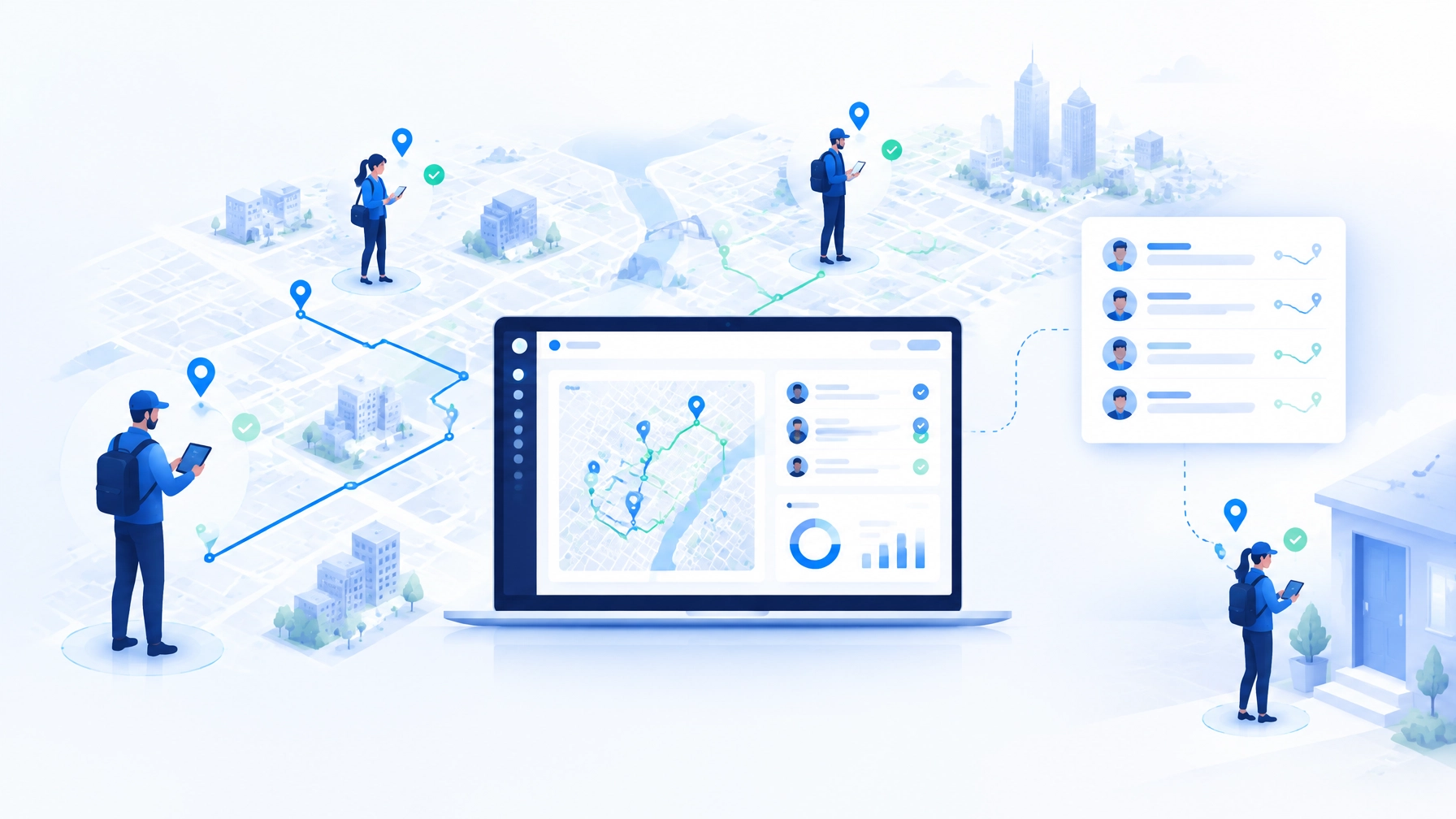
    Event-driven field operations architecture connecting mobile capture, dispatch, CRM, payroll, and audit records

    The unified operating layer

    The central design decision was to treat the platform as an orchestration layer rather than a standalone tracking application.

    The system connects several operational domains:

    • Dispatch and route assignment
    • Mobile field activity capture
    • GPS and visit verification
    • Exception management
    • CRM synchronization
    • Commission calculation
    • Payroll-ready reconciliation
    • Immutable audit history
    • Management reporting

    This approach reflects the principles behind Pure Technology Consulting’s web development practice: the application is built around the client’s operating model, data relationships, user roles, and integration requirements.

    The platform includes a browser-based operations console for managers and dispatchers, supported by a mobile workflow for field representatives. Each side of the system is designed for its operating context.

    Dispatchers need a portfolio view of work. Representatives need a focused mobile interface. Finance teams need approved records and reconciliation logic. Leaders need reporting that explains performance without requiring manual spreadsheet preparation.

    Dispatch and routing designed around operational rules

    Dispatch is more than assigning a name to a location. A practical field operations system must account for territories, availability, route sequence, workload, priority, and the status of current assignments.

    The proof-of-concept architecture supports a dispatch workflow in which managers can:

    • Create or receive field assignments
    • Organize work by territory, date, or priority
    • Assign visits to specific representatives
    • Monitor planned and active routes
    • Review incomplete or delayed activity
    • Reassign work when operational conditions change
    • Identify exceptions requiring human review

    Routing logic can be configured according to the organization’s needs. A simple operation may assign visits by geography. A more complex model may consider representative experience, territory ownership, customer type, travel time, or service-level requirements.

    The important architectural principle is separation between the dispatch interface and the underlying event history. A dispatcher can change an assignment, but the system should retain a record of what changed, when it changed, and who made the decision.

    That distinction preserves operational flexibility without sacrificing accountability.

    GPS verification is part of a larger evidence model

    The earlier GPS-verified tracking concept focused primarily on confirming field presence. This platform expands that idea into a broader evidence model.

    A verified visit may include:

    • Assignment details
    • Representative identity
    • Start and completion timestamps
    • Device and session information
    • GPS coordinates
    • Location accuracy metadata
    • Route or territory context
    • Visit status
    • Optional notes, forms, or supporting information
    • Changes made after the initial capture

    GPS is therefore one component of a verifiable activity record, not the complete record by itself.

    The system can apply configurable rules to determine whether activity should be automatically accepted, flagged for review, or held for additional context. For example, an activity record may be flagged when the location accuracy is insufficient, the visit occurs outside an expected territory, or the timing does not align with the assigned route.

    This creates a structured exception process rather than forcing managers to inspect every visit manually.

    Offline-tolerant mobile capture for real field conditions

    Field teams cannot always depend on continuous connectivity. A mobile workflow that assumes a stable network can create incomplete records, frustrated users, and unreliable synchronization.

    The platform was designed with offline tolerance in mind. The mobile experience can preserve key workflow actions locally and synchronize them when connectivity returns.

    Offline-tolerant mobile field workflow with GPS capture, visit records, and queued synchronization

    A representative mobile workflow may include:

    1. Downloading assigned work when connectivity is available.
    2. Opening a route or visit from the device.
    3. Capturing status changes and GPS metadata.
    4. Storing events locally when the network is unavailable.
    5. Placing unsynchronized events in a protected queue.
    6. Synchronizing those events when a connection is restored.
    7. Resolving conflicts according to defined business rules.

    Offline support requires more than adding local storage. The architecture must define which data can be safely captured offline, how duplicate events are prevented, how timestamps are handled, and what happens when a manager changes an assignment while a representative is disconnected.

    Those decisions are part of responsible business process automation consulting. The goal is not merely to automate a happy path. It is to create reliable behavior when real operating conditions are incomplete or inconsistent.

    Event ingestion and an immutable audit trail

    At the center of the platform is an event-oriented data model.

    Instead of storing only the latest status of a visit, the system records meaningful lifecycle events such as:

    • Assignment created
    • Route updated
    • Representative dispatched
    • Visit started
    • GPS location captured
    • Visit completed
    • Exception raised
    • Manager review completed
    • Commission approved
    • Payroll record exported

    This design provides two benefits.

    First, it creates a more accurate operational history. Managers can see how work progressed rather than only its current state.

    Second, it establishes a foundation for auditability. Critical events can be stored in an append-oriented audit trail that is separate from editable business records. This helps preserve the history of important decisions, including changes to assignments, approvals, payout rules, or exported records.

    An immutable audit trail is especially valuable when a field activity record affects compensation. If an approved commission later changes, the organization should be able to identify the original activity, the adjustment, the person who approved it, and the reason for the change.

    Connecting verified activity to commission reconciliation

    The most important distinction in this case study is the connection between verified field work and financial reconciliation.

    A tracking system can show where a representative was. A unified operating layer can help determine which verified activities qualify for compensation and how those activities should be reconciled with payroll or finance systems.

    The platform can support a sequence such as:

    1. Capture field activity from the mobile workflow.
    2. Validate location, assignment, timing, and required data.
    3. Route exceptions to a manager or operations reviewer.
    4. Approve qualifying activity.
    5. Apply commission rules based on the organization’s model.
    6. Compare calculated commissions against CRM or sales records.
    7. Produce a reconciliation view for finance.
    8. Export approved records to a payroll or accounting system.

    Commission logic may vary by product, territory, representative, team, customer outcome, or approval status. For that reason, it should be implemented as governed business logic rather than hidden inside a spreadsheet or hard-coded into a single screen.

    Verified field activity flowing into commission calculations, exception reporting, payroll export, and CRM records

    The platform can also distinguish between operational exceptions and financial exceptions. A missing GPS signal may require an operations review. A mismatch between an approved visit and a CRM opportunity may require sales or finance review.

    That separation makes exception reporting more useful. Instead of presenting managers with an undifferentiated list of errors, the system can direct each issue to the appropriate owner.

    CRM and payroll integration as part of the architecture

    Integrations were treated as core components rather than afterthoughts.

    The CRM may remain the source of truth for customer, opportunity, or account information. The field platform may become the source of truth for route execution and verified activity. Payroll or accounting systems may remain authoritative for final payment processing.

    A well-designed integration layer defines how those systems exchange information:

    • Which system owns each data type
    • When records are created or updated
    • How duplicate records are identified
    • What happens when synchronization fails
    • How changes are retried
    • Which events require human review
    • How synchronization history is recorded

    This is the same operating-layer principle used in broader AI-powered business systems: automation works best when it coordinates existing systems through clear rules, permissions, and auditability.

    AI could later support route recommendations, anomaly detection, or exception prioritization. However, deterministic rules should remain responsible for core verification, approvals, calculations, and financial exports where consistency is essential.

    How the architecture generalizes beyond door-to-door sales

    The D2D use case provides a demanding proof of concept because it combines mobile users, distributed activity, location data, assignments, exceptions, and compensation.

    The same architecture can be adapted for:

    Field service technicians

    Dispatchers can assign service calls, technicians can capture arrival and completion evidence, and approved work can flow into billing or payroll.

    Inspectors and auditors

    The platform can record visits, checklists, photographs, location metadata, exceptions, and review decisions in one auditable workflow.

    Multi-location service businesses

    Regional teams can manage assignments across locations while leadership receives standardized reporting on completion, productivity, and exceptions.

    Installation and maintenance teams

    Route planning, proof of service, materials used, customer signatures, and compensation rules can be connected through one operational system.

    The user interface and business rules will change by industry. The underlying patterns remain valuable: event ingestion, offline-tolerant capture, role-based access, integration boundaries, immutable history, and governed reconciliation.

    What this proof of concept demonstrates

    The D2D field tracking platform demonstrates PTC’s ability to build beyond a basic dashboard or mobile form.

    It combines:

    • Custom web application development
    • Mobile-first field workflows
    • Event-driven architecture
    • GPS and route verification
    • Offline synchronization
    • Exception reporting
    • CRM integration
    • Commission and payroll reconciliation
    • Audit-focused data design
    • Operational dashboards

    For organizations evaluating enterprise automation consulting, the broader lesson is that custom software should be measured by the operating model it enables.

    A serious system does not simply collect more data. It connects planning, execution, verification, review, and financial outcomes in a way that gives leaders a clearer view of how work moves through the business.

    Scope a custom field operations platform

    If your organization manages distributed teams, disconnected systems, or manual reconciliation between field activity and financial records, the next step is to define the operating layer around your actual workflows.

    Book a discovery call to scope a custom build. Pure Technology Consulting can help map the current process, identify integration boundaries, define the first release, and determine which architecture decisions will support future growth.

    Contact

    +1 (803) 921-0969

    Amin Said, Founder of Pure Technology Consulting LLC
    https://puretechconsult.com

  • The ROI of Custom Web Application Development: A Framework for Sizing High-Ticket Builds Against the Cost of Manual Process

    The ROI of Custom Web Application Development: A Framework for Sizing High-Ticket Builds Against the Cost of Manual Process

    Amin Said, Founder of Pure Technology Consulting LLC
    A custom web application is justified when it creates more operating value than it costs to build, maintain, and adopt.

    That sounds obvious, but many executives evaluate software too narrowly. They compare a $10,000, $30,000, or $100,000 development proposal against the price of another SaaS subscription. The more useful comparison is broader:

    What is the business currently paying for manual work, rework, slow cycle times, missed revenue, disconnected systems, and limited visibility?

    For growth-focused local businesses, operationally constrained service companies, and SaaS licensing partners, the answer can make a bespoke system a rational investment rather than an expensive technology experiment.

    The real cost of manual process

    Manual work is not limited to the time an employee spends entering information. Its cost appears throughout the operating model.

    A fragmented workflow may create:

    • Repeated data entry across CRM, scheduling, billing, and internal systems
    • Errors that require correction, customer follow-up, or financial adjustment
    • Delays between lead intake, qualification, scheduling, and service delivery
    • Missed follow-ups because ownership is unclear
    • Reporting that depends on spreadsheets and periodic reconciliation
    • Integration work that employees perform manually between disconnected tools
    • Limited capacity to grow without adding staff proportionally

    These costs are often distributed across departments, which makes them easy to overlook. A coordinator may spend 20 minutes updating records. A manager may spend several hours reconciling reports. A salesperson may lose opportunities because an inquiry was not routed quickly. Leadership sees each issue separately, even though they may originate from the same workflow design.

    The first step in business process automation consulting is therefore to measure the current state before discussing technology.

    Operational audit illustration showing manual handoffs, duplicate data, error points, cycle-time friction, and missed-revenue pathways

    What to measure before approving a build

    A practical baseline should combine labor, operational, and commercial measures.

    1. Labor hours

    Identify how many hours each role spends on:

    • Data entry and duplicate updates
    • Copying information between systems
    • Status requests and internal follow-up
    • Reconciliation and reporting
    • Correcting incomplete or inaccurate records
    • Manually assigning work or scheduling resources

    Then multiply those hours by the fully loaded hourly cost of the employees performing the work.

    The calculation is simple:

    Annual manual labor cost = hours per week × loaded hourly cost × working weeks per year

    Do not assume that every hour saved becomes an immediate headcount reduction. Some of the value may appear as capacity recovered for sales, client service, clinical work, management, or delivery. That capacity still has economic value if it helps the company serve more customers without proportional hiring.

    2. Error and rework costs

    Track the frequency and cost of errors in the workflow.

    Examples include:

    • Incorrect customer or patient information
    • Missed documents or incomplete intake
    • Incorrect assignments
    • Billing corrections
    • Duplicate records
    • Failed handoffs
    • Missed deadlines or follow-ups

    A useful estimate is:

    Annual error cost = number of errors × average correction cost

    The average correction cost should include employee time, direct financial impact, delay, and customer or client-facing consequences where those can be reasonably estimated.

    3. Cycle time

    Measure how long it takes for work to move from one meaningful stage to the next:

    • Inquiry to qualified opportunity
    • Intake to appointment
    • Signed agreement to onboarding
    • Request to assignment
    • Service completion to billing
    • File receipt to review
    • Transaction to reporting

    A shorter cycle time can increase throughput, improve customer experience, accelerate cash flow, and reduce the amount of work sitting in progress.

    4. Missed revenue

    Revenue leakage is often harder to see than labor cost. Look for:

    • Leads that receive a slow or incomplete response
    • Customers who abandon a complicated intake process
    • Missed renewals or follow-ups
    • Unbilled work
    • Underused capacity
    • Opportunities that cannot be served because the process is too manual

    For customer-facing workflows, estimate the value of additional completed opportunities using conservative assumptions:

    Potential revenue gain = additional completed opportunities × average contribution margin

    This is not a promise of conversion improvement. It is a way to model whether a better workflow could create measurable commercial capacity.

    5. Integration drag

    List every system involved in the process and document how information moves between them.

    If an employee regularly exports a spreadsheet, reformats data, sends an email, updates another platform, and confirms completion manually, that is an integration cost. It may justify an orchestration layer even when each existing SaaS product is individually useful.

    Model the custom build against the full baseline

    A serious ROI model compares the current state with the full cost of the proposed solution.

    The custom side should include:

    • Discovery and workflow design
    • Application development
    • Integrations and data migration
    • User roles and permissions
    • Testing and deployment
    • Training and change management
    • Hosting, monitoring, and security
    • Ongoing maintenance and enhancements

    The initial build may be the most visible number, but it is not the complete investment. A custom application is an operating asset that requires ownership and iteration.

    The benefit side may include:

    • Reduced manual labor
    • Lower error and rework costs
    • Faster cycle times
    • Increased throughput
    • Reduced software or integration fees
    • Improved customer conversion or retention
    • Better visibility for management
    • New capabilities that generic software cannot support

    A simple model is:

    Annual net benefit = annual operating benefit − annual maintenance and infrastructure cost

    Payback period = initial build investment ÷ annual net benefit

    ROI = (total benefits − total costs) ÷ total costs

    The model should cover at least three years. A build may look expensive in the first year because the company absorbs the development cost upfront. Over time, recurring labor, license, and process costs can make the economics more favorable.

    Custom application architecture blueprint connecting business systems, integrations, AI, governance, and a multi-year investment model

    An illustrative $10,000-plus build scenario

    Consider a multi-location service business with a manual intake and assignment process.

    Assume:

    • Four employees spend a combined 55 hours per week on the workflow
    • Their blended loaded cost is $32 per hour
    • The process creates approximately $2,000 per month in rework and avoidable correction costs
    • The company estimates $3,000 per month in contribution margin from opportunities currently delayed or lost
    • A custom web application costs $45,000 to build
    • Hosting, support, and ongoing enhancement cost $12,000 annually

    The current annual process cost is approximately:

    • Manual labor: 55 × $32 × 52 = $91,520
    • Rework: $2,000 × 12 = $24,000
    • Potential contribution margin: $3,000 × 12 = $36,000

    The total opportunity is approximately $151,520 per year, before considering the value of better reporting or future scalability.

    A responsible model would not assume the application captures all of that value. If leadership estimates that the first release captures only 35% of the opportunity, the annual benefit is approximately $53,032. After $12,000 in annual operating cost, the net benefit is approximately $41,032.

    Under those assumptions, the simple payback period is close to 13 months.

    This is not a guaranteed result. It is a decision model. The quality of the decision depends on the quality of the baseline, the realism of the adoption plan, and the discipline of the scope.

    When custom development is the right choice

    Custom web application development is usually most compelling when the workflow is strategically important and materially different from the assumptions built into off-the-shelf software.

    A bespoke build may be appropriate when:

    • The process is central to revenue or delivery
    • Multiple systems need to exchange structured information
    • The business has unique routing, approval, or scheduling logic
    • Manual work increases with every new location, client, or transaction
    • Existing SaaS tools require costly workarounds
    • The organization needs control over data, permissions, or reporting
    • The application itself could become a differentiating capability
    • A licensing or white-label partner needs a branded platform built on reusable infrastructure

    Staying with SaaS or manual processes may be better when the workflow is standardized, low-volume, and not strategically important. Custom software also requires leadership commitment. The company must be prepared to define ownership, measure outcomes, and maintain the system after launch.

    AI should strengthen the workflow, not obscure the economics

    AI-powered business systems can improve classification, document extraction, routing, summarization, recommendations, and communication drafting. But AI should be evaluated as one component of the operating model.

    The core system still needs:

    • Reliable data structures
    • Deterministic business rules
    • Integration monitoring
    • Role-based permissions
    • Exception handling
    • Human approval for high-consequence decisions
    • Auditability and reporting

    This is where ai workflow automation, bespoke AI solutions, and enterprise automation consulting become practical. The objective is not to add an AI feature because it is fashionable. It is to reduce a measurable constraint while preserving control.

    Scalable operating model showing automated routing, human approval checkpoints, dashboards, multiple teams, and expanding business capacity

    Proof of capability matters

    Pure Technology Consulting is a U.S.-based software development and automation consulting firm focused on custom web applications, SaaS product development, and AI-powered workflow automation.

    Our proprietary builds demonstrate the types of systems we can design and deploy:

    • AI Local Boost demonstrates multi-location Google Business Profile automation and governed local SEO workflows.
    • ChainHQ demonstrates structured, scalable systems for multi-entity operations and reporting.
    • EHRIO Pro demonstrates complex healthcare intake, matching logic, and HIPAA-adjacent workflow design.
    • FTP Inform demonstrates secure file ingestion, validation, exception handling, telephony integrations, and operational reporting.

    These systems are proof-of-concept examples of custom engineering capability, not generic products that every organization should purchase. The relevant question is whether the same architectural discipline can be adapted to your workflow, data, users, and growth strategy.

    PTC also brings proven patterns into legal, accounting, healthcare, field operations, debt, and professional services environments. The work does not begin from zero. It begins with an understanding of how to design intake, integrations, approvals, dashboards, and governed automation around complex operations.

    Make the investment decision with operating evidence

    A $10,000-plus custom build should not be approved because it sounds innovative. It should be approved because the business can explain:

    1. Which workflow is being improved
    2. What that workflow costs today
    3. Which measurable outcomes should change
    4. What the first release will and will not include
    5. How adoption will be managed
    6. What the three-year total cost will be
    7. How leadership will evaluate payback and operating leverage

    The strongest custom applications do more than remove repetitive tasks. They make the business easier to manage, easier to measure, and more capable of growing without reproducing the same friction at a larger scale.

    That is the real ROI of custom web application development.

    If you are evaluating a manual process, fragmented software environment, or AI automation opportunity, book a discovery consultation. Pure Technology Consulting can help map the current workflow, size the opportunity, and define a practical roadmap for a high-value custom build.

    Contact Pure Technology Consulting

    Call +1 (803) 921-0969 or visit https://puretechconsult.com.

    Amin Said, Founder of Pure Technology Consulting LLC

    https://puretechconsult.com

  • Case Study: Custom Web Application Development for a Multi-Office Accounting Firm, Automating Intake, Document Collection, and Deadline Workflows

    Case Study: Custom Web Application Development for a Multi-Office Accounting Firm, Automating Intake, Document Collection, and Deadline Workflows

    Amin Said, Founder of Pure Technology Consulting LLC

    A multi-office accounting firm can have strong professionals, established clients, and reliable demand while still losing operational capacity to disconnected systems.

    New client information may arrive through email, phone calls, and web forms. Document requests may be tracked in spreadsheets. Staff assignments may depend on local knowledge rather than visible capacity. Partners may not know which engagements are at risk until a deadline is close.

    This representative engagement illustrates how Pure Technology Consulting would approach a custom web application for an accounting and professional services firm. The objective is not to replace every existing platform. It is to create a governed operating layer that connects intake, document collection, deadlines, staff assignment, billing visibility, and reporting.

    The scenario is presented as an engagement example, not as an audited client case study. Any planning ranges below are based on stated assumptions and should be validated during discovery.

    Business context: growth created coordination complexity

    The firm operated across multiple offices with a mix of tax preparation, bookkeeping, advisory, and year-end accounting services. Each office had capable staff, but workflows varied by location and service line.

    The operating challenges were familiar:

    • Client intake required repeated data entry across systems.
    • Document requests were difficult to track consistently.
    • Staff did not always have a shared view of workload or ownership.
    • Deadline status depended on manually updated spreadsheets and inboxes.
    • Billing and operational reporting were separated.
    • Partners lacked a firm-wide view of work in progress, bottlenecks, and exceptions.

    The seasonal pressure made the issue more visible. For individual taxpayers who properly request an extension, October 15 is generally the federal filing deadline for calendar-year returns. The IRS also notes that an extension gives additional time to file, not additional time to pay. That distinction must be reflected in the firm’s workflow design and client communications.

    At the same time, business clients were approaching year-end close. Their accounting teams needed structured requests for bank statements, payroll reports, inventory information, loan documents, and other records.

    The firm did not need another generic task list. It needed a workflow system aligned with the way its offices, staff, clients, and deadlines actually interacted.

    Discovery questions defined the operating model

    The first phase would be a workflow audit rather than a software demonstration.

    PTC would work with partners, office managers, preparers, reviewers, billing staff, and administrative teams to answer questions such as:

    • Where does a new client or engagement first enter the firm?
    • Which intake fields are required for tax, bookkeeping, and advisory services?
    • How are clients assigned to an office, team, preparer, and reviewer?
    • Which documents are required by entity type and service line?
    • What happens when a client submits incomplete or contradictory information?
    • How are October 15 extension clients identified and prioritized?
    • Which year-end close steps are standard, and which vary by client?
    • What approvals are required before work moves into preparation or review?
    • How are billing milestones, invoices, and outstanding balances connected to engagement status?
    • Which reports do partners need weekly, monthly, and during peak filing periods?

    The discovery output would include current-state process maps, a systems and data-flow review, a prioritized automation roadmap, and baseline measures.

    Those baselines might include average intake cycle time, staff touches per new engagement, percentage of client files with missing documents at review, assignment turnaround time, and the number of deadline exceptions identified after escalation. The measurement window should typically cover at least one representative operating cycle, such as four to eight weeks, before changes are evaluated.

    Architecture: one orchestration layer around existing systems

    Modern accounting workflow architecture showing structured intake, secure documents, deadlines, staff assignment, and reporting

    The proposed application would serve as an orchestration layer between people and existing systems.

    The architecture could include:

    • A secure web application for internal teams and clients
    • A structured client and engagement data model
    • Role-based access for partners, office managers, preparers, reviewers, and billing teams
    • Integration endpoints for CRM, practice management, document storage, accounting, scheduling, and billing systems
    • A rules engine for service-specific workflows and deadlines
    • Audit-oriented activity history for key decisions and status changes
    • Dashboards for operational, deadline, workload, and billing visibility

    The data model should distinguish among clients, entities, engagements, offices, service lines, assignments, documents, deadlines, invoices, and workflow states. That structure prevents the firm from relying on duplicated spreadsheets to answer basic questions about ownership and status.

    The system should also define which platform is authoritative for each type of information. For example, the custom application may own workflow state and assignment logic while the accounting platform remains authoritative for invoices and payments.

    This approach reduces unnecessary replacement risk. The custom application connects the firm’s systems where integration is practical and adds the business-specific logic that off-the-shelf tools may not support.

    Workflow design: automate movement, not professional judgment

    The highest-value automation would focus on repeatable coordination while preserving human review for tax, accounting, and compliance decisions.

    Structured intake and document collection

    A client-facing intake flow would use conditional questions based on entity type, service line, filing status, and prior relationship with the firm.

    Once the intake is submitted, the system could:

    • Create or update the client record
    • Identify the relevant office and service team
    • Generate a document checklist
    • Assign an initial owner
    • Request missing information
    • Route exceptions for review
    • Record each submission and status change

    FTP Inform provides proof-of-concept evidence for governed document ingestion, validation, and audit trails. In this accounting context, similar principles could be applied to document naming, required fields, file validation, controlled access, and visibility into outstanding requests.

    October 15 extension workflow

    An extension workflow could group eligible clients by filing status, assigned team, document completeness, and review stage.

    The dashboard might show:

    • Documents complete and ready for preparation
    • Awaiting client information
    • In preparation
    • In technical or partner review
    • Awaiting signature or authorization
    • At risk based on remaining work and available capacity

    Reminder schedules should be configurable rather than hard-coded. A firm may choose different communication and escalation rules based on client importance, service type, or proximity to the deadline.

    The system should also distinguish filing deadlines from payment obligations. Client-facing language and internal task logic must avoid implying that an extension changes the underlying payment due date.

    Year-end close workflow

    For business clients, the application could generate close checklists based on entity type, industry, accounting method, and service package.

    Typical workflow stages might include:

    1. Request final bank, credit card, payroll, and loan records.
    2. Validate that required documents have been received.
    3. Assign reconciliation and cleanup tasks.
    4. Route exceptions to the appropriate reviewer.
    5. Track adjusting entries and draft financial statements.
    6. Obtain approval and mark the engagement complete.
    7. Trigger billing and management reporting steps.

    This creates a repeatable operating model without forcing every client into an identical process.

    What to automate first

    A phased rollout is more reliable than attempting to automate the entire firm at once.

    For a representative implementation, PTC would recommend beginning with one service line and a defined group of offices. A focused pilot might take approximately 8–12 weeks under assumptions such as:

    • One primary workflow
    • Two to three office locations
    • A limited number of integrations
    • Existing systems with accessible APIs or export capabilities
    • A designated internal team for user acceptance testing

    The first release should usually prioritize:

    1. Structured intake and client record creation
    2. Document checklists and secure submission status
    3. Assignment rules and ownership visibility
    4. Deadline tracking and escalation
    5. A leadership dashboard for workflow status

    Advanced features such as document classification, predictive workload modeling, AI-generated client communications, or deeper billing analytics can follow after the core operating model is being used consistently.

    Success should be evaluated against the established baseline over a defined measurement window, such as the first four to eight weeks after pilot adoption and again after a complete seasonal cycle. The firm should assess cycle time, manual touches, exception volume, deadline visibility, adoption, and user-reported friction. No result should be treated as guaranteed before the workflow, data quality, and adoption conditions are known.

    Where custom software beats off-the-shelf SaaS

    Off-the-shelf accounting and practice-management platforms can be effective when the firm’s processes align with their predefined models. Custom development becomes more compelling when the firm needs to coordinate several systems and preserve its own operating rules.

    A bespoke application may be appropriate when the firm needs to:

    • Support multiple offices with shared governance
    • Apply different workflows by service line and entity type
    • Integrate existing CRM, accounting, document, and billing systems
    • Create assignment logic based on capacity, expertise, and location
    • Build reporting around the firm’s own definitions of status and risk
    • Preserve human approval at specific points
    • Provide a controlled client-facing experience
    • Expand automation without redesigning the entire platform

    PTC’s proprietary builds demonstrate related capabilities in other industries. EHRIO Pro shows how structured intake and matching logic can manage complex, conditional information. ChainHQ demonstrates multi-location assignment logic. AI Local Boost provides proof-of-concept experience with multi-location automation, permissions, approvals, and change history. FTP Inform demonstrates governed document ingestion, validation, and audit trails.

    These systems are not being presented as products for the accounting firm to purchase. They are evidence that PTC has already designed scalable application patterns for distributed teams, structured data, workflow orchestration, and governed automation.

    A controlled rollout protects adoption

    Staged rollout illustration showing pilot testing, office deployment, workflow monitoring, and continuous improvement

    The rollout would begin in a staging environment with representative users and sample workflows. Testing should include permissions, failed integrations, incomplete documents, duplicate records, deadline changes, reassignment, and manual fallback procedures.

    A practical rollout sequence is:

    1. Map and baseline the current workflow.
    2. Configure the first service-line workflow.
    3. Test with selected staff and representative clients.
    4. Pilot with one office or controlled client group.
    5. Measure against the baseline.
    6. Refine rules, training, and dashboards.
    7. Expand to additional offices and service lines.

    The firm should retain ownership of business priorities, approval thresholds, data governance, and success criteria. PTC’s role is to translate those decisions into a maintainable technical architecture and working system.

    Build an operating layer for the next filing cycle

    A multi-office accounting firm does not need automation for its own sake. It needs reliable visibility into what has arrived, what is missing, who owns the next step, which deadlines are approaching, and where leadership intervention is justified.

    That is the opportunity behind a custom web application: to connect the firm’s people, data, systems, and client experience around a shared operating model.

    If October 15 extensions and year-end close repeatedly expose coordination gaps, book a discovery call or request a workflow audit. Pure Technology Consulting can help map the current process, identify what to automate first, and define a practical scope for a custom application.

    Representative deliverables

    • Solution architecture and data model
    • CRM, document, accounting, billing, and practice-management integrations
    • Structured intake and secure document workflows
    • Deadline, escalation, and assignment automations
    • Office, staff, workload, billing, and executive dashboards
    • Role-based permissions, audit trails, testing, and rollout documentation

    Call +1 (803) 921-0969 or visit puretechconsult.com.

    Amin Said, Founder of Pure Technology Consulting LLC
    https://puretechconsult.com

  • Enterprise Automation Consulting: Why the Integration Layer Decides Whether Your AI Investment Ever Pays Off

    Enterprise Automation Consulting: Why the Integration Layer Decides Whether Your AI Investment Ever Pays Off

    Amin Said, Founder of Pure Technology Consulting LLC
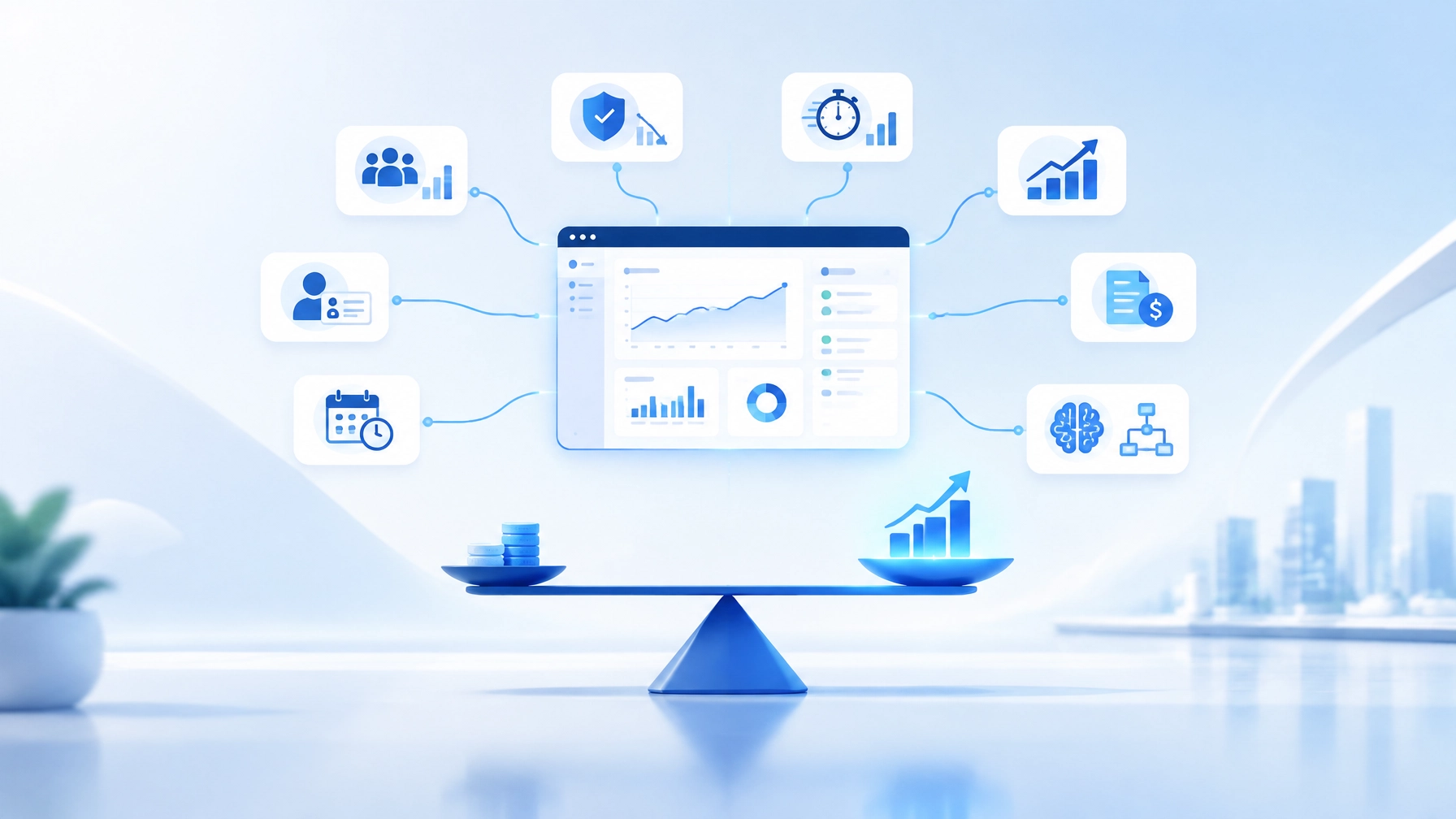
    AI investments often receive attention in the places people can see: the model, the dashboard, the chatbot, or the customer-facing interface.

    The less visible integration layer receives far less attention. Yet it is usually the factor that determines whether an automation initiative becomes a dependable operating capability or remains an impressive pilot that never reaches production.

    The integration layer includes the APIs, event streams, identity controls, data contracts, and orchestration logic that allow systems to work together. It connects the CRM to scheduling, the EHR to intake, billing to service delivery, and internal applications to the data employees need to act.

    Without that layer, AI can generate useful recommendations while the business continues to rely on spreadsheets, email, duplicate data entry, and manual approvals.

    Enterprise automation consulting should therefore begin with a practical question:

    What must connect for this workflow to produce a measurable business outcome?

    The visible AI layer is only one part of the system

    A typical automation budget may prioritize:

    • AI models and prompt design
    • Customer-facing portals
    • Executive dashboards
    • Chatbots and conversational interfaces
    • Automated content generation
    • Robotic process automation tools

    These capabilities can be valuable. However, they sit on top of a deeper operating structure.

    An AI workflow may classify an inbound request, recommend the next action, or summarize a customer conversation. The business still needs reliable mechanisms to:

    • Retrieve the right customer or account record
    • Confirm that the user has permission to view the data
    • Update the correct system of record
    • Trigger scheduling, billing, or notification workflows
    • Route exceptions to the right employee
    • Record what happened for reporting and audit purposes

    If those connections are incomplete, the AI layer becomes isolated from the work it is supposed to improve.

    That is why an organization can have a capable model, a polished interface, and a promising pilot while employees still copy information manually between systems.

    AI pilot and business systems connected by a governed API and event-driven integration bridge

    Why automation pilots stall before production

    Automation pilots frequently succeed in a controlled demonstration and struggle in daily operations. The reason is often not the AI model. It is the absence of production-grade integration architecture.

    One-off connections create fragile workflows

    A quick integration may connect two applications for one specific use case. That can be sufficient for a demonstration, but it becomes difficult to maintain when the organization adds another location, service line, user role, or business system.

    Point-to-point integrations often create hidden dependencies. A change in one system can break several downstream workflows because there is no stable contract governing how data is exchanged.

    A reusable integration layer creates a more durable foundation. Systems can expose governed capabilities through APIs, while business workflows consume those capabilities without depending on internal database structures or undocumented assumptions.

    Data has no shared definition

    Different systems may use different names, formats, and rules for the same business entity.

    A CRM may identify a customer by one field. A scheduling platform may use another identifier. Billing may contain a separate account record. An intake system may use a case number that is not recognized elsewhere.

    Without defined data contracts, the automation must guess how records relate to one another. That leads to duplicate records, missing updates, incorrect routing, and reporting that cannot be trusted.

    A data contract establishes what a field means, which values are permitted, who owns the information, and how changes are communicated to other systems.

    Identity is treated as an afterthought

    Automation often touches sensitive information and consequential actions. A workflow that can view a patient intake, assign a field employee, initiate a payment, or update a legal or accounting record must understand identity and authority.

    Questions that should be addressed during architecture design include:

    • Who can initiate the workflow?
    • Which data can each role access?
    • Which locations or client accounts are in scope?
    • Which actions require approval?
    • How are service accounts authenticated?
    • Where are access events and changes recorded?

    Identity controls are not merely a security feature. They express the operating model inside the software.

    Exceptions remain manual and invisible

    A workflow that handles only the successful path is not production-ready.

    Real operations include incomplete forms, duplicate records, failed API requests, unavailable staff, conflicting data, missing documents, and ambiguous customer requests. If the system does not define what happens next, employees will create workarounds outside the platform.

    A mature integration layer includes retry logic, alerts, dead-letter queues, human review, escalation paths, and a clear history of each workflow event.

    What the integration layer should contain

    A practical architecture usually combines several capabilities rather than relying on one automation tool.

    APIs that expose reusable system capabilities

    APIs allow applications to exchange information through defined interfaces. Instead of connecting directly to a database or building a custom script for every workflow, the organization can create governed access to customers, appointments, invoices, cases, or operational records.

    A layered API approach commonly separates:

    • System APIs: Access to CRM, EHR, billing, scheduling, identity, and other systems of record
    • Process APIs: Business logic that combines data and actions across systems
    • Experience APIs: Interfaces designed for portals, dashboards, mobile applications, or partner tools

    This structure makes integrations easier to reuse as the organization grows.

    Event streams that communicate change

    Not every workflow should wait for a user to press a button.

    Events can communicate that a new lead was created, a document was uploaded, an appointment was completed, a payment failed, or a service request changed status. Event-driven architecture allows systems to respond to business activity without creating tightly coupled chains.

    For example, a completed appointment might trigger a review request, update a customer record, create a billing task, and refresh a management dashboard. Each action can subscribe to the relevant event while remaining operationally distinct.

    Identity and permission services

    Authentication verifies who is using a system. Authorization determines what that person or service is allowed to do.

    A robust automation architecture applies both consistently across custom applications, APIs, dashboards, and background workflows. Role-based permissions, tenant isolation, audit logs, and secure credentials become especially important for multi-location businesses and white-label platforms.

    Orchestration and business rules

    Integrations become useful when they are organized around a business process.

    The orchestration layer determines what happens, in what order, under which conditions, and with what approval requirements. It may coordinate intake, qualification, scheduling, service delivery, billing, notifications, and reporting.

    This is where custom web application development becomes strategically valuable. A purpose-built application can give employees a clear queue, show exceptions, enforce the right business rules, and provide visibility across otherwise disconnected systems.

    Layered enterprise automation architecture with systems of record, APIs, event streams, orchestration, AI, and human approvals

    Where AI belongs in the operating model

    AI is most effective when it is assigned work that benefits from interpretation, classification, summarization, or recommendation.

    Examples include:

    • Classifying an inbound request
    • Extracting information from a document
    • Summarizing a call or conversation
    • Recommending a provider, employee, or service category
    • Drafting a customer response
    • Identifying missing information
    • Prioritizing follow-up based on defined criteria

    Deterministic software remains better suited to permissions, calculations, record updates, required fields, billing rules, and irreversible actions.

    The strongest design is often a hybrid:

    1. A system receives an event.
    2. The integration layer retrieves authorized context.
    3. AI interprets or recommends an action.
    4. Business rules validate the recommendation.
    5. A human approves it when risk or judgment requires review.
    6. The system executes the action and records the outcome.

    This structure allows AI to contribute intelligence without giving an opaque model uncontrolled authority.

    PTC’s platforms demonstrate the integration-first approach

    Pure Technology Consulting has applied these architectural principles across several proprietary builds. They are not generic products that replace every organization’s systems. They serve as evidence of the integration, workflow, and product engineering capabilities available for high-ticket custom engagements.

    AI Local Boost demonstrates multi-location Google Business Profile automation, tenant-aware workflows, role-based access, partner configuration, and connections between local visibility activity and broader business systems.

    ChainHQ demonstrates location-aware scheduling and assignment logic for operators managing distributed teams and multiple operating environments.

    EHRIO Pro demonstrates healthcare intake, provider-matching engines, 70-question assessments, scheduling logic, and HIPAA-adjacent workflows where data structure and controlled handoffs are essential.

    FTP Inform demonstrates secure file ingestion, schema validation, exception handling, workflow orchestration, telephony integrations, and auditability for debt operations.

    PTC’s broader work has also included D2D Tracking for GPS-based field accountability, debt agency telephony integrations with call attribution, and AI Local Boost’s Google Business Profile automation. These systems address different industries, but the underlying principle is consistent: the operating layer must connect people, data, decisions, and systems in a governed way.

    That same capability can transfer into legal, accounting, healthcare, professional services, and complex local businesses without starting from zero.

    How to scope an automation initiative that can scale

    The integration layer should be part of the initial roadmap, not a phase added after the AI pilot.

    A practical enterprise automation consulting engagement should examine:

    • Current systems and ownership
    • Existing APIs and integration limitations
    • Core business entities and data definitions
    • Identity and permission requirements
    • High-value workflow triggers
    • Approval and exception paths
    • Reporting and audit requirements
    • Baseline measures for cycle time, error rates, and manual effort

    The first implementation does not need to connect every system in the organization. It should focus on one meaningful workflow with clear boundaries and measurable outcomes.

    For a growth-focused service business, that might be intake through scheduling and billing. For a multi-location operator, it may be assignment, status tracking, and reporting. For a SaaS licensing or white-label partner, it may be tenant management, role-based access, and reusable workflow infrastructure.

    The goal is to create a strong architectural pattern that can be extended, not another isolated automation that becomes technical debt.

    Build the layer that makes AI useful

    AI can accelerate work, but integration determines whether that acceleration reaches the business.

    When APIs, event streams, identity, data contracts, and orchestration are designed as first-class capabilities, custom web applications and AI workflows become more reliable, measurable, and adaptable. Leaders gain visibility into how work moves. Employees spend less time coordinating systems. New locations, services, and partners can be added without recreating the architecture each time.

    The right investment is not simply an AI feature. It is an operating layer that allows intelligence to move through the organization safely and consistently.

    Pure Technology Consulting helps growth-focused businesses, operationally constrained service companies, and SaaS partners design and build that layer through custom web application development, AI workflow automation, and enterprise automation consulting.

    To discuss a workflow audit or integration roadmap, book a discovery call, visit https://puretechconsult.com, or call +1 (803) 921-0969.

    Amin Said, Founder of Pure Technology Consulting LLC
    https://puretechconsult.com

  • Case Study: How a Permanent Jewelry Brand Built a Predictable Local Lead Engine on PTC’s Local SEO Automation Platform

    Case Study: How a Permanent Jewelry Brand Built a Predictable Local Lead Engine on PTC’s Local SEO Automation Platform

    Author: Amin Said

    A growing permanent jewelry brand with multiple studio locations had built a strong reputation through referrals, events, and repeat customers. Its next stage of growth required a more dependable source of demand.

    Google visibility was inconsistent from one location to another. Location information was maintained manually. Reviews were not always routed into a consistent response process. Appointment inquiries arrived through several channels, creating unnecessary administrative work for the team.

    The brand did not need another disconnected marketing tool. It needed a custom operating layer that connected local visibility, lead capture, intake routing, approvals, and reporting.

    Pure Technology Consulting designed that system using capabilities demonstrated through AI Local Boost, our Google Business Profile automation engine. The build also drew on architectural principles reflected in PTC proof-of-concept platforms such as ChainHQ, EHRIO Pro, and FTP Inform.

    These platforms are not presented as standalone products for this client story. They demonstrate PTC’s ability to deliver custom web application development, AI workflow automation, and business automation consulting for complex operating environments.

    The business challenge: referrals were valuable, but not predictable

    The brand’s referral channel was working, but it was difficult to forecast. Studio teams were dependent on personal networks, event partnerships, social media activity, and customers remembering to recommend the brand.

    At the same time, local search demand was being handled inconsistently:

    • Each studio had different levels of Google Business Profile completeness.
    • Location details, hours, services, and booking links required manual updates.
    • Review requests and responses were not connected to a central workflow.
    • Content publishing depended on staff availability.
    • Customers could discover a studio but still face friction when trying to book.
    • Leadership lacked a unified view of impressions, direction requests, inquiries, and booked appointments.

    The strategic issue was not simply “more SEO.” It was the absence of a measurable local demand engine.

    The brand needed a system that could turn local discovery into an organized customer journey:

    1. A customer searches for permanent jewelry in a specific area.
    2. Google presents the most relevant studio information.
    3. The customer reaches the correct location page or booking flow.
    4. The inquiry is captured with the appropriate location and service details.
    5. The lead is routed to the right team.
    6. The business measures what happened next.

    That required a custom build around the brand’s operating model.

    Discovery: mapping the workflow before selecting automation

    The engagement began with an operational discovery process rather than a software demonstration.

    PTC reviewed the brand’s studio structure, location data, booking process, website pages, review activity, customer intake, and reporting requirements. We also examined where staff members were duplicating work or relying on informal knowledge.

    The discovery process focused on several questions:

    • Which information is authoritative for each studio?
    • Who can approve changes to addresses, hours, services, and booking links?
    • What should happen when a customer selects the wrong location?
    • Which inquiries require immediate human follow-up?
    • How should group events differ from individual appointments?
    • Which actions can be automated safely?
    • Which metrics will demonstrate commercial value?

    The result was a practical roadmap organized around data governance, local visibility, conversion, and measurement.

    Professional multi-location dashboard showing automated workflows, local visibility activity, and location-level performance

    Architecture: a location-aware lead and visibility system

    The foundation of the system was a structured location data model.

    Each studio was treated as a distinct operating entity with its own:

    • Name, address, phone number, and hours
    • Services and pricing guidance
    • Booking destination
    • Service area and local attributes
    • Approved images and brand information
    • Review activity
    • Content history
    • Performance metrics
    • Local manager and approval permissions

    This structure allowed the brand to maintain central standards while preserving location-level relevance.

    The architecture also separated shared brand data from studio-specific information. Corporate teams could manage approved language, brand rules, and publishing templates. Local managers could provide relevant details about events, availability, and community activity without changing sensitive profile information independently.

    This type of data governance is essential in multi-location custom software development. Without it, automation can distribute inaccurate information faster than a manual process.

    Google Business Profile automation through the AI Local Boost engine

    The local visibility workflow used the same principles demonstrated by AI Local Boost’s multi-location automation architecture.

    The engine was configured to support:

    • Profile audits and completeness checks
    • Location-specific Google Business Profile content
    • Approved service descriptions
    • Review response drafts
    • Publishing schedules
    • Location-level exceptions
    • Activity history and reporting

    The system did not promise automatic rankings. Instead, it automated repeatable work that supports a stronger local presence while preserving oversight.

    For example, the system could draft a post about a new chain style, a private party experience, or a seasonal booking opportunity using the correct location context. It could also identify whether the post included approved service information and the correct booking destination.

    A change to an ordinary promotional post could follow a lower-risk approval path. A change to a business name, address, primary category, or core service information required elevated review.

    That distinction between automation and governance was central to the implementation.

    Review and content workflows with approval guardrails

    Reviews represented both a growth opportunity and a reputation risk.

    The system was designed to support the full review lifecycle:

    1. Detect a new review.
    2. Classify sentiment and urgency.
    3. Draft a response in the approved brand voice.
    4. Route negative, sensitive, or ambiguous reviews to a manager.
    5. Record the approval decision.
    6. Publish the response through the appropriate workflow.
    7. Track response timing and location-level patterns.

    The same model applied to local content.

    Routine content could be generated from approved templates and location data. However, the workflow blocked or escalated content containing unsupported claims, unapproved promotions, sensitive customer details, or language outside the brand’s guidelines.

    Human review remained part of the design wherever the action could affect reputation, customer trust, or business accuracy.

    This is a practical example of AI workflow automation: AI assists with classification and drafting, while business rules determine what can proceed and what requires a person.

    Lead capture, intake routing, and appointment conversion

    Visibility alone does not create predictable growth. The system needed to connect local discovery with the next operational step.

    Each location was connected to a relevant landing page and booking flow. Lead forms captured essential information such as:

    • Preferred studio
    • Service type
    • Individual appointment or group event
    • Preferred date and time
    • Contact information
    • Questions or special requirements

    The routing layer then assigned the inquiry to the correct location and team.

    A customer looking for a permanent bracelet in one city should not enter a generic queue that requires staff to manually identify the appropriate studio. The workflow should already know where the lead belongs.

    For event inquiries, the system could route the request differently from a standard appointment. This created a more useful intake record for managers and reduced back-and-forth communication.

    The broader architectural principle is similar to the one demonstrated in ChainHQ’s multi-location assignment workflows: collect structured information early, apply business rules consistently, and preserve human control over exceptions.

    Reporting outcomes with defensible baselines

    The brand’s leadership team needed more than publishing activity reports. They needed to understand whether the system was improving local demand and reducing administrative drag.

    Because local performance varies by market, location age, seasonality, and review volume, results were evaluated against location-level baselines rather than broad industry claims.

    The measurement model included:

    Outcome Baseline Measurement approach
    Google impressions Eight-week pre-launch average by location Compare monthly impressions after rollout, adjusted for seasonality and location changes
    Direction requests Eight-week average by studio Track direction requests against profile views and local campaign activity
    Booked appointments Appointments attributed to GBP, location pages, and booking links Use source tracking and location tags to distinguish discovery from referral traffic
    Administrative time saved Weekly staff time spent on updates, review handling, and manual routing Compare time logs before and after workflow deployment

    For planning purposes, a reasonable operating model for a multi-location brand might target a 15–30% improvement in local visibility indicators over a 90-day optimization period, a 10–20% increase in direction-request efficiency, and a 15–25% improvement in attributable booking volume, depending on baseline profile quality and market competition.

    These are planning ranges, not guaranteed or independently audited client results. The defensible outcome is the measurement system itself: every location can be evaluated against its own starting point, with assumptions documented rather than hidden.

    Administrative savings can also be modeled transparently. If a team manages four studios and spends 90 minutes per studio each week on profile updates, review coordination, and lead routing, even a 50% reduction in that repetitive work would reclaim approximately three staff hours weekly. The value increases as locations and inquiry volume grow.

    Rollout: start with control, then expand

    The rollout followed a staged approach.

    First, PTC established the location data model and approval rules. Next, the brand piloted the workflows with a limited group of studios. The pilot was used to validate:

    • Data accuracy
    • Booking link behavior
    • Lead routing
    • Review escalation rules
    • User permissions
    • Reporting definitions
    • Staff adoption

    Only after the pilot was stable did the system expand across the remaining locations.

    This approach reduced deployment risk and gave the client an opportunity to refine its operating policies before scaling them.

    What to automate first

    For executives evaluating a similar transformation, the first automation opportunities should usually be the workflows that are repetitive, rules-based, and measurable.

    Start with:

    • Location data synchronization
    • Review monitoring and response drafting
    • Approved local content workflows
    • Lead capture and location routing
    • Appointment attribution
    • Weekly performance reporting

    Delay automation when the process is not yet defined, the underlying data is unreliable, or the decision requires nuanced judgment.

    Automation should create operating leverage, not conceal an unclear process.

    Where custom software beats off-the-shelf SaaS

    Off-the-shelf SaaS is often appropriate when a business can adapt its workflow to a standard product. Custom software becomes more valuable when the workflow itself is strategically important.

    A bespoke system is justified when the organization needs to:

    • Coordinate data across multiple platforms
    • Apply location-specific rules
    • Connect marketing activity to bookings and operations
    • Manage role-based approvals
    • Support different workflows for appointments and events
    • Create reporting around its own business model
    • Scale locations without proportional administrative growth

    That is the distinction between buying another tool and investing in digital transformation consulting.

    PTC brings this same approach to healthcare, field operations, fintech, legal, accounting, and professional services. EHRIO Pro demonstrates structured intake and matching workflows. Field operations work has included GPS-based accountability. Debt agency systems have incorporated telephony and call attribution. FTP Inform demonstrates monitored, auditable automation across file-transfer workflows.

    The permanent jewelry engagement was another example of bringing proven capabilities into a specialized operating environment.

    Build a local growth engine around the way your business works

    A reliable local lead engine is not created by publishing more content alone. It is created by connecting accurate location data, governed automation, customer intake, appointment routing, and measurable reporting.

    For a growing multi-location brand, that connected operating layer can make local visibility more predictable while reducing the manual effort required to maintain it.

    If your business has outgrown spreadsheets, disconnected marketing tools, or manual lead handoffs, book a discovery call with Pure Technology Consulting. We can conduct a workflow audit and define a practical roadmap for custom web application development, business automation consulting, or enterprise automation consulting.

    Contact Pure Technology Consulting

    Phone: +1 (803) 921-0969
    Website: https://puretechconsult.com

    Amin Said, Founder of Pure Technology Consulting LLC
    https://puretechconsult.com

  • Choosing a Custom Software Development Agency: The Diligence Questions That Separate Builders from Vendors

    Choosing a Custom Software Development Agency: The Diligence Questions That Separate Builders from Vendors

    Written by Amin Said, Founder of Pure Technology Consulting LLC
    https://puretechconsult.com

    Selecting a custom software development agency is not simply a procurement decision. For an enterprise, healthcare organization, or multi-location operator, the partner you choose may influence how your business manages data, serves customers, integrates systems, and scales over the next several years.

    The central question is not, “Can this team build an application?”

    It is, “Can this team take ownership of the technical decisions, operational constraints, and long-term responsibilities that come with building a business-critical system?”

    That distinction separates true builders from vendors who deliver a codebase and leave the client to manage the consequences.

    A disciplined evaluation should examine six areas: architecture ownership, integration design, data custody, delivery governance, evidence of capability, and total cost of ownership.

    Start with the operating outcome, not the feature list

    Before comparing agencies, define the business problem the system must solve.

    A custom web application may be intended to reduce manual intake, coordinate field teams, improve visibility across locations, unify disconnected systems, or create a more reliable path from lead to revenue. These outcomes should shape the technical roadmap.

    A serious partner should help you answer:

    • Which workflow is creating the most operational drag?
    • Where are employees acting as the connection between disconnected tools?
    • Which decisions require automation, and which require human review?
    • What data must be available in real time?
    • How will success be measured after launch?
    • Which parts of the current environment should be retained, replaced, or integrated?

    This is the foundation of effective digital transformation consulting. Without it, a project can become a collection of features that does not materially improve the operating model.

    1. Who owns the architecture decisions?

    Architecture determines how the system behaves under growth, change, and stress. It includes the application structure, database design, integrations, security model, deployment environment, and approach to future enhancements.

    Ask the agency:

    • Who is responsible for defining the target architecture?
    • What decisions will be documented before development begins?
    • How will you evaluate build-versus-buy tradeoffs?
    • What happens if the business adds locations, users, transactions, or integrations?
    • Which parts of the system are designed for future replacement or expansion?
    • Will the people who design the architecture remain involved through deployment?

    The strongest agencies do not treat architecture as a diagram produced during a sales process. They use it as a decision framework throughout discovery, development, testing, and launch.

    You should also ask how the agency balances speed and scalability. A modular monolith may be more appropriate than microservices for an early-stage product. A managed cloud service may be preferable to custom infrastructure when it reduces operational burden. The correct answer depends on your requirements, not on the agency’s preferred terminology.

    Pure Technology Consulting’s custom web development practice reflects this broader approach: applications are designed around the client’s workflows, integrations, security needs, and expected growth rather than assembled from an inflexible template.

    Custom web application core connected to CRM, EHR, payments, telephony, analytics, and cloud systems through structured integrations

    2. What exactly will your organization own?

    Ownership should be clear before work begins.

    A high-ticket custom build may include source code, database schemas, documentation, deployment configurations, infrastructure-as-code, design files, testing assets, and operational runbooks. Your agreement should explain which of these assets belong to your organization and when ownership transfers.

    Ask:

    • Will our organization own the source code and custom intellectual property?
    • Will we have access to the repository throughout the engagement?
    • Who owns the database schema and environment configuration?
    • Are any internal frameworks, reusable components, or third-party libraries included?
    • What licenses govern those components?
    • Can another technical team maintain the system if circumstances change?
    • Will the agency provide documentation and knowledge transfer?

    Ownership is not the same as access. A vendor may provide access to a hosted application while retaining control of the underlying code and infrastructure. That may be appropriate for a standard SaaS subscription, but it is a materially different arrangement from commissioning a custom operating system for your business.

    For enterprise buyers, architectural independence should be treated as a risk-management consideration. The goal is not to eliminate every dependency. It is to understand which dependencies exist, why they exist, and how they affect your options over time.

    3. How will the system integrate with the rest of the business?

    Most complex software projects do not exist in isolation. They connect to CRMs, EHRs, payment providers, scheduling tools, telephony platforms, identity providers, accounting systems, analytics platforms, or legacy databases.

    Ask the agency to explain:

    • Which systems will remain the system of record?
    • How will data ownership be defined across platforms?
    • What API, event, or file-based integrations are required?
    • How will data mapping and transformation be documented?
    • How will authentication and permissions work across systems?
    • What happens when a third-party API changes?
    • How will integrations be tested before and after launch?
    • Which external services create recurring usage or subscription costs?

    A mature integration strategy reduces unnecessary coupling. It also anticipates failure. Systems should have clear retry behavior, error handling, monitoring, and escalation paths when a connected service becomes unavailable.

    The proof-of-work behind Pure Technology Consulting’s platforms illustrates why this matters. EHRIO Pro was designed around a healthcare intake and matching workflow involving approximately 70 questions, provider and location logic, scheduling considerations, and downstream EHR coordination. The complexity was not the form itself. It was the operational orchestration between systems.

    Similarly, field-operations workflows can require GPS-logged activity and representative accountability. Debt-collection systems may need telephony integrations that connect calls to agents, records, attribution, and follow-up actions. These are not simple feature additions. They require careful integration design and a clear understanding of how the organization works.

    4. Where does your data live, and who can access it?

    Data custody is one of the most important diligence areas for any AI-powered business system or enterprise automation initiative.

    Ask:

    • Where will production and non-production data be stored?
    • Will real customer or patient data be used during development?
    • How will sensitive information be anonymized or protected?
    • Who can access databases, logs, backups, and administrative environments?
    • Will data be submitted to external AI tools or developer assistants?
    • What are the retention and deletion policies?
    • How are access events and administrative actions logged?
    • What responsibilities belong to the agency, cloud provider, and client?

    Healthcare, financial, and professional services organizations may have additional contractual and regulatory requirements. A system that touches sensitive data should be evaluated within the client’s full security and compliance program, not marketed with a vague promise of being “secure.”

    The healthcare workflows represented by EHRIO Pro are a useful example of the level of care required. A production implementation would need to address role-based access, encryption, audit-oriented logging, data minimization, secure document handling, retention policies, and the client’s specific compliance obligations.

    Secure data custody and delivery governance illustration with encrypted data streams, access controls, audit trails, and deployment stages

    5. How will delivery be governed?

    A reliable delivery model creates visibility before problems become expensive.

    Ask:

    • Who will actually work on the project?
    • Are the lead architect and senior developers employees or subcontractors?
    • How often will the team demonstrate working software?
    • How will budget consumption be reported?
    • How are scope changes estimated and approved?
    • What testing occurs before a feature is considered complete?
    • Who owns deployment and production monitoring?
    • What happens when a critical defect appears after launch?
    • What documentation and training will be included?

    The delivery model should match the project. A fixed-price agreement may be appropriate for a well-defined milestone. A time-and-materials model may provide more flexibility where discovery is still underway. A hybrid approach can establish a defined discovery phase before committing to larger implementation milestones.

    The important issue is transparency. An agency should be able to explain what is known, what remains uncertain, and how new information will affect scope, timeline, and cost.

    6. How does the total cost compare over three to five years?

    The lowest initial estimate is not necessarily the lowest-cost solution.

    A meaningful total cost of ownership analysis should consider:

    • Initial discovery, design, and development
    • Cloud infrastructure and storage
    • Third-party subscriptions and usage charges
    • Monitoring, logging, and security services
    • Ongoing maintenance and upgrades
    • Support response requirements
    • Internal staff training and administration
    • Integration changes caused by external vendors
    • Rework created by poor architecture
    • Cost of delays, errors, or manual work that remains unresolved

    Ask the agency to describe the operating costs associated with the proposed architecture. If the answer focuses only on development hours, the analysis is incomplete.

    A well-designed system may justify a higher initial investment if it reduces manual processing, improves throughput, gives leadership better visibility, or enables the organization to scale without adding administrative labor at the same rate.

    This is especially relevant when comparing a custom build with off-the-shelf SaaS. SaaS can be the right answer when the workflow is standardized and the organization is comfortable adapting to the product. Custom software becomes more compelling when the workflow is a competitive differentiator, when systems must be coordinated across departments, or when the cost of manual work and fragmented data has become material.

    Multi-year software investment roadmap showing discovery, build, launch, maintenance, cloud operations, integrations, and optimization

    7. What evidence can the agency show?

    Proposals and technical presentations are useful, but production evidence is more valuable.

    Ask to see:

    • A live or demonstrated system with comparable complexity
    • Examples of architecture documentation
    • A description of the delivery timeline and team structure
    • Evidence of testing and deployment practices
    • References from organizations with similar operational demands
    • Examples of integrations with systems relevant to your business
    • A clear explanation of what the agency built versus what it configured

    Pure Technology Consulting’s proprietary platforms (including AI Local Boost, ChainHQ, EHRIO Pro, and FTP Inform) should be viewed in this context. They are proof-of-concept examples of scalable custom development and automation capabilities, not generic products that replace an organization’s need for strategic design.

    AI Local Boost demonstrates Google Business Profile automation and local visibility workflows. FTP Inform demonstrates scheduled file monitoring, notifications, analytics, and credential handling. EHRIO Pro demonstrates healthcare intake, matching, and workflow coordination. ChainHQ-adjacent work illustrates how complex local SEO capabilities can be adapted for white-label and multi-location environments.

    The relevant question is not whether a platform looks impressive in a demonstration. It is whether the team can transfer the underlying engineering discipline to your environment.

    Make diligence part of the investment

    The right custom software development agency should be willing to discuss tradeoffs, constraints, ownership, integration risk, security responsibilities, and long-term maintenance before development begins.

    That conversation is a signal of maturity.

    Whether you are considering in-house engineering, off-the-shelf SaaS, or a specialized partner for enterprise automation consulting, evaluate the decision across the full operating horizon. The objective is not to buy more technology. It is to create a durable system that improves how the business works.

    For organizations evaluating a custom web application, AI workflow automation, or broader digital transformation initiative, book a discovery consultation with Pure Technology Consulting to define the workflow, architecture, and delivery path before committing to implementation.

    Footer: +1 (803) 921-0969

    Amin Said, Founder of Pure Technology Consulting LLC
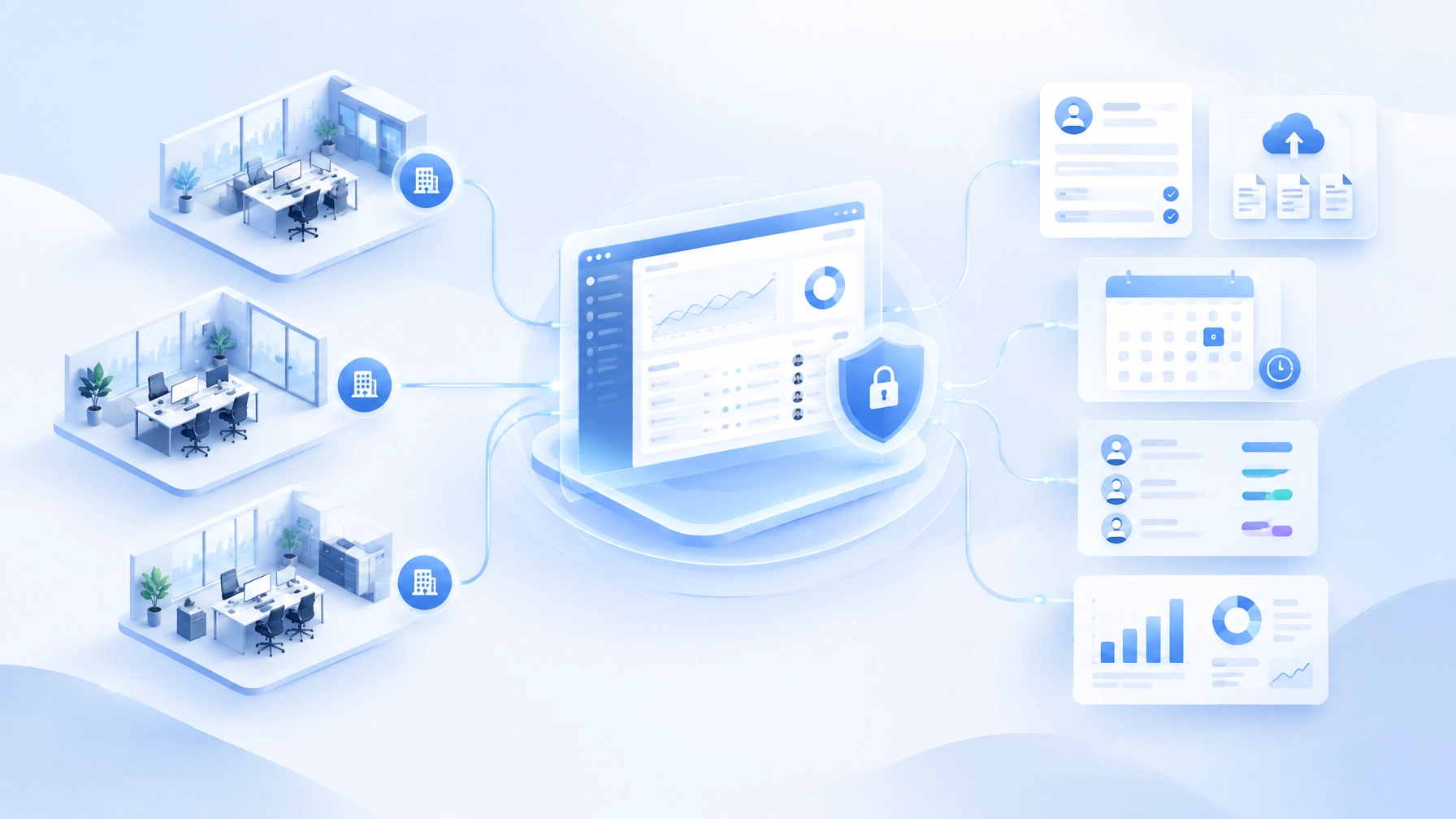
    https://puretechconsult.com

  • Case Study: EHRIO Pro, Custom Web Application Development for Healthcare Intake and Intelligent Patient Matching

    Case Study: EHRIO Pro, Custom Web Application Development for Healthcare Intake and Intelligent Patient Matching

    Author: Amin Said, Founder of Pure Technology Consulting LLC

    For a growing healthcare, behavioral health, or specialty clinic network, patient intake is not simply a form submission. It is the beginning of a coordinated operational process involving clinical needs, provider qualifications, locations, appointment types, insurance requirements, availability, consent, and follow-up.

    When those decisions are managed across disconnected tools, staff members become the integration layer. They review submissions manually, transfer information between systems, contact patients for missing details, and determine which provider or location is the right fit.

    Pure Technology Consulting built EHRIO Pro as a proof-of-concept for a more intelligent operating model: a scalable custom web application that combines adaptive intake, provider matching, workflow orchestration, integration, and reporting in one governed system.

    EHRIO Pro is not being presented here as a standalone SaaS product for purchase. It is a demonstration of PTC’s ability to design and build complex, healthcare-focused systems for high-ticket clients whose operational requirements exceed the capabilities of generic intake software.

    The business stakes behind healthcare intake

    Poorly designed intake processes create consequences well beyond administrative inconvenience. They can affect growth, patient access, staff capacity, and leadership visibility.

    The most common risks include:

    • Referral leakage when prospective patients are not followed up with consistently
    • Intake abandonment caused by long, confusing, or irrelevant forms
    • Manual triage time spent interpreting every submission from the beginning
    • Mis-matched appointments involving the wrong provider, site, or modality
    • Delays caused by missing insurance, consent, or clinical information
    • Limited visibility into referral sources and demand patterns
    • Difficulty comparing intake throughput across locations or service lines

    An off-the-shelf form tool may collect information effectively. It usually does not understand the operational decisions that must happen after the form is submitted.

    That distinction shaped the EHRIO Pro architecture.

    Why custom web application development was the right approach

    A standard intake tool is generally designed around a fixed sequence of questions and a limited set of downstream actions. That model can work for simple appointment requests. It becomes restrictive when a clinic must evaluate multiple variables before routing a patient.

    A multi-provider healthcare network may need to consider:

    • Specialty and clinical needs
    • Provider qualifications and service capabilities
    • Insurance participation
    • Patient location and travel preferences
    • In-person or telehealth requirements
    • Provider availability and new-patient capacity
    • Appointment duration and modality
    • Referral source and urgency
    • Clinic-specific escalation conditions

    These rules are rarely identical from one clinic to the next. They also change as services, staffing, locations, and payer relationships evolve.

    Custom web application development made it possible to create an intake and matching engine around the organization’s actual operating model rather than forcing the organization to redesign its processes around a generic product.

    The system could separate routine automation from cases requiring human review. High-confidence matches could move forward through the workflow, while ambiguous or incomplete submissions could be routed to an appropriate staff queue.

    This is a central principle of PTC’s approach to AI-powered business systems: automation should improve decision flow without making accountability invisible.

    An adaptive intake workflow built for approximately 70 questions

    At the center of EHRIO Pro is an adaptive intake workflow capable of supporting approximately 70 questions.

    A static form presents every patient with the same path. An adaptive workflow changes based on the patient’s previous responses, the clinic’s configuration, and the operational context of the request.

    For example, a patient reporting a particular condition may receive additional questions about symptoms, prior treatment, medications, or relevant history. Another patient may be routed through a shorter path based on the service requested.

    The intake engine can be configured to capture:

    • Demographic and contact information
    • Insurance and coverage details
    • Medical history, medications, and allergies
    • Symptoms and reason for seeking care
    • Referral information and uploaded documents
    • Provider, location, and modality preferences
    • Consent and communication preferences
    • Appointment requirements and scheduling constraints

    The value is not simply a shorter form. It is structured data that can be used by the matching engine, work queues, dashboards, notifications, and downstream EHR-adjacent workflows.

    Healthcare workflow automation engine connecting intake forms, scheduling, communications, and EHR integrations

    Configurable logic instead of hard-coded workflows

    A healthcare network should not need a new software build every time it adds a provider, opens a location, changes a service line, or updates an intake requirement.

    EHRIO Pro was designed around configurable entities and rules. Clinic administrators and authorized operators can define the conditions that influence routing without rebuilding the entire application.

    The architecture separates:

    • Questions and response types
    • Required versus optional fields
    • Conditional question paths
    • Provider and location attributes
    • Matching rules and scoring criteria
    • Escalation and exception conditions
    • Appointment and modality requirements
    • Notification and follow-up actions

    This approach supports bespoke AI solutions without treating artificial intelligence as a black box. Matching can combine deterministic business rules with intelligent recommendations, while the organization retains visibility into the factors influencing a result.

    For healthcare operations, that transparency matters. Staff need to know not only what was recommended, but also why the recommendation was made and whether a case requires review.

    Intelligent patient matching across provider, site, and modality

    The matching engine was designed to answer a more useful question than “Who is available?”

    The better question is: Which provider, location, and appointment format are the best operational fit for this patient?

    Depending on the clinic’s requirements, the matching process can evaluate:

    • Clinical service requirements
    • Provider credentials and specialties
    • Accepted insurance plans
    • Location and travel preferences
    • Telehealth eligibility
    • New-patient capacity
    • Appointment duration
    • Scheduling availability
    • Practice-defined escalation rules

    A recommended match can then be passed into scheduling or routed to staff for confirmation. If required information is missing, the system can generate a follow-up task instead of allowing the submission to disappear into an inbox.

    This creates a more controlled path from inquiry to appointment. It also gives front-desk and intake teams a prepared operational record rather than an unstructured message that must be interpreted manually.

    Versioning and auditability for governed change

    Configurable systems create flexibility, but flexibility without governance can introduce risk.

    EHRIO Pro was designed with versioned intake and matching configurations so that changes could be tracked over time. A clinic may need to know which question set, rule set, or provider configuration was active when a patient was routed.

    Relevant audit information can include:

    • The version of the intake workflow used
    • The rules applied during matching
    • The user or administrator who made a change
    • The date and time of the change
    • The reason for an override or manual decision
    • The system events that moved a case between workflow stages

    This supports operational troubleshooting and continuous improvement. If match quality changes after a rule update, leadership can investigate the change rather than relying on memory or scattered notes.

    It also creates a foundation for responsible AI governance. Recommendations can be reviewed, exceptions can be analyzed, and automated decisions can remain connected to human oversight.

    Integrations that preserve the existing operating environment

    The objective was not to force clinical teams to abandon every system already in use. The objective was to create an orchestration layer that could connect intake with scheduling, CRM, and EHR-adjacent systems.

    A typical workflow may include:

    1. Receiving an inquiry, referral, or digital intake submission
    2. Validating required information
    3. Normalizing structured data
    4. Applying matching logic
    5. Flagging insurance or authorization requirements
    6. Requesting staff review when necessary
    7. Presenting appropriate scheduling options
    8. Synchronizing approved information with connected systems
    9. Triggering reminders or follow-up tasks
    10. Reporting on throughput, outcomes, and exceptions

    The exact integration approach depends on the client’s existing technology environment, available APIs, data ownership, security controls, and compliance obligations.

    EHRIO Pro therefore reflects a HIPAA-adjacent architecture and engineering capability. A production deployment would require a client-specific assessment of security practices, access controls, vendor agreements, retention requirements, and applicable regulatory responsibilities.

    Secure healthcare integration dashboard showing synchronization status, API health, audit controls, and system monitoring

    A rollout model designed to protect live clinical operations

    A healthcare workflow cannot be treated like an isolated software experiment. Intake and scheduling continue while the new system is being introduced.

    The rollout strategy prioritized controlled adoption rather than a disruptive cutover. A practical implementation model includes:

    • Mapping the current intake and triage process before configuration
    • Starting with one clinic, service line, or workflow
    • Testing rules with representative scenarios
    • Running selected workflows in parallel when appropriate
    • Using feature flags to activate capabilities incrementally
    • Providing staff with clear exception and override paths
    • Monitoring integration events and workflow completion
    • Expanding only after operational owners validate the process

    This approach reduces the risk of introducing automation before the organization understands its effects. It also allows clinical and administrative teams to shape the workflow based on real operating conditions.

    The goal is not to automate everything on day one. The goal is to establish a reliable foundation that can expand without interrupting patient access or staff responsibilities.

    Reporting that connects intake activity to business decisions

    A workflow is only as valuable as the visibility it creates.

    EHRIO Pro includes a reporting layer designed to help leadership understand how demand moves through the intake process. Useful measures may include:

    • Inquiry-to-intake completion rate
    • Intake abandonment by step
    • Time from referral to scheduled appointment
    • Manual touches per patient
    • Match acceptance and override rates
    • Exception volume by location or service line
    • Referral source performance
    • Appointment rescheduling caused by incomplete information
    • Intake throughput by provider or site

    Healthcare operations reporting dashboard showing intake throughput, location performance, appointment utilization, and workflow metrics

    These measures should be evaluated against the organization’s own baseline. The purpose is not to promise a universal result. It is to create an operating system in which improvement can be observed, managed, and refined.

    Proof of capability for complex custom systems

    EHRIO Pro demonstrates the type of work that becomes necessary when standard software leaves critical decisions fragmented.

    The resulting deliverables for a comparable custom engagement may include:

    • Application and data architecture
    • Adaptive intake and form configuration
    • Provider, location, and modality matching logic
    • CRM, scheduling, and EHR-adjacent integrations
    • Role-based access and audit-oriented logging
    • Exception queues and staff review workflows
    • Intake throughput and match-quality dashboards
    • Deployment, testing, training, and post-launch support

    The same engineering principles extend beyond healthcare. PTC applies them to field operations, debt and fintech workflows, local SEO automation, professional services intake, and other environments where data, decisions, and accountability must work together.

    EHRIO Pro is one example of how bespoke AI solutions can become practical operating infrastructure, not a layer of disconnected features, but a system designed around the way an organization actually works.

    Build the operating model your growth requires

    Healthcare organizations do not need more software for its own sake. They need technology that reduces friction between demand, intake, triage, scheduling, and care delivery.

    When the workflow is complex, the right solution may be a custom web application designed around the organization’s rules, integrations, governance requirements, and growth roadmap.

    To discuss a healthcare intake platform, intelligent matching workflow, or broader automation initiative, call +1 (803) 921-0969 or book a discovery consultation. You can also review Pure Technology Consulting’s custom web development services and explore additional case studies on complex intake automation.

    Contact: +1 (803) 921-0969

    Amin Said, Founder of Pure Technology Consulting LLC
    https://puretechconsult.com