Amin Said, Founder of Pure Technology Consulting LLC
https://puretechconsult.com
This is a fictional-but-realistic case study illustrating how a custom platform could be designed for a multi-location home services and property maintenance franchise. It does not describe a named client or claim measured results.
The operating challenge: coordinating work across locations
Consider a franchise operator with several local service teams, a shared brand, and a growing volume of maintenance requests. Each location has its own technicians, territory, operating hours, and customer relationships. At the same time, the brand needs consistent service standards and a reliable view of performance across the network.
When scheduling, customer records, quoting, and job updates live in separate tools, dispatchers often have to bridge the gaps manually. A new request might arrive by phone, be copied into a CRM, quoted in a spreadsheet, and added to a calendar without a clear view of technician skills, travel time, territory ownership, or existing workload.
The opportunity is not simply to put a calendar online. It is to connect the full work lifecycle in a system that helps people make sound decisions: which team can take the job, when a realistic appointment is available, what the customer has been told, and what information finance needs when the work is complete.

Designing dispatch around real operating constraints
The platform begins with a shared model of the work. A request becomes a job with a service address, requested work, estimated duration, urgency, customer preferences, quote status, required skills or equipment, territory, and service history. A technician record includes working hours, skills, assigned location, territory eligibility, availability, and relevant equipment or vehicle capacity.
Dispatch assignment then follows two steps: determine who is eligible, and compare the feasible options.
Eligibility rules prevent assignments that cannot work. A technician must have the required skills, be available during the proposed window, have suitable equipment, and be permitted to serve the job’s territory. The job must also fit within the technician’s working hours and existing commitments.
Preference rules help rank the eligible options. The system can weigh travel time, workload balance, priority, customer preference, continuity with a prior technician, and the risk of missing a service commitment. The operator can adjust these policies as business needs change instead of hiding them in code.
This distinction matters. A route that looks efficient on a map is not a good assignment if the technician lacks the certification, the job belongs to another franchise, or the schedule leaves no time to complete the work. A well-designed interface should also explain why an assignment was suggested, and why other options were ruled out.
Scheduling that accounts for routes and change
A technician calendar is only part of the scheduling picture. Route-aware planning considers travel between jobs, expected work duration, promised arrival windows, breaks, operating hours, and the technician’s starting location. The goal is to offer appointments that the operation can plausibly keep, not simply to fill open-looking calendar slots.
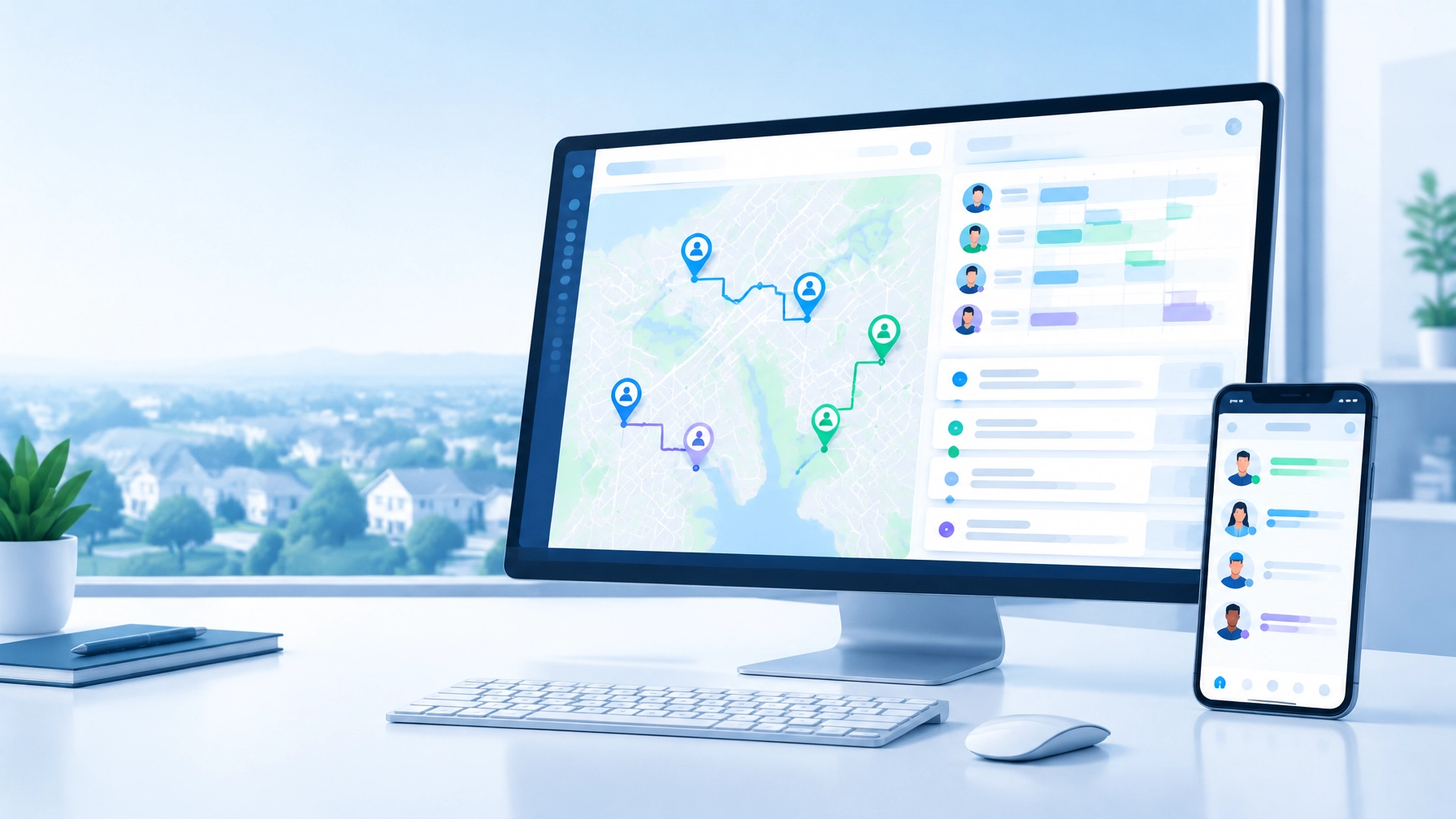
The dispatcher should be able to see a daily schedule alongside its route sequence and the assumptions behind it. If a job runs long, traffic changes, or a technician calls out, the system can identify affected appointments and present possible adjustments. It should protect work already underway and customer-confirmed commitments where appropriate, rather than reshuffling the entire day without regard for customer impact.
This is a decision-support capability, not a mandate to accept every automated recommendation. Dispatchers need clear alternatives, the ability to make an override, and an audit trail explaining the decision. Microsoft’s field service scheduling guidance describes the kinds of resource characteristics and scheduling requirements that a system may need to account for.

Preserving franchise autonomy while setting brand standards
A multi-location platform needs to represent the organization’s operating model, not just its map. The data structure can distinguish the brand, regions, franchisees, service locations, technicians, customers, and jobs. That allows each user to see and manage the records relevant to their role while giving authorized central teams an appropriate network-wide view.
Territories should represent operational ownership and eligibility, rather than serving only as visual boundaries. The platform can define which location owns a customer or job, where a technician is eligible to work, and what happens when a request falls near a boundary. If cross-territory coverage is allowed, it should follow explicit rules for overflow, approval, and attribution.
The brand can standardize service categories, job statuses, required fields, customer communication, and reporting definitions. Franchisees can retain approved local controls, such as operating hours, holidays, and service preferences. This balance gives the business a consistent operating framework without assuming every location runs identically.
Reporting should support both levels. A franchisee may need detail on its open work, capacity, and customer follow-ups. Central leadership may need comparable views across locations, with access controls that preserve appropriate data boundaries. The essential design principle is to make ownership, visibility, and service eligibility explicit.
Connecting request, quote, completion, and invoicing
A useful dispatch system tracks more than appointment status. It connects each job’s lifecycle so that customer service, technicians, managers, and accounting work from consistent information.
A typical workflow can move through:
- Request received: Capture the customer, service address, issue, preferred timing, and source of the request, whether from a phone call, CRM, or online form.
- Triage and quote: Identify the likely service type, request missing details, and prepare an estimate according to approved pricing and approval rules. A quote can be accepted, revised, or held for review before scheduling.
- Appointment booked: Confirm the location, assignment, and arrival window. Record the customer’s acceptance and any access instructions.
- Work in progress: Let technicians update status, document the work performed, and record relevant notes, parts, or follow-up needs.
- Completion and handoff: Capture completion details and pass the approved job and billing information to the accounting workflow. Exceptions, such as additional work requiring approval, remain visible rather than being silently treated as complete.
The accounting platform can remain responsible for its existing invoicing and financial controls. The custom application’s role is to prepare and transfer the right operational details, with status and error handling clear enough for staff to resolve exceptions.
Keeping customers informed without overpromising
Customer communication is part of the service experience and an operational control. Once a booking is confirmed, the system can send an appointment confirmation and reminder that reflect the agreed arrival window. When a technician is en route or a schedule changes, it can send an appropriate status update through the channels the business already uses.
The system should distinguish an arrival window from a precise arrival time. A route estimate can change; customer-facing updates should reflect that uncertainty and follow the operator’s communication policy. Staff should be able to see what was sent, when it was sent, and whether the customer needs a follow-up.

Using AI for assistance, with people responsible for judgment
AI workflow automation can reduce repetitive work without transferring customer or operational decisions to an opaque system. Incoming requests, for example, can be classified into likely service categories, summarized for dispatch, and flagged when details are missing. A model can suggest priority based on approved criteria and draft a customer message for staff review.
The system should show the information behind a suggestion and make it easy to correct. It should not independently promise a service time, approve a quote outside policy, or resolve an emergency escalation without human oversight. Dispatchers remain essential when a job is unusual, a customer relationship needs attention, or a fast decision must account for context that is not in the data.
That division of work is central to responsible automation: use AI to organize information and support decisions, while keeping accountability with the people who understand the customer and the operation.
Integrating with existing systems instead of replacing them
A custom platform does not need to replace every tool already in use. It can connect to the operator’s CRM, accounting software, and phone system through APIs, webhooks, or other supported integration methods. The CRM can continue to manage customer relationships; accounting can retain financial records; and phone systems can continue handling calls and call attribution.
The custom application coordinates the operational workflow between them. Integration planning should establish which system owns each data field, when updates move between systems, how failures are surfaced, and how duplicate records or repeated messages are prevented. That foundation makes the application easier to govern and reduces the risk of creating a new disconnected system.
This is the kind of work a custom software development agency should scope around the actual operating model. Pure Technology Consulting’s work on AI Local Boost, ChainHQ, EHRIO Pro, and FTP Inform demonstrates its capability to build and operate complex web applications and automation systems, not a recommendation to replace this operator’s existing tools with those platforms.
A practical foundation for scalable operations
For a franchise operator, custom web application development can turn disconnected processes into a governed workflow: requests become structured jobs, assignments reflect real constraints, customers receive timely updates, and completed work reaches the appropriate billing process. The system can give local teams room to operate while enabling central leadership to maintain standards and understand activity across locations.
The right first step is a focused discovery process. Map the current request-to-invoice workflow, document territory and approval rules, review existing tools, and identify the operational decisions that should remain with staff. From there, an enterprise automation consulting and business automation consulting engagement can define an integration roadmap, a scoped release, and the safeguards needed for reliable dispatch. AI should be introduced where it reduces coordination effort without obscuring accountability.
To discuss a comparable custom application or workflow, schedule a discovery conversation or review Pure Technology Consulting’s web development capabilities. Call +1 (803) 921-0969.
Amin Said, Founder of Pure Technology Consulting LLC
https://puretechconsult.com
Leave a Reply