Amin Said, Founder of Pure Technology Consulting LLC
A multi-office accounting firm can have strong professionals, established clients, and reliable demand while still losing operational capacity to disconnected systems.
New client information may arrive through email, phone calls, and web forms. Document requests may be tracked in spreadsheets. Staff assignments may depend on local knowledge rather than visible capacity. Partners may not know which engagements are at risk until a deadline is close.
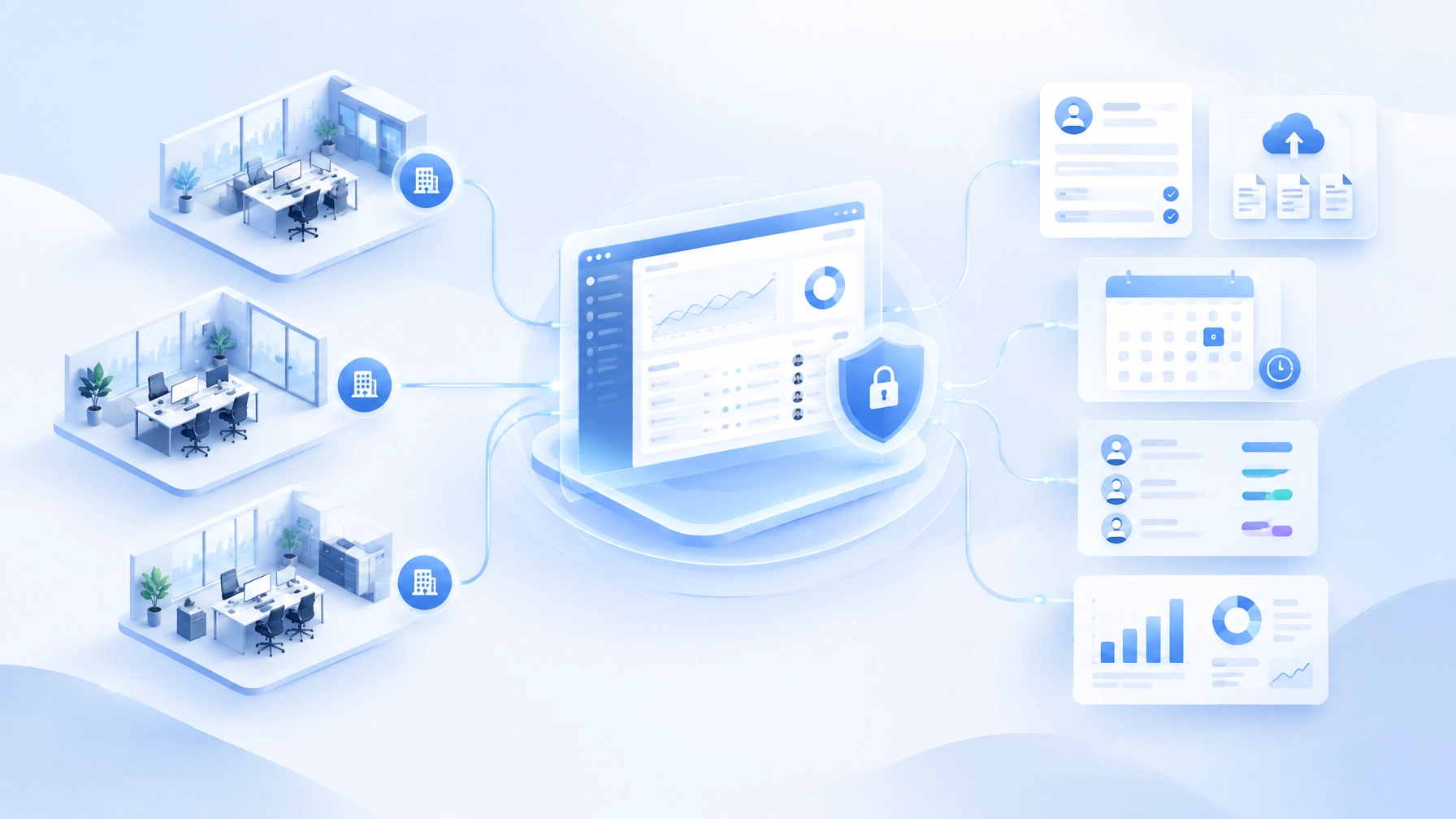
This representative engagement illustrates how Pure Technology Consulting would approach a custom web application for an accounting and professional services firm. The objective is not to replace every existing platform. It is to create a governed operating layer that connects intake, document collection, deadlines, staff assignment, billing visibility, and reporting.
The scenario is presented as an engagement example, not as an audited client case study. Any planning ranges below are based on stated assumptions and should be validated during discovery.
Business context: growth created coordination complexity
The firm operated across multiple offices with a mix of tax preparation, bookkeeping, advisory, and year-end accounting services. Each office had capable staff, but workflows varied by location and service line.
The operating challenges were familiar:
- Client intake required repeated data entry across systems.
- Document requests were difficult to track consistently.
- Staff did not always have a shared view of workload or ownership.
- Deadline status depended on manually updated spreadsheets and inboxes.
- Billing and operational reporting were separated.
- Partners lacked a firm-wide view of work in progress, bottlenecks, and exceptions.
The seasonal pressure made the issue more visible. For individual taxpayers who properly request an extension, October 15 is generally the federal filing deadline for calendar-year returns. The IRS also notes that an extension gives additional time to file, not additional time to pay. That distinction must be reflected in the firm’s workflow design and client communications.
At the same time, business clients were approaching year-end close. Their accounting teams needed structured requests for bank statements, payroll reports, inventory information, loan documents, and other records.
The firm did not need another generic task list. It needed a workflow system aligned with the way its offices, staff, clients, and deadlines actually interacted.
Discovery questions defined the operating model
The first phase would be a workflow audit rather than a software demonstration.
PTC would work with partners, office managers, preparers, reviewers, billing staff, and administrative teams to answer questions such as:
- Where does a new client or engagement first enter the firm?
- Which intake fields are required for tax, bookkeeping, and advisory services?
- How are clients assigned to an office, team, preparer, and reviewer?
- Which documents are required by entity type and service line?
- What happens when a client submits incomplete or contradictory information?
- How are October 15 extension clients identified and prioritized?
- Which year-end close steps are standard, and which vary by client?
- What approvals are required before work moves into preparation or review?
- How are billing milestones, invoices, and outstanding balances connected to engagement status?
- Which reports do partners need weekly, monthly, and during peak filing periods?
The discovery output would include current-state process maps, a systems and data-flow review, a prioritized automation roadmap, and baseline measures.
Those baselines might include average intake cycle time, staff touches per new engagement, percentage of client files with missing documents at review, assignment turnaround time, and the number of deadline exceptions identified after escalation. The measurement window should typically cover at least one representative operating cycle, such as four to eight weeks, before changes are evaluated.
Architecture: one orchestration layer around existing systems

The proposed application would serve as an orchestration layer between people and existing systems.
The architecture could include:
- A secure web application for internal teams and clients
- A structured client and engagement data model
- Role-based access for partners, office managers, preparers, reviewers, and billing teams
- Integration endpoints for CRM, practice management, document storage, accounting, scheduling, and billing systems
- A rules engine for service-specific workflows and deadlines
- Audit-oriented activity history for key decisions and status changes
- Dashboards for operational, deadline, workload, and billing visibility
The data model should distinguish among clients, entities, engagements, offices, service lines, assignments, documents, deadlines, invoices, and workflow states. That structure prevents the firm from relying on duplicated spreadsheets to answer basic questions about ownership and status.
The system should also define which platform is authoritative for each type of information. For example, the custom application may own workflow state and assignment logic while the accounting platform remains authoritative for invoices and payments.
This approach reduces unnecessary replacement risk. The custom application connects the firm’s systems where integration is practical and adds the business-specific logic that off-the-shelf tools may not support.
Workflow design: automate movement, not professional judgment
The highest-value automation would focus on repeatable coordination while preserving human review for tax, accounting, and compliance decisions.
Structured intake and document collection
A client-facing intake flow would use conditional questions based on entity type, service line, filing status, and prior relationship with the firm.
Once the intake is submitted, the system could:
- Create or update the client record
- Identify the relevant office and service team
- Generate a document checklist
- Assign an initial owner
- Request missing information
- Route exceptions for review
- Record each submission and status change
FTP Inform provides proof-of-concept evidence for governed document ingestion, validation, and audit trails. In this accounting context, similar principles could be applied to document naming, required fields, file validation, controlled access, and visibility into outstanding requests.
October 15 extension workflow
An extension workflow could group eligible clients by filing status, assigned team, document completeness, and review stage.
The dashboard might show:
- Documents complete and ready for preparation
- Awaiting client information
- In preparation
- In technical or partner review
- Awaiting signature or authorization
- At risk based on remaining work and available capacity
Reminder schedules should be configurable rather than hard-coded. A firm may choose different communication and escalation rules based on client importance, service type, or proximity to the deadline.
The system should also distinguish filing deadlines from payment obligations. Client-facing language and internal task logic must avoid implying that an extension changes the underlying payment due date.
Year-end close workflow
For business clients, the application could generate close checklists based on entity type, industry, accounting method, and service package.
Typical workflow stages might include:
- Request final bank, credit card, payroll, and loan records.
- Validate that required documents have been received.
- Assign reconciliation and cleanup tasks.
- Route exceptions to the appropriate reviewer.
- Track adjusting entries and draft financial statements.
- Obtain approval and mark the engagement complete.
- Trigger billing and management reporting steps.
This creates a repeatable operating model without forcing every client into an identical process.
What to automate first
A phased rollout is more reliable than attempting to automate the entire firm at once.
For a representative implementation, PTC would recommend beginning with one service line and a defined group of offices. A focused pilot might take approximately 8–12 weeks under assumptions such as:
- One primary workflow
- Two to three office locations
- A limited number of integrations
- Existing systems with accessible APIs or export capabilities
- A designated internal team for user acceptance testing
The first release should usually prioritize:
- Structured intake and client record creation
- Document checklists and secure submission status
- Assignment rules and ownership visibility
- Deadline tracking and escalation
- A leadership dashboard for workflow status
Advanced features such as document classification, predictive workload modeling, AI-generated client communications, or deeper billing analytics can follow after the core operating model is being used consistently.
Success should be evaluated against the established baseline over a defined measurement window, such as the first four to eight weeks after pilot adoption and again after a complete seasonal cycle. The firm should assess cycle time, manual touches, exception volume, deadline visibility, adoption, and user-reported friction. No result should be treated as guaranteed before the workflow, data quality, and adoption conditions are known.
Where custom software beats off-the-shelf SaaS
Off-the-shelf accounting and practice-management platforms can be effective when the firm’s processes align with their predefined models. Custom development becomes more compelling when the firm needs to coordinate several systems and preserve its own operating rules.
A bespoke application may be appropriate when the firm needs to:
- Support multiple offices with shared governance
- Apply different workflows by service line and entity type
- Integrate existing CRM, accounting, document, and billing systems
- Create assignment logic based on capacity, expertise, and location
- Build reporting around the firm’s own definitions of status and risk
- Preserve human approval at specific points
- Provide a controlled client-facing experience
- Expand automation without redesigning the entire platform
PTC’s proprietary builds demonstrate related capabilities in other industries. EHRIO Pro shows how structured intake and matching logic can manage complex, conditional information. ChainHQ demonstrates multi-location assignment logic. AI Local Boost provides proof-of-concept experience with multi-location automation, permissions, approvals, and change history. FTP Inform demonstrates governed document ingestion, validation, and audit trails.
These systems are not being presented as products for the accounting firm to purchase. They are evidence that PTC has already designed scalable application patterns for distributed teams, structured data, workflow orchestration, and governed automation.
A controlled rollout protects adoption

The rollout would begin in a staging environment with representative users and sample workflows. Testing should include permissions, failed integrations, incomplete documents, duplicate records, deadline changes, reassignment, and manual fallback procedures.
A practical rollout sequence is:
- Map and baseline the current workflow.
- Configure the first service-line workflow.
- Test with selected staff and representative clients.
- Pilot with one office or controlled client group.
- Measure against the baseline.
- Refine rules, training, and dashboards.
- Expand to additional offices and service lines.
The firm should retain ownership of business priorities, approval thresholds, data governance, and success criteria. PTC’s role is to translate those decisions into a maintainable technical architecture and working system.
Build an operating layer for the next filing cycle
A multi-office accounting firm does not need automation for its own sake. It needs reliable visibility into what has arrived, what is missing, who owns the next step, which deadlines are approaching, and where leadership intervention is justified.
That is the opportunity behind a custom web application: to connect the firm’s people, data, systems, and client experience around a shared operating model.
If October 15 extensions and year-end close repeatedly expose coordination gaps, book a discovery call or request a workflow audit. Pure Technology Consulting can help map the current process, identify what to automate first, and define a practical scope for a custom application.
Representative deliverables
- Solution architecture and data model
- CRM, document, accounting, billing, and practice-management integrations
- Structured intake and secure document workflows
- Deadline, escalation, and assignment automations
- Office, staff, workload, billing, and executive dashboards
- Role-based permissions, audit trails, testing, and rollout documentation
Call +1 (803) 921-0969 or visit puretechconsult.com.
Amin Said, Founder of Pure Technology Consulting LLC
https://puretechconsult.com
Leave a Reply