Amin Said, Founder of Pure Technology Consulting LLC, approaches custom development as an operating-model decision: the right application should help a business deliver a consistent patient experience while giving its leadership a clearer view of performance.
This anonymized case study follows a three-location chiropractic group with approximately $2 million to $4 million in annual revenue, more than 20 staff members, and no internal technology team. The group had built a strong local practice, but its intake, follow-up, and reporting processes had not kept pace with its growth.
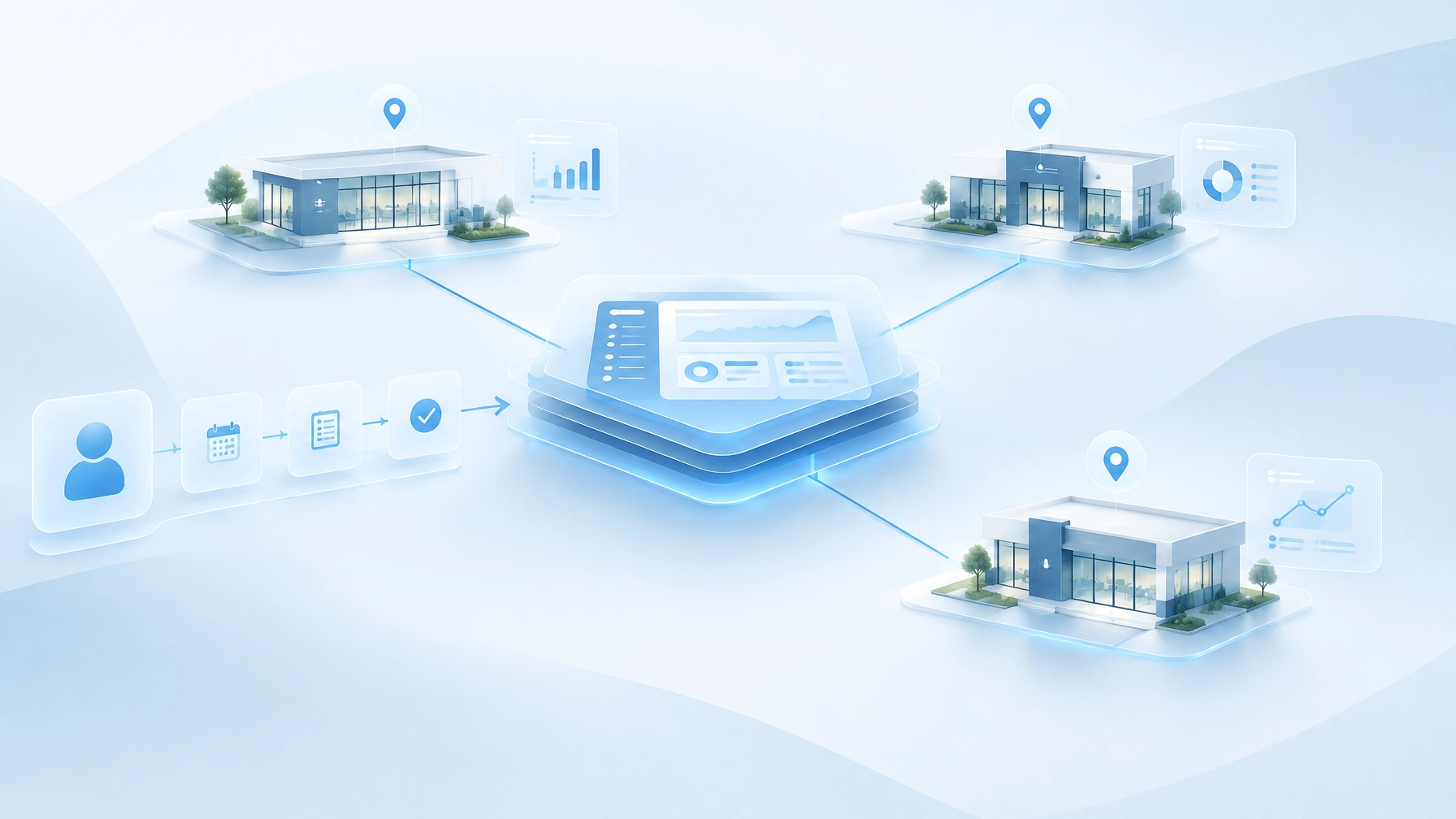
Pure Technology Consulting designed and deployed a custom web application to connect those workflows. Rather than replacing every system the group already used, the application served as an operating layer across patient intake, scheduling, reactivation, location-level reporting, and integrations.
The operational challenge: growth across three locations
New-patient inquiries arrived through calls, referrals, and online channels. Front-desk staff handled much of the intake manually, often while supporting patients already at the clinic. When calls went unanswered or follow-up was delayed, prospective patients could be lost before an appointment was booked.
The same fragmentation affected existing patients. Referral sources were not consistently attributed, patients could fall out of care plans without a reliable follow-up process, and no-show recovery depended on staff noticing and acting on a manual list. Google visibility also varied by location, making it harder to understand how consistently each clinic was attracting local interest.
At month-end, owners relied on spreadsheets assembled by hand to compare activity across locations. These reports took time to prepare and could not easily answer practical questions: Which sources were producing booked patients? Where were inquiries stalling? Were providers being used effectively? How much weekly activity came from patient reactivation?
For a growth-focused chiropractic group, these are not isolated administrative inconveniences. Together, they limit the ability to manage performance consistently and scale without adding more manual coordination.

The solution: a custom application as the clinic group's operating layer
The application connected patient-facing workflows with staff operations and leadership reporting. It was designed around the group’s locations, existing systems, and decision-making needs, rather than requiring the clinics to fit their processes into a generic template.
Guided intake and rules-based scheduling
A multi-step intake flow gathered relevant clinical history and appointment information in a structured way. Insurance and verification logic helped determine what information was needed before a visit, while routing rules directed inquiries to the appropriate location and provider based on the group’s configured criteria.
The goal was not to automate clinical judgment. It was to make sure the right information reached the right team, reduce repeated data entry, and help staff move an inquiry toward a booked appointment with fewer handoffs.
Reactivation based on care-plan stage
No-show follow-up and care-plan reactivation were triggered by patient status and care-plan stage, rather than depending on someone to build and review a list manually. This allowed the group to create a more consistent follow-up motion while keeping staff involved where personal review or judgment was appropriate.
Responses and bookings could be associated with the originating workflow, creating a clearer way to understand how reactivation contributed to clinic activity.

Shared reporting across all locations
The group received a location-level performance dashboard built on one shared data model. Leadership could review:
- Inquiry-to-booked conversion and referral-source attribution
- Provider utilization by location
- Recall and reactivation activity
- Performance trends across all three clinics
A shared data model matters because it gives locations common definitions for the same measures. Instead of reconciling separate spreadsheets with inconsistent fields, owners and managers can review a more consistent view of how inquiries, appointments, providers, and follow-up activity move through the group.
An integration layer for disconnected systems
The application connected scheduling, EHR or practice-management software, payments, and the group’s CRM. The integration layer was intended to reduce duplicate entry and keep operational data from remaining trapped in separate systems.
The exact integration approach depends on the systems involved, their available APIs, and the fields they permit a connected application to read or write. Those constraints are identified during technical discovery, before the implementation plan is finalized.
Governance and PHI-aware workflows
Because patient information may be involved, the application included role-based access, an audit trail, and controls intended for HIPAA-adjacent handling of protected health information (PHI). Access could be limited according to staff responsibilities and location needs.
Security responsibilities also depend on the systems and vendors in the environment. The U.S. Department of Health and Human Services explains that cloud services handling electronic PHI require appropriate contractual safeguards, including a business associate agreement where applicable, alongside the parties’ HIPAA obligations. The deployment should therefore be reviewed against the group’s specific vendors, data flows, and compliance responsibilities. See HHS guidance on HIPAA and cloud computing.
Reusing proven architectural patterns, not off-the-shelf products
The project drew on architectural patterns demonstrated through Pure Technology Consulting’s own proprietary builds: EHRIO Pro for healthcare intake and provider matching, AI Local Boost for local visibility automation, ChainHQ for multi-location performance and brand compliance, and FTP Inform for governed data exchange.
These platforms are proof-of-concept evidence of PTC’s experience building scalable, complex custom systems. They are not products being promoted for purchase in this case study. The relevant value was applying lessons in intake orchestration, location-aware data, permissions, automation, and integration to the chiropractic group’s distinct requirements.
That approach is consistent with PTC’s broader custom web application development capabilities and its work on multi-location operational systems.
Outcomes from the first 90 days
The engagement’s baseline measurement over the first 90 days indicated that administrative hours associated with these workflows fell by roughly 60% to 70% per location per week. This is a relative reduction against the group’s measured baseline, not a claim that all administrative work was eliminated. The result depends on which tasks are included, staff adoption, and the consistency of data captured in the connected systems.
Inquiry response time moved from hours to minutes for workflows that entered the application during monitored operating periods. Reactivation and recall bookings also became a measurable share of weekly appointment volume, with activity attributable to a defined follow-up process rather than inferred from a manually assembled list.
The figures should be read in the context of this group’s baseline, workflows, and 90-day measurement window. They are not universal benchmarks or a guarantee of results for another practice.

Executive questions: what to automate and when to build
What should a chiropractic group automate first?
Start with high-volume workflows that have clear triggers and measurable outcomes. For this group, the priorities were inquiry response, intake completion, no-show follow-up, and care-plan reactivation. Establish a baseline first, then automate the repeatable steps while keeping staff involved in exceptions that call for human judgment.
Where does custom software beat off-the-shelf SaaS?
Off-the-shelf tools can be effective when workflows are standardized and systems integrate cleanly. Custom software is more valuable when a group needs location-specific routing, shared reporting across disconnected platforms, business-specific permissions, or automation tied to its care-plan stages. A custom build should solve those integration and operating-model constraints, not simply reproduce features already available in a well-fitting product.
What does a project like this cost and how long does it take?
Custom builds of this type are typically premium, scoped engagements of $10,000 or more and take multiple weeks. The actual investment and schedule depend on integration complexity, data quality, security requirements, workflow decisions, and how much functionality belongs in the first release. A discovery and workflow audit helps define a realistic scope before development begins.
A scalable patient experience starts with connected operations
Chiropractors are one of PTC’s core customer segments: growth-focused local businesses that need predictable operations, better visibility, and technology that works with a lean internal team. This case demonstrates how a tailored application can connect the patient journey with staff workflows and executive decisions across multiple locations.
To discuss a similar operating challenge, book a no-obligation discovery call or request a workflow audit. Emily will confirm scheduling. You can also learn more at https://puretechconsult.com. Phone: +1 (803) 921-0969.
Amin Said, Founder of Pure Technology Consulting LLC
https://puretechconsult.com
Leave a Reply