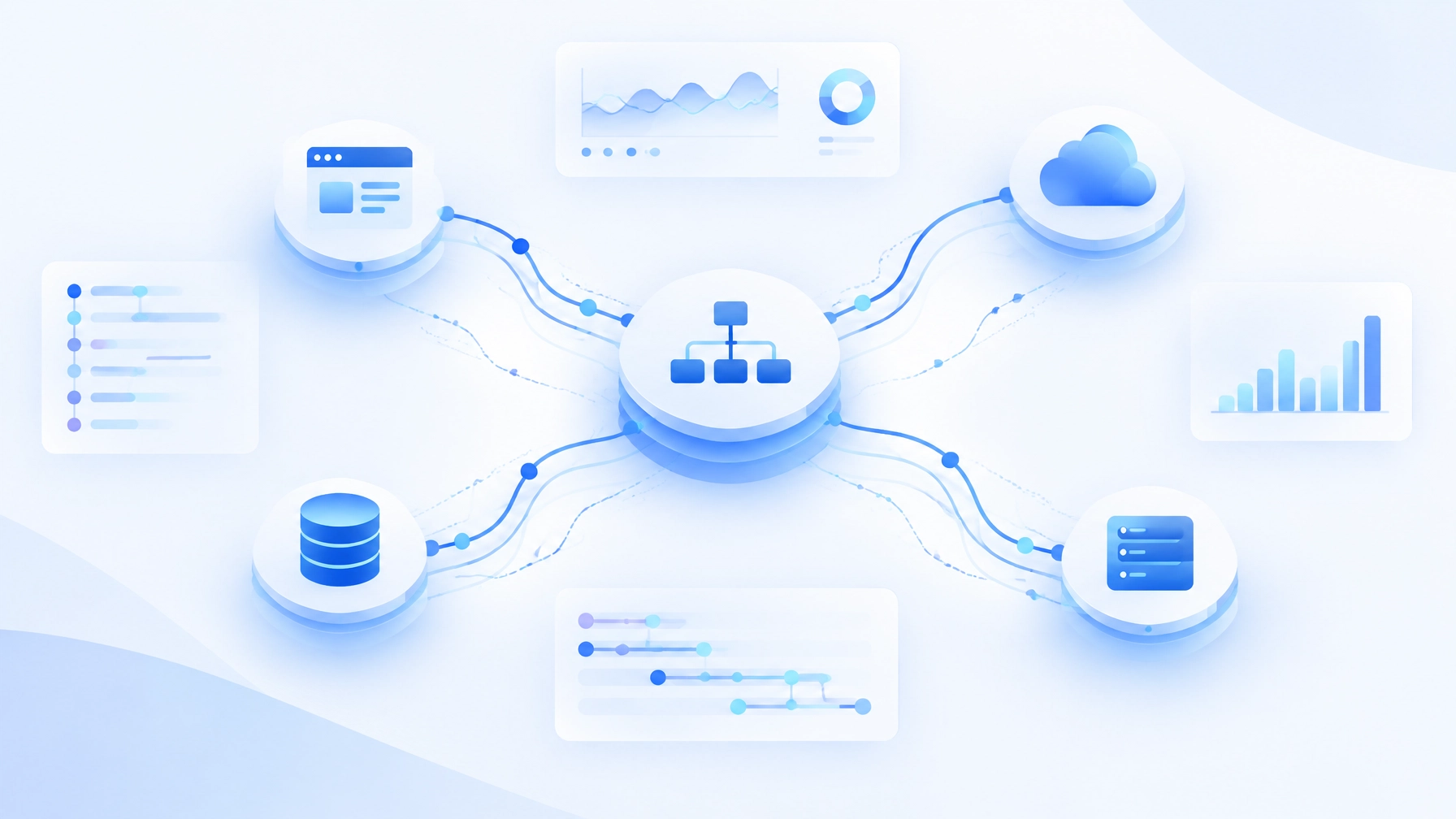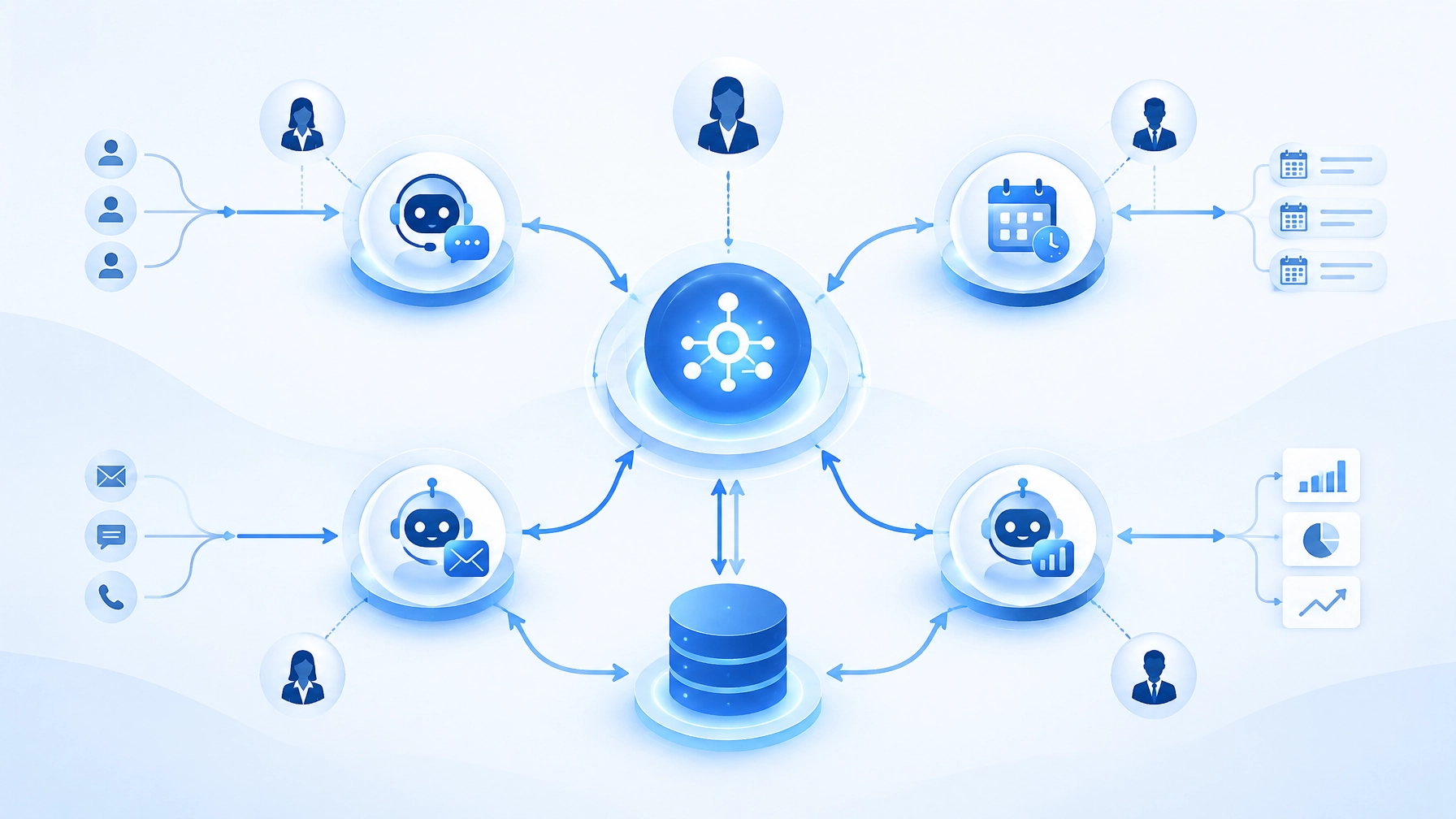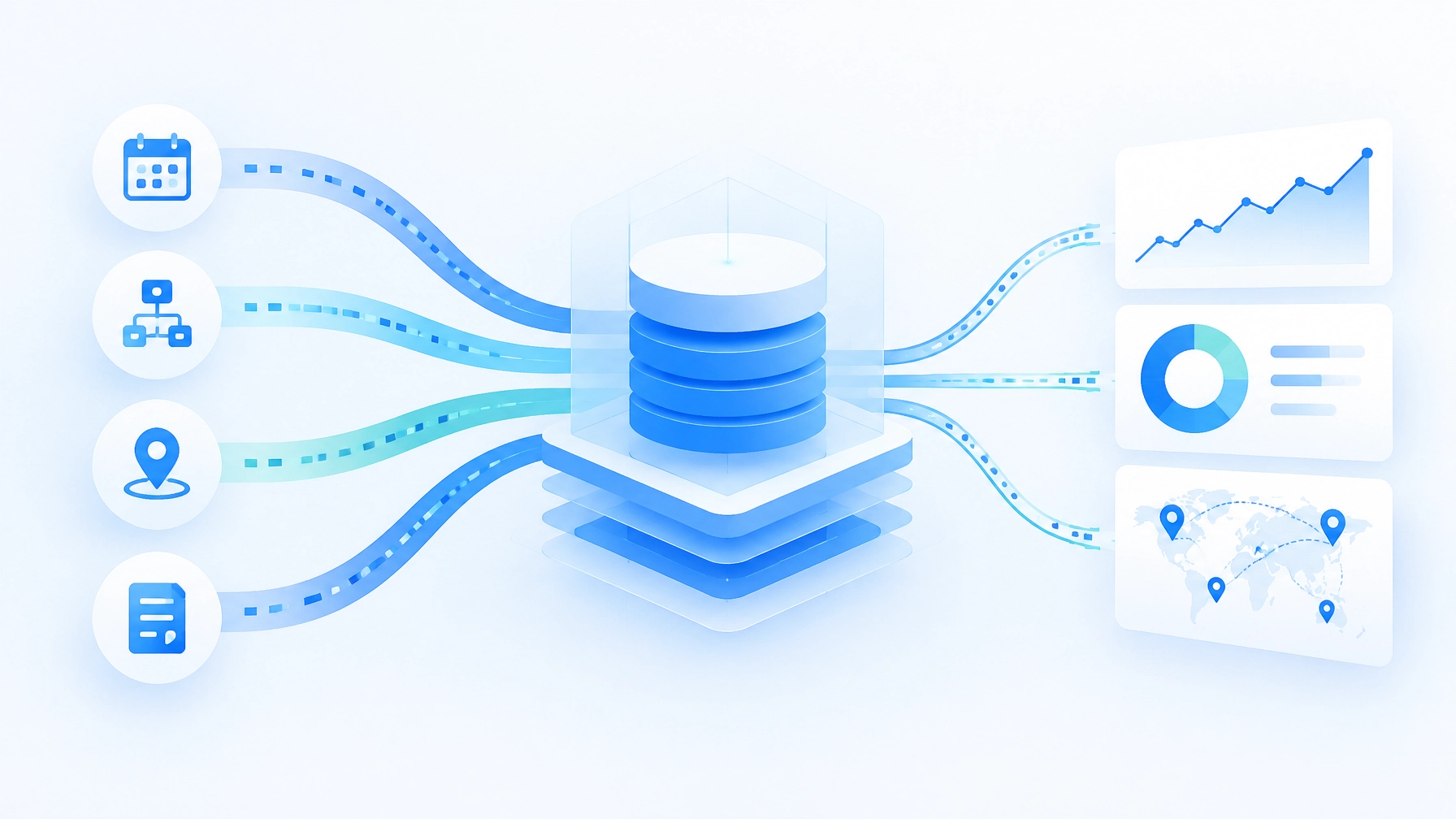
PTC AI Insights

  • Designing Custom Software for Analytics from Day One: Why Data Architecture Decides What Your Business Can Measure

    Designing Custom Software for Analytics from Day One: Why Data Architecture Decides What Your Business Can Measure

    Amin Said, Founder of Pure Technology Consulting LLC
    https://puretechconsult.com

    Useful analytics begin before a dashboard exists. They begin when a software team decides what the application’s core business objects are, which workflow changes matter, and how those changes will be recorded. If that foundation is unclear, later reporting often inherits inconsistent definitions and missing context.

    For a service business or multi-location operator, those decisions shape what leaders can understand about intake, scheduling, service delivery, customer journeys, and operating performance. Designing for analytics from day one does not mean collecting every click or building an elaborate data platform. It means making important business activity structured, consistent, and interpretable from the start.

    Why measurement is an architecture decision

    A report can only use the information an application captures reliably. If a business wants to understand how long it takes to move a new inquiry through intake, for example, the software needs clear definitions for when an inquiry is received, when it is qualified, and when an appointment is booked. If those events are not represented consistently, a dashboard cannot recreate the missing meaning later.

    This is why analytics instrumentation belongs in application design, alongside permissions, integrations, and workflow rules. The application’s data model defines the entities and relationships available for analysis. Its event definitions describe meaningful changes over time. Together, they determine which questions can be answered without manual reconciliation.

    A useful early question is not simply, “What should the dashboard show?” It is, “What decisions should the system help us make, and what business facts must it preserve to support those decisions?”

    Comparison of scattered, inconsistent event data with structured and consistently grouped event data

    Start with business facts, not interface clicks

    A user interface changes as a product evolves. Business meaning should be more durable. An event called “Schedule Button Clicked” describes an interface action. “Appointment Requested” describes a business event that can remain meaningful even if the button, page, or scheduling process changes.

    This distinction matters because not every interaction represents a completed outcome. A person may click to submit an intake form, but the submission could fail validation. A staff member may begin scheduling an appointment without completing it. For trustworthy analysis, the software should distinguish attempts from confirmed business results.

    An illustrative intake workflow might record:

    • Inquiry Received, when an inquiry enters the system.
    • Intake Submitted, when required information is successfully accepted.
    • Appointment Scheduled, when a booking is confirmed.
    • Service Completed, when the service is recorded as delivered.

    These names are only useful when each has a clear definition, a known source, and consistent handling across locations and channels. The goal is not to maximize the number of events. It is to make important workflow transitions measurable and dependable.

    Define the data contract before implementation

    A tracking plan is a practical way to agree on the meaning and shape of analytics events before they spread across an application. Segment’s tracking plan documentation offers a reference for defining and governing events and their properties. Google Analytics likewise documents recommended events with prescribed names and parameters for supported use cases.

    For a custom application, a useful event definition should clarify:

    • What business condition causes the event, and what does not.
    • Which system or role records it.
    • Which properties are required, and their types or allowed values.
    • Which organization, location, customer, or workflow the event relates to.
    • How sensitive information is classified and protected.
    • Which analytical question or operational decision the event supports.

    This agreement is a data contract: a shared expectation that applications, integrations, and reporting will use the same structure and meaning. It reduces the risk that one location records a “completed intake” differently from another, or that a property changes format without anyone considering the impact on reports.

    Layered architecture showing business events flowing into structured data and analytics that inform decisions

    Preserve the context that makes events useful

    An event name alone rarely answers a business question. A confirmed appointment may also need an organization or location identifier, a timestamp, a service category, a source channel, and a status. Which properties are appropriate depends on the workflow and privacy requirements.

    Multi-location operators should establish location and organization identifiers early. Without a stable relationship between an event and its operating context, comparing locations may depend on manual cleanup. Likewise, identity rules should be explicit: the system should define how a person, staff member, organization, and anonymous website visitor are represented, and when records can be linked.

    Time requires similar care. The system should distinguish when a business action occurred from when an analytics pipeline received its record. A delayed integration should not quietly shift the apparent date of the underlying action.

    Privacy is part of this architecture, too. Collect only the information needed for defined business and analytical purposes. Avoid sending sensitive personal details into general analytics fields. Set rules for access, retention, and deletion before data begins flowing into tools and reports.

    Keep operational truth separate from analytical views

    An application database is designed to support current operations. Analytics often needs a different shape: for example, a consistent view of completed appointments by location and period. Trying to make one data structure serve every operational and analytical need can create coupling that becomes harder to maintain as workflows change.

    A more deliberate design preserves authoritative business records, then provides validated events or data models for analysis. When an application confirms a meaningful change, that fact can be made available to downstream reporting in a structured way. Reports can then use shared definitions rather than interpreting separate user-interface actions as business outcomes.

    Event sourcing is one architectural approach in which application state is represented through a sequence of events. Martin Fowler’s overview of event sourcing explains how an event sequence can support rebuilding state and examining it at different points in time. It is a deliberate choice with design and operational tradeoffs, not a requirement for useful analytics. Many systems can establish reliable reporting inputs without making an event log the application’s primary source of truth.

    The key decision is what level of durability and historical reconstruction the business needs. That choice should follow the operating model, risk profile, and future analytical requirements, rather than being adopted simply because “events” sound modern.

    Make changes manageable as the business evolves

    Analytics requirements change as services, locations, and workflows grow. A robust design expects that evolution. Event definitions should be documented and reviewed when the application changes. When a field’s meaning or structure must change, the team should consider how existing reports and integrations will interpret it.

    For example, a system might initially track one appointment type, then introduce several service categories. If the original field was free text, analysis may become inconsistent as different staff members enter different labels. A controlled set of values, with a planned path for adding new categories, gives the business more useful flexibility.

    Testing should check more than whether an event arrives. It should verify that the event represents the right business condition, contains expected properties, and does not claim success when an operation fails. These checks make structured data part of the application’s quality process rather than a reporting task left to fix later.

    A structured data blueprint connecting workflow events, context, privacy boundaries, and future reporting

    Build the measurement foundation in a practical sequence

    For founders and operators with limited internal technology teams, the work can be staged. First, identify the key business workflows and decisions where better information would change an action. Next, define the application’s core entities and the meaningful transitions between them. Then document the event names, properties, ownership, identity rules, and privacy constraints.

    After that, implement a focused set of events around critical workflows and validate them against real operating scenarios. The first release should favor clarity and usefulness over breadth. As the business learns, additional events and properties can be introduced through a managed change process.

    This is the point where custom software can provide leverage beyond a standard reporting package. Bespoke custom web application development can align the application’s data model with how a business actually works, while integration planning ensures that connected systems do not erase important context. For a custom software development agency, the work is not just to deliver screens and workflows. It is to make sure the system can support informed decisions as those workflows mature.

    That approach also gives AI workflow automation and broader business process automation consulting a stronger foundation. Automation depends on reliable triggers and well-defined business states. Digital transformation consulting and enterprise automation consulting are more effective when teams can trust the information that informs new processes. Similarly, ai consulting services are most useful when the underlying data has clear meaning, appropriate access controls, and consistent structure.

    Pure Technology Consulting brings experience building complex workflow and data systems across healthcare, field operations, debt operations, and local SEO. Platforms including EHRIO Pro, ChainHQ, AI Local Boost, and FTP Inform serve as proof-of-concept for custom application and automation capabilities, not as products being promoted here. The transferable lesson is that application architecture should reflect the real workflow, constraints, and decisions of the business it serves.

    Make analytics part of the product’s foundation

    Analytics built later can report only what earlier systems happened to record. Designing the application’s entities, events, and data contracts with measurement in mind gives leaders a more dependable basis for understanding operations and improving them over time.

    If you are planning custom software or reworking a workflow that has outgrown disconnected tools, book a discovery call. No obligation.

    Amin Said, Founder of Pure Technology Consulting LLC
    https://puretechconsult.com
    +1 (803) 921-0969

  • Case Study: A Custom Fulfillment and Inventory Coordination Platform for a Growing Permanent Jewelry Brand

    Case Study: A Custom Fulfillment and Inventory Coordination Platform for a Growing Permanent Jewelry Brand

    Amin Said, Founder of Pure Technology Consulting LLC
    https://puretechconsult.com

    This is a composite, illustrative case study drawn from common operational patterns in permanent jewelry fulfillment and inventory operations. Any figures mentioned are illustrative for discussion, not measured client results.

    A permanent jewelry order can involve more than selecting a product and shipping it. A customer may choose a chain, specify a fit, select charms, and book an in-person appointment. At a pop-up, a stylist may assemble the piece on site. Each order has its own route from purchase to completion.

    This composite case study explores how a growing direct-to-consumer jewelry brand could bring those moving parts into one operating workflow. The goal is not to replace every existing system. It is to make order details, component inventory, appointments, and fulfillment status visible in one place, so each handoff has the information it needs.

    The operational challenge: orders scattered across channels

    The brand in this scenario sells through a web store and in-person events. Its products are made to order or made to fit, and fulfillment may involve assembling a specific chain-and-charm combination, arranging a fitting, or preparing a finished item for shipping.

    As channels multiplied, operational information spread across the storefront inbox, spreadsheets, and event lists. Staff had to reconcile orders and component counts manually. A personalization detail recorded at one point in the process could be missing when an order reached assembly. Appointment status and fulfillment progress were tracked separately.

    The risk was not simply that a package might be delayed. When an order’s exact specifications are unclear, staff may need to pause work, find the right source of information, and confirm details with a customer or colleague. Meanwhile, inventory counts can drift as chain and charms are reserved, used at events, or assembled into orders.

    Web store, event, and appointment orders converging into a shared order record

    The operating need was a shared workflow that treated each sale as a coordinated job, not just a line item to pick from a shelf.

    Why off-the-shelf tools were not enough

    Commerce, scheduling, and inventory tools each support important parts of the business. The challenge is connecting them around the specifics of permanent jewelry.

    A standard product catalog can become difficult to manage when customers combine chain styles, metals, lengths, charms, and fitting choices. Creating a separate stock-keeping unit, or SKU, for every possible combination may produce unnecessary catalog complexity. Yet storing the details only in free-text notes makes those specifications harder to verify, search, and pass between teams.

    Inventory also needs to reflect components, not just finished products. A chain may be measured and consumed by length, while charms and connectors are counted as individual pieces. An appointment may draw on the same component stock as an online order. If the system does not represent those differences, the business cannot confidently see what is available, reserved, or already used.

    The appointment itself matters, too. A fitting session is part of the order journey, not merely a calendar entry. Staff need to know which order it belongs to, what the customer requested, and what changed after the fit was confirmed.

    Commerce platforms already model fulfillment as a workflow. For example, Shopify’s fulfillment documentation describes inventory, order management, routing, fulfillment services, and returns as connected app capabilities. A custom layer can build on that structure while representing the additional details of personalized, appointment-linked assembly.

    The custom application: one record from request to completion

    The proposed build was a focused custom web application connected to the e-commerce platform. The application would provide the operational view that existing tools did not share, while keeping the storefront as the sales channel.

    Organized chain, charm, and connector components linked to a digital inventory ledger

    Order intake across web and events

    The application would bring web orders and event sales into one order view. Each record would preserve its source channel, customer details, requested fulfillment method, and current status. Where integrations were available, orders could synchronize with the storefront; event or other in-person sales could be entered through a structured workflow.

    The design would also account for exceptions, such as incomplete customer information or orders requiring a staff review. That keeps unusual cases visible rather than allowing them to disappear in a general inbox.

    A structured personalization specification

    Each order would have a dedicated specification for the details needed to assemble or fit the jewelry. Depending on the product and process, that could include chain style and metal, requested length or fit, selected charms, charm placement, and whether the order is for shipping or an appointment.

    This information would be captured in defined fields rather than relying on a note alone. Staff could review the same specification during order preparation, fitting, quality check, and any later adjustment request. If a measurement or selection changed at the appointment, the record would show what was updated and when.

    Component inventory connected to assembly

    The inventory ledger would track chain, charms, and connectors in the units that make sense for each component. It would distinguish stock on hand from stock reserved for an order, appointment, or event. When an assembly is completed, the workflow would record the components used and any relevant adjustment.

    That approach can improve visibility without requiring a unique finished-product SKU for every possible customer configuration. It also gives leadership a more useful view of the relationship between sales commitments and component availability.

    A shared fulfillment workflow showing personalization review, assembly, fitting, quality check, and shipping

    A single fulfillment queue and audit trail

    A shared queue would show the next action for each order. A typical shipping workflow might move through paid, specifications reviewed, components reserved, assembly, quality check, packed, and shipped. An appointment-linked order could include booked, checked in, fit confirmed, completed, and closed.

    The exact status model should reflect how the team works. The important point is that staff can see who needs to act next and what has already happened. A timestamped audit trail can record changes to specifications, inventory reservations, fitting details, and completion status.

    Reporting would draw from those same records. Leadership could review order stages, fulfillment exceptions, component availability, and appointment-linked work without stitching together separate spreadsheets. The purpose is to support operational decisions, not create dashboards for their own sake.

    A measured rollout, one channel at a time

    A practical rollout would begin with a pilot using one sales channel and a defined set of products. The team could validate whether the order fields match real assembly decisions, whether component units are accurate, and whether the status queue reflects day-to-day handoffs.

    Once the workflow is reliable, the next step would be to include another channel, such as event sales or appointment-linked orders. This phased approach gives staff time to test the process and gives the build team feedback before expanding integrations and reporting.

    An outsourced fulfillment partner can add another set of inventory, shipping, and status handoffs. The Fulfillment.com overview describes operations such as receiving, storage, picking, packing, shipping, and returns, alongside order and inventory visibility. For a brand that uses a third party, the custom application should clarify where the partner’s workflow begins and ends, and how order status returns to the brand’s central view.

    What leadership gains from a connected operating model

    In this illustrative scenario, the desired outcome is qualitative: one fulfillment queue, fewer lost personalization details, clearer component visibility, and faster handoffs between assembly and shipping. A connected workflow also gives managers a more dependable basis for understanding where work is waiting and which information needs attention.

    For a growing brand, those improvements can create room to expand channels without multiplying disconnected processes. The underlying platform can also support future changes, such as more event locations, additional product options, or a different shipping arrangement.

    Pure Technology Consulting brings experience building and operating scalable custom SaaS systems. Its proprietary platforms, AI Local Boost, ChainHQ, EHRIO Pro, and FTP Inform, serve as proof of concept for that development capability. They are examples of systems built and operated by PTC, not products being proposed for sale in this case study.

    For a business evaluating a custom web application development engagement, the right scope starts with the operating model: which records must connect, which decisions need structure, and where a reliable system of record will reduce manual coordination. That is the foundation of effective business automation consulting and digital transformation consulting. When relevant, bespoke AI solutions or ai workflow automation can be considered later, once the underlying data and process are dependable. For more complex organizations, enterprise automation consulting can help align the application with existing platforms, governance, and team responsibilities.

    Define the workflow before expanding the tools

    The central lesson is that personalization changes the shape of fulfillment. The brand needs to coordinate customer choices, component inventory, fitting appointments, assembly, and shipping as parts of one operational journey.

    A custom software development agency can help translate that journey into a system that fits the business rather than forcing the team to adapt to a generic workflow. The first step is to map the order lifecycle, identify where information currently gets re-entered or lost, and decide which channel to pilot.

    If your team is reviewing similar operational handoffs, book a discovery call to discuss a workflow audit. No obligation.

    Amin Said, Founder of Pure Technology Consulting LLC
    https://puretechconsult.com
    +1 (803) 921-0969

  • When Automation Clears the Backlog, What Tells You to Hire? Capacity Signals and Hiring Triggers in Automated Operations

    When Automation Clears the Backlog, What Tells You to Hire? Capacity Signals and Hiring Triggers in Automated Operations

    Amin Said, Founder of Pure Technology Consulting LLC
    https://puretechconsult.com

    Automation can make a business feel less busy without reducing demand. Intake is processed faster, appointments are scheduled with less staff effort, and reports arrive without manual assembly. But the people delivering the service still have a finite number of hours.

    That changes the question behind a hiring decision. Instead of waiting until the team is visibly overwhelmed, leaders need to see when demand is on track to exceed delivery capacity, while there is still time to respond.

    For service businesses, capacity planning is not simply a matter of counting employees or open calendar slots. It is a way to connect customer demand, the work required to serve it, and the time it takes to add productive capacity. With reliable operating data, a business can make that decision earlier and with more confidence.

    Automation changes where the capacity constraint lives

    When intake, scheduling, dispatch, and reporting are manual, administrative work can become the apparent bottleneck. Automating those tasks can reduce coordination effort and make existing teams more effective. It can also expose the next constraint: the available time of clinicians, technicians, therapists, account managers, and other delivery roles.

    In other words, a smaller administrative backlog does not necessarily mean more capacity to deliver services. Automation can accelerate work around delivery, but it cannot absorb the labor involved in providing the service itself.

    The constraint may shift from the number of people handling paperwork to delivery capacity and utilization. If customer requests rise while skilled staff calendars are already full, the business may see longer booking lead times, older unassigned jobs, or more pending intakes, even as administrative workflows run smoothly.

    This distinction is central to service operations. As Roger W. Schmenner discusses in MIT Sloan Management Review’s examination of service businesses, the labor intensity and operating model of a service business affect how it manages delivery. Automation can reshape parts of that model, but leaders still need to plan around the resources that perform the service.

    A growing queue of service work being automatically routed toward delivery teams

    What to monitor before the team feels overloaded

    A useful capacity dashboard distinguishes leading indicators from lagging ones. Leading indicators suggest pressure is building. Lagging indicators confirm that it has already affected operations.

    Leading indicators may include:

    • Booking lead time: How far ahead is the first suitable appointment or service slot? A gradual increase can indicate that customer demand is catching up with available delivery hours.
    • Utilization by role: What share of a person’s usable, bookable time is already committed? Review it by role, location, service type, and time period rather than relying only on a company-wide average.
    • Unassigned work and queue age: How much work is waiting for an appropriate person, and how long has the oldest item been waiting?
    • Pending intake volume: Are qualified customers waiting for the next step before they can be scheduled or served?
    • Demand compared with delivery capacity: Are referral or inquiry volumes rising faster than the team’s available service hours?
    • Response latency: Is the time between a customer request and a meaningful response beginning to creep upward?

    Lagging indicators include missed appointments, repeated schedule compression, routine overtime, customer complaints about delays, and service commitments that the team cannot meet. These matter, but they are late signals. A system that only reports them helps leaders understand the consequences, not anticipate them.

    Interpret signals in context. For example, a longer booking lead time during a planned holiday period may be expected. A rising queue in one location could point to a local staffing or routing issue rather than a business-wide hiring need. Capacity data is most useful when segmented by the work being done and the people qualified to do it.

    How to make hiring triggers visible in your systems

    A hiring decision should be connected to a clear operating rule, not an impression formed during a particularly demanding week. Custom software can bring the relevant data together and surface a potential capacity gap on a dashboard before it becomes a service problem.

    Start by defining usable capacity for each role. A simple measure is the hours available for customer work after accounting for time that is not bookable, such as breaks, training, administrative responsibilities, or other scheduled commitments. Then agree on the utilization range that should prompt a closer review. The right range will vary by role, service promise, demand variability, and the amount of buffer the business needs.

    Next, define what counts as a sustained signal. One busy week may be an outlier. A threshold exceeded over several consecutive weeks, alongside lengthening booking lead times or a growing queue, is more informative.

    For discussion, a business might use an illustrative heuristic such as reviewing a role when utilization remains above a chosen threshold for several weeks and a related leading indicator is also deteriorating. The exact threshold and review period are not universal benchmarks. They should be set and adjusted using the business’s own operating data.

    A capacity gauge with its needle approaching a clearly marked trigger threshold

    A practical trigger should help managers answer four questions:

    1. Which role, location, or service is under pressure?
    2. What is changing, and for how long?
    3. When is the projected gap expected to affect service?
    4. What response should be reviewed first?

    This turns capacity planning into an operating process rather than an automatic instruction to hire. A dashboard can show the trend, the underlying data, and the conditions that prompted an alert. Leaders can then decide whether to rebalance schedules, extend availability, use flexible capacity, or begin recruiting.

    The figures used in a trigger rule should be labeled as internal planning heuristics, not industry facts or guaranteed outcomes. Review them regularly as service mix, staffing patterns, and demand change.

    Scale capacity in phases

    When a forecast shows pressure building, a full-time hire may be the right long-term answer, but it does not have to be the first move. A phased approach gives leaders options while preserving service quality.

    A phased capacity staircase from extended hours to contract support and full-time hiring

    First, consider extending available hours. If demand is concentrated around a limited schedule, adjusting shifts or adding selected appointment windows may address the immediate mismatch. Check that the change is workable for staff and customers.

    Next, consider part-time or contract capacity. Flexible support may be appropriate when the demand pattern is still developing or when a business needs time to confirm the long-term workload. The fit depends on role requirements, service standards, and any applicable operational constraints.

    Then, plan for a full-time hire when the gap is persistent. If demand remains above available delivery capacity after scheduling adjustments and flexible support, a permanent role may provide a more stable operating model. Include recruiting, onboarding, training, and the time needed for a new employee to work independently in the plan.

    These steps are options, not a mandatory sequence. Some roles or service environments may require a different response. The key is to recognize that automation can remove process friction, but it does not replace the delivery labor that fulfills the customer commitment.

    Build capacity governance into the reporting cadence

    Capacity signals only help when someone reviews them and knows what decisions they inform. A monthly operations review is one practical cadence for assessing role-level utilization, booking lead times, backlog, pending intake, and projected demand. Faster-moving operations may also need a weekly check for scheduling and near-term coverage.

    Use the same reporting dashboards for capacity discussions that teams already use to manage intake, scheduling, dispatch, and service delivery. This reduces the gap between noticing a trend and agreeing on a response. It also gives leadership a shared basis for comparing planned capacity with what actually happened.

    Custom web application development and business process automation consulting can help connect systems that otherwise hold separate pieces of the picture. Depending on the operation, that may mean linking intake and scheduling data with dispatch, staff availability, or reporting workflows. AI workflow automation and AI-powered business systems can support routine processing, but capacity decisions still depend on sound definitions, clear ownership, and meaningful data.

    For businesses exploring digital transformation consulting or enterprise automation consulting, the central design question is not only which tasks can be automated. It is also which operational signals leaders need to govern growth. Pure Technology Consulting’s internal platforms, including AI Local Boost, ChainHQ, EHRIO Pro, and FTP Inform, are proof-of-concept examples of building scalable systems with reporting and automation capabilities. They illustrate a development capability, not a substitute for defining the operating measures each organization needs.

    Without reliable operational data, hiring decisions remain largely gut feel. With observability built into the workflow, leaders can see where capacity is tightening, examine the cause, and choose a response before service quality is affected.

    If you are reviewing how automation and delivery capacity fit together in your operation, you can schedule a discovery conversation to discuss your workflows, reporting needs, and capacity-planning priorities.

    Amin Said, Founder of Pure Technology Consulting LLC
    https://puretechconsult.com
    +1 (803) 921-0969

  • Case Study: Launching a White-Label SaaS Platform for an Equipment Manufacturer’s Dealer Network

    Case Study: Launching a White-Label SaaS Platform for an Equipment Manufacturer’s Dealer Network

    Amin Said, Founder of Pure Technology Consulting LLC
    https://puretechconsult.com

    This is an illustrative composite case study. No client is named, and the details are drawn from patterns across engagements.

    An established equipment manufacturer had spent more than 15 years building relationships with its dealer network. The company wanted to deepen those relationships and create a recurring software revenue line by offering a branded digital platform. But it did not have an internal development team, and building, securing, integrating, and operating a SaaS product from the ground up would require a substantial commitment.

    This composite engagement explores how a white-label licensing partnership can turn an established industry relationship into a scalable digital capability. Pure Technology Consulting (PTC) brought experience operating multi-tenant software platforms, then adapted that foundation to the manufacturer’s brand, dealer model, and systems. The goal was not simply to put a new logo on software. It was to make a useful platform part of how the vendor and its dealers work together.

    The strategic opportunity: software that strengthens the dealer relationship

    The manufacturer already had something a new software company would need time to build: a trusted place in its industry and an established dealer network. That offered a practical route to launching a digital service with relevance from day one.

    The opportunity was to offer dealers a shared platform for selected workflows while giving the manufacturer a clearer view of adoption across the network. The manufacturer could extend its value beyond equipment and support, while dealers could use software aligned with the vendor’s processes and identity.

    The constraint was equally important. The vendor wanted to pursue this opportunity without hiring and managing a full product engineering organization. It needed a partner able to provide a reliable software foundation, tailor it to the operating model, integrate it with existing systems, and support it over time.

    Why white-label infrastructure can beat a ground-up build

    Building a SaaS product from scratch can make sense when the product itself is the company’s core competency or when its requirements cannot be met by a configurable foundation. But it also means designing tenant management, access controls, operations, analytics, releases, support, and ongoing maintenance before the business has learned how dealers will use the product.

    A white-label partnership can shift that effort toward the parts that distinguish the offer: the manufacturer’s workflows, dealer experience, integrations, and network strategy. It is not a shortcut around product decisions. It is a way to focus development on the decisions that create value instead of rebuilding common platform capabilities.

    PTC’s experience operating ChainHQ, AI Local Boost, EHRIO Pro, and FTP Inform helped establish a practical foundation for this work. These platforms demonstrate experience building and operating multi-tenant applications with different user needs and workflows. They are proof of capability, not products being offered for sale in this case study.

    For companies exploring a similar path, PTC’s custom web application development combines product architecture with implementation. A custom software development agency should help shape the operating model as well as write code. That includes clarifying who uses the platform, what each role can see, which systems need to connect, and how the vendor will assess adoption.

    What the platform looked like

    The solution was designed around a shared SaaS foundation with distinct dealer workspaces, rather than a separate application for every dealer. Each dealer had its own authorized users, configuration, and business data. The manufacturer retained network-level oversight appropriate to its role, while dealers worked within their own operational scope.

    Multi-tenancy is an architectural choice, not a single configuration. A shared database with strong tenant isolation can support consistent platform operations, while a database-per-tenant pattern can offer more separation for some requirements, with additional operational complexity. The AWS SaaS Lens describes SaaS architecture and multi-tenant design considerations that help teams evaluate these tradeoffs. The right pattern depends on factors such as security needs, regulatory obligations, integrations, cost, and how the service will evolve.

    A shared SaaS core supporting separate, isolated dealer workspaces

    The experience was white-labeled through a configurable branding layer. The manufacturer’s identity shaped the main platform, while permitted dealer-level settings could reflect the network’s structure. This kept the product recognizable as a vendor-supported service without requiring a separate codebase for each dealer.

    Role-based access provided another layer of distinction. Manufacturer administrators, dealer managers, and other users received access appropriate to their responsibilities. The design also considered how dealer organizations and locations would be represented, so permissions could reflect how the network actually operates.

    Integration work connected the platform with selected back-office systems. Rather than assume every process should move into the new software, the team identified where information needed to flow and where existing tools should remain authoritative. Integration scope depends on the vendor’s systems and data quality, but may include account details, dealer records, product information, or operational events.

    The platform also included usage analytics. The manufacturer needed visibility into whether dealers were adopting the service, which areas were being used, and where onboarding or product adjustments might be needed. Dealer-level views could support local operations, while network-level reporting helped the vendor identify broader patterns. Analytics were designed to inform decisions, not simply collect activity.

    A phased dealer rollout created room to learn

    A network-wide launch would have increased coordination demands and made early issues harder to isolate. Instead, onboarding was organized into cohorts. Initial dealers could help test the setup, clarify training needs, and surface differences in local workflows before the platform expanded to additional groups.

    Each cohort followed a consistent sequence: prepare dealer accounts and roles, confirm branding and integrations, introduce the relevant workflows, and collect feedback on use. The rollout could then incorporate lessons before moving to the next group.

    Dealer cohorts moving through a phased onboarding journey with adoption analytics

    This approach also gave the manufacturer a more useful view of progress. A login alone is not the same as adoption. Teams can track practical indicators such as dealer activation, first use of a key workflow, recurring activity, and adoption across roles. With those signals, the vendor can distinguish between a training gap, an integration issue, and a product experience that needs refinement.

    What the manufacturer gained

    In this composite scenario, the partnership gave the manufacturer a foundation for a recurring software revenue line without requiring it to build an internal development organization from scratch. Just as importantly, the manufacturer could introduce a digital service that complemented its existing dealer relationships.

    The vendor gained visibility into adoption and a structured way to learn from dealer use. Dealers received an experience aligned with the manufacturer’s network and processes. The platform also created a basis for expanding capabilities as feedback and operating priorities became clearer.

    These are qualitative outcomes, not guaranteed results. Actual commercial performance depends on the product’s relevance, dealer engagement, licensing model, onboarding, and ongoing investment. The software supports a business strategy. It does not replace the work of defining and delivering one.

    Lessons for vendors considering a licensing partnership

    Start with one flagship module. Choose a focused dealer need that can demonstrate value without making the first release responsible for every process. A clear initial scope makes it easier to validate workflows and refine the experience.

    Instrument adoption from day one. Decide which signals will help the vendor understand activation and meaningful use. Build those measures into the product and review them during each onboarding cohort.

    Make data rights explicit. Clarify what dealers can access, what the vendor can report on, and how data will be handled if the relationship changes. Commercial licensing, data ownership, and trademark terms belong in a signed licensing agreement and should be reviewed by qualified counsel. This is general information, not legal advice.

    Treat software as an operating capability. A licensing partnership involves product decisions, integrations, support, training, and governance, not only a branded interface. Enterprise automation consulting and business automation consulting can help define how these pieces work together. Where relevant, ai workflow automation, ai consulting services, bespoke AI solutions, and other ai-powered business systems can become part of a broader roadmap, but they should support validated workflows rather than distract from the first use case. This is the foundation of purposeful digital transformation consulting.

    A unified dealer platform with manufacturer and dealer branding elements

    A white-label platform can help a manufacturer extend the value of its dealer relationships through software. The strongest foundation combines a thoughtful tenant model, a distinct but governed brand experience, useful integrations, phased adoption, and analytics that guide decisions over time. For organizations with established networks, that can create a path to digital growth without beginning every capability from zero.

    Discuss your platform opportunity

    If your organization is evaluating a white-label SaaS partnership, book a discovery call with Pure Technology Consulting. There is no obligation.

    Amin Said, Founder of Pure Technology Consulting LLC
    https://puretechconsult.com
    +1 (803) 921-0969

  • Case Study: A Multi-Tenant Field Service Platform for a Growing HVAC and Refrigeration Contractor Group

    Case Study: A Multi-Tenant Field Service Platform for a Growing HVAC and Refrigeration Contractor Group

    Amin Said, Founder of Pure Technology Consulting LLC
    https://puretechconsult.com

    Composite case study notice: This illustrative scenario combines common field service operating patterns. It does not describe a named client or report measured results.

    The operating challenge: growth across locations, fragmented coordination

    Consider a contractor group with about ten franchise or dealer locations handling equipment installations and ongoing HVAC and refrigeration service. Each location has its own technicians, customers, service area, and day-to-day priorities. Group leadership needs a reliable view across the operation, but work is coordinated through paper work orders, shared spreadsheets, and text messages.

    As the group expands, territory and lead ownership become harder to resolve informally. A new request may appear to belong to more than one location. Dispatchers call each other to confirm ownership, while job handoffs and schedule changes depend on someone seeing a message at the right time. Customer and equipment history can be scattered across records, and leadership has limited visibility into aging requests or warranty follow-ups.

    The first response is often to add a shared inbox or a generic project management tool. Both can help with basic communication and task tracking. But they do not necessarily represent the operational rules behind a multi-location field service business: who owns a lead, which territory applies, what skills a job requires, and what information must be captured before work is considered complete.

    The result is often more digital coordination without a dependable operating model. A purpose-built custom web application development engagement can instead bring routing, dispatch, field documentation, and reporting into workflows designed around how the group actually works.

    Concept illustration of separate contractor workspaces connected through a shared platform and group reporting

    A shared platform with clear location boundaries

    The proposed platform would give each location a dedicated operational workspace. Its technicians, territories, customers, price book, and job history remain associated with that location. Group leadership can access cross-location reporting through defined permissions, without treating every location's working data as one undifferentiated pool.

    This is a multi-tenant model: multiple locations use shared platform logic, while tenant-aware access controls keep location data appropriately separated. Architecture decisions would address identity and permissions, data boundaries, reporting access, auditability, and how shared services handle each location's records.

    Microsoft's Azure Architecture Center guidance on multitenant solutions is a useful reference for understanding the considerations involved. It is a reference architecture, not an endorsement of any specific technology stack. The right implementation depends on business requirements, risk, scale, and the degree of isolation each tenant needs.

    Intake and routing that make ownership visible

    A customer request should enter through a structured intake workflow, capturing the service location, equipment details where available, issue description, urgency, and preferred scheduling window. Routing rules then assign the request to the owning location based on defined territories and lead-ownership rules.

    The important design choice is not only to automate routing, but to make the decision understandable. The record should show why a request was routed to a particular location, such as a territory match or an agreed ownership rule. If territories overlap or two locations claim a lead, the request should move to a defined escalation path for review. Authorized staff can resolve the dispute, document the decision, and preserve an audit trail.

    That approach turns ownership from an informal phone conversation into a governed business process. It also gives operators a basis for refining rules as the group adds locations or adjusts its service areas.

    Dispatch built around the work on the ground

    Each location would have its own dispatch board showing unassigned, assigned, in-progress, and completed work. Dispatchers could assign technicians based on availability, scheduling windows, and skill or certification notes relevant to the equipment and work requested. The board would make the current state visible without requiring staff to piece it together from spreadsheets and messages.

    A usable workflow must also handle exceptions. If a technician calls out, the dispatcher needs to identify impacted jobs and reassign or reschedule them. If a job runs over, the board should help show downstream schedule conflicts and support communication with affected customers. The system should record changes so the next person handling the job can see what happened.

    For field staff, the technician workflow should be mobile-friendly. A technician should be able to review assigned work, update status, and access relevant job information from a phone or tablet without returning to an office-based process.

    Illustration of a dispatcher coordinating HVAC technician schedules with a mobile field workflow

    Job files, accounting handoffs, and management visibility

    A job file can bring together the details needed to complete and review work: equipment make, model, and serial number; installation notes; photos captured in the field; completion checklists; and references to warranty documentation. This creates a consistent place to record what was done and what follow-up may be required.

    When a job is complete, a defined event or export can hand the relevant information to accounting for invoicing. That handoff might use agreed files or APIs, depending on the existing accounting environment. The design should not imply a certified accounting integration unless one has been confirmed. Where the accounting process makes status available, the platform could display it to help staff see whether a job has progressed toward invoicing.

    A management dashboard could provide a cross-location view of jobs by stage, aging unassigned work, directional technician utilization, and warranty follow-ups due. The dashboard is intended to support operational decisions, not to replace local dispatch judgment. Location-level access and group-level visibility should be designed deliberately.

    Why custom software instead of an off-the-shelf tool?

    Generic field service software can support common work-order and scheduling needs. But in this scenario, territory and lead ownership rules are central to how the group operates. Those rules may span locations, franchise or dealer relationships, and overlapping claims. A generic field service or project management tool may not model group-level ownership in the way the business requires.

    The decision is not that custom software is automatically better. It is whether the operating rules are important enough that adapting the business to a generic tool would add friction, workarounds, or ambiguity. A custom software development agency can scope the workflows, permissions, integrations, and reporting around those requirements rather than assuming one standard process fits every location.

    A discovery and architecture phase would clarify how much should be standardized across the group and where locations need flexibility. Typical deliverables could include a workflow map, tenant and permission model, routing rules, dispatch experience, integration requirements, and a phased implementation roadmap. This is the kind of work that can sit within broader enterprise automation consulting and business process automation consulting engagements. Pure Technology Consulting's web development work provides more context on its custom web application capabilities.

    Where AI can assist, and where people decide

    AI may help surface recurring failure patterns by equipment model or territory, or summarize technician notes so managers can review trends more efficiently. These are focused examples of ai workflow automation and bespoke AI solutions: support for recognizing and organizing information already captured in the workflow.

    Assignment decisions and ownership disputes should remain with authorized people. AI-generated summaries or patterns should be presented as decision support, not as a substitute for operational rules, technician expertise, or management judgment. This approach keeps ai-powered business systems grounded in accountable processes.

    Objectives, not measured results

    For this illustrative scenario, the goals of the proposed platform would be:

    • Shorter dispatch cycles by reducing time spent clarifying ownership and locating job status.
    • Fewer lead disputes through visible routing rules and a documented escalation path.
    • Cleaner warranty documentation through consistent job files and field capture.
    • More useful management visibility across locations without removing local operating control.

    These are objectives for a potential engagement, not measured results or claims about a named client.

    Field experience and a practical next step

    The operational patterns described here align with PTC's broader field services experience, including work on D2D Tracking for rep accountability and GPS logging. That work is a proof-of-concept of custom build capability, not a field service product being offered for sale. The same design discipline applies: represent real operating rules clearly, capture activity in context, and make information useful to the people responsible for the work.

    A multi-location service platform succeeds when its architecture reflects the way the business assigns ownership, dispatches work, documents outcomes, and governs access. If these questions are relevant to your operation, you can book a discovery call, no obligation to discuss the workflows and scope.

    Amin Said, Founder of Pure Technology Consulting LLC
    https://puretechconsult.com
    +1 (803) 921-0969
  • Observability for Custom Business Software: Building the Audit Trail and Performance Dashboards Every Automated Operation Needs

    Observability for Custom Business Software: Building the Audit Trail and Performance Dashboards Every Automated Operation Needs

    Amin Said, Founder of Pure Technology Consulting LLC
    https://puretechconsult.com

    When software takes on operational work, visibility into that software becomes part of managing the business. Owners and operations leaders need to know more than whether an automation ran. They need to understand what it did, what information informed its decisions, where the work went next, and whether it reached the intended outcome.

    That visibility is not just a developer convenience. It supports accountability, helps teams resolve exceptions, and gives leaders a clearer basis for improving how work moves across locations, staff, and systems.

    The executive question behind every automated workflow

    Consider an automated intake process. A new request arrives, gets categorized, and is routed to a team member. If the customer says they never received a follow-up, a status label that reads “automation complete” does not answer the important questions.

    Did the submission arrive? Which routing rule applied? Was the contact information valid? Did the connected scheduling service accept the request? If the workflow stopped, where did it stop and what happened afterward?

    “The automation ran” is not the same as “the work was done correctly.” Without a record of meaningful steps and outcomes, staff may need to reconstruct events from memory, messages, or disconnected system histories. That slows exception handling and makes accountability harder to establish.

    An observability plan gives the business a practical way to answer those questions. It is especially relevant when investing in custom web application development, ai workflow automation, or broader business process automation consulting. In each case, the software is becoming part of the operating model. Its actions should be understandable to the people responsible for the work.

    What observability means in business software

    Observability is a way to understand what a system is doing by examining the information it produces. For a business, it usually brings together three complementary forms of visibility.

    An audit trail records significant actions in a durable, reviewable form. A well-designed record can show who or what initiated an action, what changed, when it happened, which business record was involved, and whether the action succeeded. Depending on the workflow, significant events might include an intake submission, a status change, a refund decision, an inventory adjustment, a permission change, or a staff override.

    Audit records should be protected against unauthorized changes or deletion. “Tamper-evident” is a useful design goal: the system should make inappropriate alteration detectable and restrict who can access or manage the records. Audit history also needs to be handled thoughtfully. It should not become a repository for passwords, access tokens, or unnecessary sensitive customer information.

    A clear timeline of business actions represented as a protected audit trail

    Structured logs and metrics capture operational facts in a consistent format. Logs describe individual events, such as a request being accepted or a vendor connection returning an error. Metrics summarize activity over time, such as how many workflows completed, how long they took, or what share ended in failure.

    Traces follow a single request or job as it moves through connected parts of the system. For example, a trace can help an operator or developer follow a customer intake from the web application through a rules engine, database, and scheduling vendor. It helps identify where a delay or failure occurred, rather than merely showing that the overall process was slow.

    These signals serve different needs. An audit trail supports review of business actions. Logs and metrics help monitor and troubleshoot the system. Traces reveal how a transaction traveled through connected services. Together, they create a more complete account of what happened.

    The OWASP Logging Cheat Sheet offers practical guidance for deciding what to log, what information to include, and how to protect log data. The OpenTelemetry documentation describes an open, vendor-neutral framework for generating, collecting, and exporting logs, metrics, and traces. These resources are useful references when discussing logging discipline and portability with a development team.

    Define observability during design, not after launch

    The most effective time to decide what should be visible is while the workflow is being designed. Adding instrumentation later can require changes across business rules, integrations, and data structures. It may also leave gaps in the historical record.

    Start by identifying the events that matter to the business. These will vary by operation, but may include:

    • Intake submissions, eligibility results, and handoffs
    • Status changes, approvals, refunds, and inventory decisions
    • Permission updates and administrative actions
    • Automated decisions, staff overrides, and exception resolutions
    • Integration requests, responses, and failed or delayed transfers

    For automated decisions, record enough context to explain the outcome. Which rule fired? What relevant data did the system use? What result did it produce? The goal is not to copy every piece of customer data into a log. The goal is to preserve useful reasoning and references while respecting privacy and security requirements.

    Define retention and access controls at the same time. Decide how long different kinds of records should be kept, who can view them, and whether sensitive fields need to be masked or excluded. Audit records and troubleshooting logs may have different purposes, access rules, and retention needs. OWASP specifically notes that audit, transaction, process-monitoring, and security logs can require separate handling. A development team should be able to explain how those distinctions apply to your system.

    Third-party integrations also need to be part of the plan. A vendor may respond slowly, impose usage quotas, change a data format, or return an error. Monitoring integration delays, quota consumption, and schema changes can help a team detect problems before they affect customers or leave work stranded in a queue.

    A single workflow request traced through connected business systems

    Dashboards designed for operators

    A useful operations dashboard answers questions about the work, not only the server. It can show what is waiting, how long work takes, where exceptions are accumulating, and how performance differs by location or channel.

    For a service business, relevant views might include:

    • Work queues grouped by status, age, or responsible team
    • Cycle times from submission to completion
    • Exception backlogs and the reason each item needs attention
    • Volume and completion trends by location, service line, or channel
    • Failed handoffs to external systems and the next action required

    A developer monitoring view has a different purpose. It may focus on application errors, response times, database connections, and service availability. Operations monitoring should translate those technical conditions into business context. If an integration is unavailable, for example, operators need to know which customer requests are waiting and how to handle them.

    Operational dashboard concept showing work queues, cycle times, exceptions, and locations

    The connection between the two views matters. A dashboard might flag an unusual backlog, while logs and traces help explain whether the cause is a rules change, a slow vendor response, or a data issue. That allows teams to move from a high-level signal to a specific workflow and its history.

    What to ask a development agency before signing

    A custom software development agency should be prepared to discuss observability as part of scope and architecture, not as an optional add-on. Before signing, ask:

    • Which business events will be recorded, and how will automated decisions be explained?
    • How long will audit records and operational logs be retained?
    • Who will have access to records and dashboards, and how is that access reviewed?
    • What alerts will be configured, and who receives them?
    • Can the business export its audit data in a usable format?
    • What happens to audit history if the contract ends or the software changes hands?

    The answers should align with your workflows, risk profile, and any applicable legal or contractual obligations. Make the agreed requirements explicit in project documentation, including how audit data is protected and what continuity arrangements apply.

    Observability is an operating capability

    Good observability helps teams address exceptions with less investigation, reduces reliance on individual staff members’ memories, and makes accountability easier to demonstrate. It also gives leaders information to refine processes as the business grows.

    Generic SaaS dashboards can be useful, but they may not show the business-specific rules and handoffs that matter to a particular operation. Custom software can instrument those events directly, from a location-specific override to a decision made by an AI-powered business system. That is valuable for organizations exploring digital transformation consulting, enterprise automation consulting, or bespoke AI solutions: visibility can be designed around how the business actually works.

    At Pure Technology Consulting, we approach custom software and automation as part of a broader operating model. If you are planning a new application or improving an existing workflow, you can book a discovery call, no obligation to discuss what should be visible, who needs that information, and how to scope the work.

    Amin Said, Founder of Pure Technology Consulting LLC
    https://puretechconsult.com
    +1 (803) 921-0969

  • How to Choose the Right Engagement Model for Your Custom Software Project: Fixed Price, Time and Materials, and the Case for Phased Delivery

    How to Choose the Right Engagement Model for Your Custom Software Project: Fixed Price, Time and Materials, and the Case for Phased Delivery

    Amin Said, Founder of Pure Technology Consulting LLC
    https://puretechconsult.com

    The right software engagement model does more than set a price. It defines how your business and development partner will share uncertainty, make decisions, and respond when priorities change. For a growth-focused business investing in custom software, choosing that model is part of the operating strategy.

    A fixed quote can make budgeting easier, but it cannot make uncertain requirements certain. Time and materials can accommodate learning, but it requires active oversight. A phased model can help balance the two by resolving important questions before you commit to a larger build.

    The best choice depends on what you know, what remains uncertain, and how much control your team can provide throughout delivery.

    A balance scale representing scope, uncertainty, budget, and flexibility in software engagements

    Treat pricing as a decision about risk

    Every software project carries uncertainty. A team may discover an integration constraint, an operational exception, or a user need that was not visible during early planning. The commercial model determines who carries more of the cost and schedule impact when those discoveries require a change.

    With fixed price, the development partner accepts more delivery risk for the agreed scope. With time and materials, your business pays for the work performed and generally carries more of the budget risk. Neither structure removes uncertainty. The goal is to make it visible, manageable, and aligned with the way your organization makes decisions.

    That distinction matters whether you are commissioning custom web application development, business process automation consulting, or enterprise automation consulting. A clear engagement model makes it easier to discuss trade-offs before they become disputes.

    When fixed price is the right fit

    A fixed-price, fixed-scope engagement can work well when the project is defined in enough detail to estimate responsibly. The intended users, core workflows, integrations, acceptance criteria, and relevant technical constraints should be understood before the build price is set.

    This structure gives the client a defined cost for a defined scope. It can suit a contained project, such as an internal portal with established requirements or a specific workflow improvement with known system dependencies.

    The risk is treating an early concept as a complete specification. If discovery is incomplete, a low fixed bid may reflect missing detail rather than efficient delivery. The partner may have to absorb unforeseen work, or the parties may need repeated change orders as requirements become clearer. Either outcome can weaken collaboration.

    Before signing, look for a written scope, assumptions and exclusions, acceptance criteria, milestones, and a clear change process. Martin Fowler’s discussion of fixed-price agile projects highlights an important distinction: price and scope do not always need to be fixed together. In an evolving project, a budget and target date may be agreed while the parties refine which features deliver the most value.

    When time and materials makes sense

    Under a time-and-materials model, you pay for the agreed rates and the effort used. This can be appropriate when the project involves significant discovery, evolving priorities, unfamiliar integrations, or a product that must be refined through user feedback.

    The advantage is flexibility. Your team can adjust priorities as it learns, without renegotiating a complete fixed scope for every change. The trade-off is that your organization needs to participate in governance. That means reviewing progress, prioritizing the backlog, and monitoring budget use.

    Trust is important, but visibility is what makes trust operational. Agree on how work will be reported, how often estimates will be refreshed, and who can authorize additional effort. For tighter budget control, consider a phase or sprint budget, a not-to-exceed limit, and written approval before work exceeds that limit.

    Time and materials is not a blank cheque. It is a flexible commercial structure that works best with clear priorities, regular demonstrations, and straightforward reporting.

    Why phased delivery is often the pragmatic middle path

    When important questions remain open, a useful approach is to separate learning from building.

    Start with a paid discovery or prototype phase. The goal is to understand the workflows, users, existing systems, and constraints that could shape the solution. A prototype can help stakeholders assess a proposed experience before investing in a full implementation. Discovery should produce practical outputs, such as a prioritized backlog, workflow map, technical approach, key assumptions, and a more informed estimate.

    Then choose a model for the build. Once the immediate scope is clearer, you might use fixed-price milestones for well-defined components, or time and materials with budget controls for areas where learning is expected. Later work can be planned as additional phases rather than bundled into a promise about the entire product.

    A phased custom software roadmap moving from discovery to build and launch

    Phased delivery makes the commitment more proportional to what you know. It also creates decision points where stakeholders can review progress and adjust priorities. For a business investing in AI-powered business systems, bespoke AI solutions, or ai workflow automation, those checkpoints are especially useful when technical feasibility and operational fit need to be tested.

    When a dedicated team or retainer fits

    A dedicated team or monthly retainer can suit an organization with a continuous pipeline of development, integration, and maintenance work. Rather than scoping each small request as a separate project, the client reserves ongoing capacity from a team that builds knowledge of its systems and processes.

    This model can support long-term product development or digital transformation consulting when priorities evolve over time. It calls for a roadmap, an accountable product owner, clear capacity expectations, and regular reviews of what the team is delivering. Without those practices, reserved capacity can become difficult to connect to business outcomes.

    A retainer is not automatically more cost-effective than project work. It is most useful when ongoing collaboration and accumulated context matter enough to justify a continuing commitment.

    Look beyond the development invoice

    The initial build price is only one part of the investment. Before approving a budget, understand the expected total cost of ownership: the costs of hosting, third-party services, software licenses, monitoring, security updates, support, and future enhancements.

    Ask what is included after launch and what is billed separately. Clarify who will respond to defects, how urgent issues are handled, and whether maintenance is provided under a separate agreement. For AI consulting services or systems that rely on external APIs, also ask how usage-based charges, model or vendor changes, and ongoing oversight will be managed.

    A clear software agreement and itemized ownership view for source code, hosting, APIs, and maintenance

    Payment structure also signals incentives. Payments tied to agreed milestones and accepted deliverables can connect payment to progress. In time-and-materials work, regular invoices and work summaries help connect spend to completed effort. Whatever the model, the schedule should be understandable, tied to a clear basis, and consistent with the project’s decision points.

    Ask about pricing, change management, and ownership

    A prospective custom software development agency should be able to explain its commercial approach in plain language. Ask:

    • What assumptions and exclusions are built into this estimate?
    • What does discovery resolve, and what will remain uncertain afterward?
    • How are changes requested, estimated, approved, and recorded?
    • How often will we review scope, budget, risks, and progress?
    • What is included in launch support, hosting, and ongoing maintenance?
    • Who owns the intellectual property and source code, and when is ownership transferred?
    • Whose accounts hold the hosting environment, API keys, and third-party services?

    These are planning questions, not a substitute for legal advice. The agreement should address ownership, access, and responsibilities clearly, and qualified counsel should review contract terms.

    A provider’s answers reveal how it approaches governance, not just billing. A well-run engagement makes it possible to see what is funded, what has changed, and who has authority to make the next decision.

    Red flags worth resolving before you commit

    An unusually low fixed bid deserves a closer look. It may reflect a tightly controlled scope, but it may also leave out discovery, integrations, testing, or post-launch support. Ask the provider to explain what is included and what would trigger additional cost.

    Vague scopes are another concern. Phrases such as “complete automation” or “full-featured platform” do not establish what will be delivered or how acceptance will be assessed. Likewise, a proposal without a written change process leaves both sides to resolve cost and schedule impact under pressure.

    Look for a partner willing to discuss uncertainty, document assumptions, and explain the trade-offs between flexibility and cost control. That approach matters whether your project is a new web application or business automation consulting intended to connect systems and reduce manual operations.

    Choose the model that matches your certainty

    Use fixed price when the scope is defined and acceptance can be stated clearly. Use time and materials when adaptability matters and your team can provide active governance. Consider a dedicated team when work is continuous and retaining context has ongoing value. When uncertainty is material, begin with discovery and commit to the build in informed phases.

    At Pure Technology Consulting, our work across custom applications and automation informs how we approach these decisions. Platforms such as AI Local Boost, ChainHQ, EHRIO Pro, and FTP Inform demonstrate capabilities in building complex software and workflows. They are examples of development experience, not products being offered through this article.

    The objective is not to find a pricing model that eliminates risk. It is to choose one that makes risk visible, assigns responsibility fairly, and gives your business clear decision points. Learn more about Pure Technology Consulting or book a discovery call, with no obligation, to discuss the right starting point for your project.

    Amin Said, Founder of Pure Technology Consulting LLC
    https://puretechconsult.com
    +1 (803) 921-0969

  • Technical Debt and Maintenance Planning: How Executives Should Budget for the Full Life of Custom Software

    Technical Debt and Maintenance Planning: How Executives Should Budget for the Full Life of Custom Software

    Amin Said, Founder of Pure Technology Consulting LLC
    https://puretechconsult.com

    Custom software creates lasting business value when it can keep adapting to the way your organization works. That requires planning beyond launch. The initial build is one part of the investment; ongoing maintenance, security, integration work, and thoughtful improvements determine whether the system remains useful as your business grows.

    For executives overseeing a healthcare group, multi-location operation, professional services firm, or SaaS partnership, the key question is not simply what the application costs to build. It is what it will take to operate, secure, and evolve it across its useful life. A lifecycle plan can turn custom software maintenance from an unpredictable expense into a deliberate part of the operating model.

    Launch is the midpoint, not the finish line

    Custom applications age like other business assets. Their environment changes: operating systems and libraries are updated, staff needs evolve, vendors revise APIs, and business rules shift. A system that was well designed at launch may need adjustments to remain secure, reliable, and aligned with operations.

    When maintenance is not planned, that work does not disappear. It can surface as outages, broken integrations, growing support queues, or changes that take longer and feel riskier than expected. Eventually, teams may defer useful features because they are unsure what a change could disrupt. The business still pays for the system, but gets less room to adapt it.

    This is why a software budget should account for more than initial development and hosting. It should consider routine fixes and upgrades, monitoring, security patching, testing, integration changes, documentation, and planned improvements. The right allocation depends on the application’s business criticality, complexity, dependencies, and rate of change. There is no single percentage of build cost that reliably fits every system.

    For leaders comparing custom development with packaged software, a lifecycle view also makes the tradeoffs clearer. Our build-versus-buy guide explores how operating fit and ongoing ownership belong in that decision.

    Technical debt, explained for executives

    Technical debt describes the future cost created when a software decision makes later work more difficult or expensive. A team might take a shortcut to deliver a needed capability sooner. That tradeoff can be reasonable when it is understood and managed. The problem arises when the shortcut is invisible, unrecorded, or repeatedly extended.

    Martin Fowler’s Technical Debt Quadrant offers a useful way to discuss how debt arises. It distinguishes between deliberate and inadvertent decisions, and between prudent and reckless choices.

    For example, a team may knowingly choose a limited first version to meet a real business deadline, record the tradeoff, and schedule a later redesign. That is deliberate and potentially prudent. By contrast, a system may become difficult to change because nobody anticipated how its data model or integrations would need to evolve. That debt is inadvertent. Deliberate shortcuts can also be reckless if their likely consequences are ignored; unrecognized design problems can accumulate without a decision being made at all.

    The quadrant is not a mandate to eliminate every imperfection. Debt in a rarely changed part of a system may carry little cost. Debt that repeatedly slows key work, increases operational risk, or makes upgrades difficult deserves attention. The executive task is to ask where the “interest” is being paid: in extra staff effort, delays, incidents, or reduced capacity to deliver improvements.

    Two paths from a shared starting point illustrate the difference between a quick shortcut and a durable, maintainable route

    Where technical debt tends to come from

    In real engagements, debt often develops through ordinary business pressures rather than one dramatic mistake:

    • Rushed integrations: A connection is built to satisfy an immediate need, but error handling, monitoring, or future provider changes are not fully addressed.
    • Deferred data cleanup: Inconsistent or duplicated records are carried into a new application, making reporting and later automation less dependable.
    • Business rules patched over time: New exceptions are added individually when the underlying workflow may need to be reconsidered.
    • Third-party API changes: A vendor updates its integration requirements, creating work that was not included in the original scope.

    These issues are easier to manage when they are visible. A useful vendor and API risk review can help identify which external dependencies affect important workflows and who is responsible for monitoring them.

    Establish a practical maintenance operating model

    Maintenance becomes easier to budget when it has a routine, an owner, and a connection to business priorities. A practical operating model can include:

    1. Monitoring and incident review. Track service availability, failed workflows, error patterns, and user-reported issues. Review recurring incidents to distinguish isolated defects from underlying design problems.
    2. A dependency and patch cadence. Keep an inventory of important libraries, services, and integrations. Schedule updates and test them before changes become urgent.
    3. A quarterly debt register. Record the problem, the workflow or system area affected, the business consequence, a technical owner, and a proposed next step. Review priorities with business stakeholders rather than treating the list as an engineering-only concern.
    4. Planned capacity for refactoring. Refactoring means improving the internal structure of software without changing what it does for users. As a planning heuristic, teams often reserve roughly 15–20% of engineering capacity for maintenance and refactoring. This is a range for discussion, not a law or a measured result; the appropriate amount depends on system condition, change volume, and operational risk.

    Security governance should be part of the same conversation. The NIST Cybersecurity Framework provides a structure for managing cybersecurity risk, including governance and ongoing attention to assets, safeguards, detection, response, and recovery. For executives, this reinforces the value of knowing what systems and dependencies the organization owns, who is responsible for them, and how concerns are surfaced.

    A four-stage software maintenance cycle showing monitoring, review, refactoring, and documentation

    Design ownership and access from day one

    A system is harder to maintain if essential knowledge and access are held only by an outside vendor or an individual employee. Clear ownership does not prevent a business from partnering with a custom software development agency. It ensures the organization can make informed decisions and maintain continuity if its team or vendor relationship changes.

    At a minimum, confirm that the client owns or has appropriate administrative control over:

    • The code repository and its access permissions.
    • Current technical and operational documentation.
    • Infrastructure accounts, credentials, and billing ownership.
    • Deployment pipelines and the process for releasing changes.
    • Data exports, backups, and recovery procedures.
    • A named business owner and a defined escalation route.

    Ownership does not mean that every executive needs direct technical access. It means the business knows where these assets are, who controls them, and how authorized people can access them. This is especially important in custom web application development, enterprise automation consulting, and systems that connect sensitive or business-critical workflows.

    An organized software asset and access checklist representing client-owned repositories, documentation, infrastructure, and deployment processes

    How to recognize a healthy system

    Executives do not need to inspect code to ask useful questions about system health. Look for trends in a few observable areas:

    • Deployment frequency: Can the team release appropriate changes on a predictable cadence, or do releases require lengthy coordination and exceptional effort?
    • Error rates and incident patterns: Are recurring problems identified and addressed, or do the same failures return?
    • Developer onboarding time: Can a qualified new team member understand the architecture, access the necessary environments, and contribute without relying on one person’s memory?
    • Change confidence: Can the organization add a feature or adjust a workflow without disproportionate fear of disrupting existing operations?

    No single measure tells the whole story. A system can release frequently and still have risks, or release infrequently for sound business reasons. Used together, these signals help leaders ask whether maintenance is preserving the system’s ability to change.

    Start with an inventory and a quarterly review

    Before writing new requirements, create a current inventory of applications, integrations, repositories, infrastructure accounts, documentation, and accountable owners. Note which business workflows depend on each asset and what access or continuity information is missing.

    Then hold a quarterly debt review with business and technical stakeholders. Ask which maintenance issues are creating recurring work, which dependencies have changed, and which risks could affect an important workflow. Agree on what to address now, what to monitor, and what can reasonably wait. This gives new feature requests a clearer context: the team can weigh them against the health and ownership needs of the systems already in place.

    This approach supports more durable returns from custom software, business automation consulting, and digital transformation consulting. It also gives teams building AI-powered business systems or bespoke AI solutions a stronger foundation: clear ownership, monitored dependencies, and workflows that can evolve with the business.

    If you are assessing an existing application or planning a new one, book a discovery call to discuss your system’s ownership, maintenance needs, and next steps.

    Amin Said, Founder of Pure Technology Consulting LLC
    https://puretechconsult.com
    +1 (803) 921-0969

  • Beyond the Single Automation: Designing AI Agent Orchestration and Oversight for Service Businesses That Need Systems, Not Sprawl

    Beyond the Single Automation: Designing AI Agent Orchestration and Oversight for Service Businesses That Need Systems, Not Sprawl

    Amin Said, Founder of Pure Technology Consulting LLC
    https://puretechconsult.com

    A service business may begin with one useful automation: sorting inquiries, drafting a follow-up, or routing a request to the right location. As the business grows, separate agents may take on intake, scheduling, customer communications, and reporting. Each can be useful on its own. Together, without a shared operating structure, they can create a new kind of complexity.

    The central challenge is not simply building more capable agents. It is deciding how they work together, what authority each one has, and how the business stays informed when an action goes wrong. That orchestration layer is what turns separate automations into dependable AI-powered business systems.

    Why scattered agents become difficult to manage

    An intake agent might classify a new request. A scheduling agent might suggest an appointment. A follow-up agent might send a message if the request goes unanswered. If those agents rely on separate records, rules, or assumptions, one action can undermine the next. A change made in one system may not reach another, and an error can travel further than the team can easily trace.

    For multi-location operators and professional services firms, that risk is also an operational concern. A workflow may affect customer commitments, sensitive information, staff capacity, or the way work is assigned across locations. Adding more AI workflow automation without clear ownership can make it harder to answer basic questions: What happened? Why did the system act? Who can stop it?

    The answer is to design the whole workflow as a governed system. Agents should be specialized workers inside it, not free-floating assistants with broad authority.

    What should the orchestration layer own?

    A workflow or orchestration layer should be the system that owns the state of each case: what has happened, what needs to happen next, and whether a person needs to review it. Individual agents can perform bounded tasks, such as summarizing an inquiry or proposing appointment options, but the workflow layer coordinates handoffs and records progress.

    For example, a new inquiry might move through defined stages: received, classified, reviewed, ready to schedule, scheduled, and closed. An intake agent can help organize the information. A scheduling agent can suggest options based on availability and service rules. The orchestration layer ensures the work moves to the appropriate next step and retains a coherent record.

    This approach also makes integrations easier to reason about. Rather than allowing each agent to connect independently to every tool, a business can mediate access through defined workflow steps and approved integrations. That creates a clearer foundation for bespoke AI solutions and custom software development, especially when existing CRM, scheduling, billing, or intake systems do not share a common operating model.

    How should decision boundaries be set?

    Not every action needs the same level of human involvement. But the boundary should be based on the consequence of an error, not on how confident a model sounds.

    A routine, reversible task may be suitable for bounded autonomy. An action that affects a customer commitment, sensitive data, money, or a consequential service decision may need a person to review it first. Some decisions should remain human-only, with AI limited to gathering information or preparing a recommendation.

    A workflow moving through three decision zones: bounded AI autonomy, human approval of AI recommendations, and decisions reserved for people

    A practical design can distinguish three types of work:

    • Autonomous: The agent completes a low-impact, well-defined task within approved rules.
    • Recommend, then approve: The agent prepares an action and supporting context; an authorized person reviews it before execution.
    • Human-only: A person makes the decision, while AI may assist with information gathering or documentation.

    For each boundary, define what the agent can access, which actions it can take, what conditions require a pause, and where an exception should go. For instance, an agent might prepare a routine follow-up but route an unusual or sensitive request to staff rather than sending an unreviewed response.

    This principle is especially important in healthcare-related workflows. PTC’s work on clinician matching and intake systems, including EHRIO and Thrive proof-of-concept capabilities, demonstrates how structured information and explainable recommendations can support routing while leaving the final decision with a human. A related case study on clinical intake and provider matching describes this kind of custom system design.

    What should an audit trail capture?

    Oversight requires more than a record of the final outcome. A useful audit trail should help an operator reconstruct the sequence: what triggered the workflow, what information was available, what the agent proposed, which rule was applied, and what happened after approval or execution.

    An auditable workflow timeline showing context, policy checks, approval, execution, and outcome as connected, traceable events

    The detail recorded should suit the workflow and the sensitivity of its data. At a minimum, teams should be able to trace key actions, handoffs, approvals, exceptions, and outcomes. Where appropriate, that includes the relevant workflow version and the source of the information used. Logging should be designed alongside data access and retention controls, not added as an afterthought.

    The NIST AI Risk Management Framework is a useful voluntary reference for organizations developing risk controls across the design, deployment, and use of AI systems. It is a governance resource, not a certification or endorsement of a particular implementation.

    PTC brings related experience from multiple operational settings. For example, debt agency telephony integrations with call attribution illustrate the importance of connecting events across systems. Multi-location clinic intake automation highlights how structured information and clearly routed exceptions can support staff workflows. These are proof points for custom development and integration capabilities, not standalone products being offered for purchase.

    How can failures be contained?

    A reliable system assumes that an agent, an integration, or a downstream service may fail. The goal is to keep one failure from triggering a chain of unintended actions.

    Start by making important actions safe to retry. If a workflow pauses and resumes, the system should be designed to avoid sending the same message or creating the same record twice. Add limits on retries and define what happens when a required service is unavailable. If the system cannot verify that an action is safe, it should pause or send the case to a human queue rather than continue on assumption.

    Containment also depends on having a clear way to stop work. Teams should know who can pause an agent or workflow, how exceptions are reviewed, and how an interrupted task can be reconciled before it resumes. These controls turn failure handling into part of the operating model rather than an emergency improvisation.

    When should autonomy expand?

    A staged rollout gives a business a way to test the system before granting it more authority. Begin in shadow mode: agents analyze cases and propose actions, while staff continue to make the decisions and complete the work. Compare the recommendations with real operating needs, review edge cases, and identify where rules or integrations need adjustment.

    If the workflow performs as intended, autonomy can expand in controlled steps. A low-risk action might move from recommendation to execution under defined limits, while higher-consequence decisions remain subject to approval. Autonomy is earned by action type and workflow, not granted to an agent everywhere at once.

    A staged AI rollout progressing from shadow recommendations to supervised execution and carefully bounded autonomy

    What does good look like in practice?

    In a well-designed system, staff can see where each case stands and why it reached that point. Agents have narrow responsibilities. Decisions with meaningful consequences have clear approval paths. A failure produces a contained exception rather than an invisible cascade, and the business can review what happened afterward.

    The same structure helps leadership decide what to automate next. Instead of asking only whether an agent can perform a task, operators can ask whether the workflow is well understood, whether its data and rules are reliable, and whether its risks can be monitored. That is a more durable basis for enterprise automation consulting, business automation consulting, and broader digital transformation consulting than adding isolated tools one at a time.

    Pure Technology Consulting applies these principles through custom software development, integrations, and workflow design for service businesses and SaaS licensing partners. As a custom software development agency, PTC focuses on building systems that fit the organization’s operating model, with the governance and human oversight the work requires. Learn more about custom web development capabilities or read about a practical AI workflow automation framework.

    A practical next step

    Start with one workflow that matters to the business, such as intake, scheduling, follow-up, or reporting. Map its current steps, systems, decision owners, and common exceptions. Then identify which actions are suitable for autonomy, which require approval, and what evidence the team will need to oversee the process.

    If you are considering a move from isolated automations to a coordinated system, book a discovery call to discuss the workflow, integrations, and oversight model that fit your organization.

    Pure Technology Consulting
    Phone: +1 (803) 921-0969

    Amin Said, Founder of Pure Technology Consulting LLC
    https://puretechconsult.com

  • The Adoption Gap: Why Automation Projects Succeed or Stall in the Weeks After Launch, and How to Design for Both

    The Adoption Gap: Why Automation Projects Succeed or Stall in the Weeks After Launch, and How to Design for Both

    Amin Said, Founder of Pure Technology Consulting LLC
    https://puretechconsult.com

    An automation project creates business value when the new workflow becomes the dependable way work gets done, not simply when the software goes live. In the weeks after launch, teams either build confidence in the new operating model or quietly return to familiar spreadsheets, inboxes, and manual checks.

    That transition is often the hardest part of a custom build. Architecture can be well considered and integrations can function as designed, yet adoption may stall if the system does not fit daily work, staff do not know how to handle exceptions, or no one owns the change after launch.

    For service businesses with limited internal technology teams, the implication is practical: adoption must be part of the project strategy from the beginning. Strong custom web application development connects workflow design, technical delivery, and the people responsible for using the system.

    The weeks after launch reveal whether the workflow fits

    A new system can be technically available while the old process remains operationally safer for staff. Someone exports records to a spreadsheet “just in case.” Another team keeps a shared inbox because it is unclear who owns the new queue. Staff enter information twice because downstream users still rely on the old report.

    These workarounds, sometimes called shadow workflows, are unofficial ways people complete work alongside or instead of the intended system. They are not automatically evidence of resistance. They may reveal missing functionality, unclear ownership, weak training, or an exception the software does not yet handle.

    The risk is that parallel processes become normal. Duplicate entry increases effort; conflicting records weaken reporting; and managers cannot tell which workflow reflects the actual business. In projects involving business process automation consulting, those signals deserve investigation, not dismissal.

    Research on post-implementation workarounds has likewise examined how users adapt or avoid enterprise systems when the technology does not fit their work. Treating workarounds as diagnostic evidence gives leaders a better starting point: understand why the old path persists, then decide whether to improve the system, clarify the process, or retire a redundant step.

    Three executive questions to answer before go-live

    Adoption is easier to design when leadership makes the transition explicit. Before launch, answer three questions for each affected role:

    1. What changes for this person on day one? Specify the task, the system of record, and the action that is no longer required. “Use the new platform” is not a role-specific instruction.
    2. Who owns the transition? Name an accountable system or process owner who can resolve questions, coordinate feedback, and keep decisions moving after the project team shifts focus.
    3. What does adopted mean in measurable terms? Define observable behaviors, such as the share of intake completed in the new system, manual override frequency, or response time for an exception queue.

    These measures are not universal targets. They are indicators to interpret against a baseline and business context. A high override rate, for example, might signal poor rules, changing conditions, or a valid need for human judgment. Metrics should prompt a useful conversation rather than reward superficial compliance.

    Cross-functional service-business team mapping a real workflow before software development

    Design the adoption path before designing the interface

    The best way to improve adoption is to involve the people doing the work while the operating model is still being shaped. Map how a task moves today: who initiates it, what information is needed, where decisions happen, which systems are involved, and what happens when an expected condition is missing.

    Then design the future workflow around real work, not an idealized process that excludes busy days and unusual cases. A durable automation often has both automated steps and explicit human-owned steps. It should make clear when a person needs to review, correct, approve, or escalate an item.

    Interface simplicity matters, but simplicity is more than fewer buttons. The next action should be apparent; essential context should be visible; and staff should not need to recreate information in another tool to complete their responsibility. The new way should be easier because it removes unnecessary effort, not because staff are told to stop using familiar tools.

    A useful scoping process includes:

    • Front-line workflow walkthroughs and role-based requirements.
    • A map of systems, handoffs, exceptions, and current workarounds.
    • Clear ownership for decisions and data quality.
    • Defined exception paths that preserve human judgment.
    • Training and adoption measures linked to actual daily tasks.

    This is the kind of groundwork that makes business automation consulting and broader digital transformation consulting relevant to operational outcomes, rather than treating software as an isolated deliverable.

    Roll out in phases, with evidence of use

    For many organizations, a focused pilot with one location or one team is a practical first step. It creates a bounded environment to test the workflow, refine training, and uncover issues before extending the change. A pilot is not a guarantee of success; it is a way to learn with defined scope and ownership.

    Before go-live, agree on a small set of measures that show whether the intended workflow is taking hold. Depending on the process, these might include:

    • The percentage of intake or requests completed in the new system.
    • Manual overrides or duplicate-entry patterns.
    • The number and age of items in an exception queue.
    • Time between key workflow stages.
    • The proportion of records with required information complete.

    Instrument the system so those signals are visible to the people responsible for the rollout. “Instrumentation” means recording relevant events, such as a workflow step completed or an item routed for review, so leaders can understand usage and bottlenecks. It should support operational learning, with appropriate attention to access and privacy.

    Plan the retirement of legacy steps deliberately. Keep a temporary parallel process only when it serves a defined contingency or control, assign an owner, and set a review point. If both the old and new processes remain indefinitely, staff are left to decide which one matters.

    Abstract adoption dashboard showing workflow completion, usage signals, and exception patterns

    Give the operating model an owner after launch

    Training should prepare people to perform their actual work, not just tour features. Use realistic tasks, role-specific examples, and practice with common exceptions. A front-desk coordinator, an operations manager, and a clinician may use the same system for different decisions; their training should reflect those differences.

    During the first weeks, establish a lightweight feedback loop. Give staff a clear place to report friction, review feedback on a regular cadence, and distinguish between defects, training needs, policy questions, and enhancements. Then communicate what will change and what will remain as designed.

    A named system owner coordinates this work, but ownership does not mean that one person becomes the help desk for every issue. It means someone is accountable for the health of the workflow: tracking measures, involving the right decision-makers, prioritizing improvements, and making sure unresolved issues have a path to resolution.

    The Prosci ADKAR model offers a useful way to think about individual change: Awareness, Desire, Knowledge, Ability, and Reinforcement. For a rollout, it can help leaders ask whether people understand why the change is happening, know what to do, can perform the work, and receive support that helps the new behavior last. It is a diagnostic framework, not a substitute for understanding the specific workflow and team.

    Build trust into AI and automated decisions

    When an automation makes a recommendation, routes a case, or summarizes information, users need enough visibility to act with confidence. They should be able to understand what the system did, see when review is required, and know where to escalate uncertainty.

    Human oversight should be built into the workflow rather than added as an informal workaround. That means defining which decisions can be automated, which require approval, how exceptions are surfaced, and who is responsible for the next step. In well-scoped AI workflow automation, trust depends on clear boundaries and an accountable path for review, not on asking staff to accept a result they cannot interpret.

    Human operator reviewing an automated workflow exception with a clear escalation path

    Proven system-building capabilities, applied to adoption

    Pure Technology Consulting’s proprietary platforms, including AI Local Boost, ChainHQ, EHRIO Pro, and FTP Inform, serve as proof-of-concept examples of the company’s ability to build scalable, complex systems. They are not presented here as standalone products for purchase. Their development reflects capabilities relevant to custom engagements: structured intake and matching, Google Business Profile automation, and file-processing workflows, among other system-building challenges.

    Those capabilities draw on work across healthcare, field operations, fintech and debt, and local SEO automation. For example, healthcare experience includes structured matching and 70-question intake workflows; field operations includes rep accountability and GPS logging; and debt-agency work includes telephony integrations and call attribution. These are patterns and proof points, not a promise that every organization needs the same solution.

    A custom software development agency should help a client apply relevant experience to its own people, processes, systems, and constraints. Depending on the business need, a scoped engagement may involve enterprise automation consulting, custom software development, AI consulting services, or bespoke AI solutions: alongside workflow discovery, integration planning, measurement, and post-launch iteration.

    Treat adoption as part of delivery

    Go-live marks a transition, not the end of the work. When leaders define role-level changes, assign ownership, measure real use, and give staff a clear way to handle exceptions, automation has a stronger foundation for becoming part of daily operations.

    If your business is planning a custom application or automation rollout, Book a discovery call. There is no obligation; the conversation can help clarify the workflow, adoption risks, and a sensible scope for the next step. For more context, explore Pure Technology Consulting.

    Contact: +1 (803) 921-0969

    Amin Said, Founder of Pure Technology Consulting LLC
    https://puretechconsult.com